
Download Android Lollipop 5.1.1 stock firmware for MXQ Pro TV Box
This firmware is for MXQ Pro TV Box with AMLogic S905 CPU
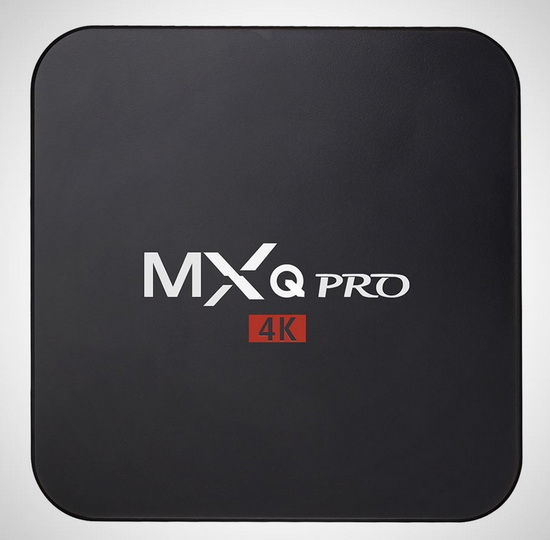
Download latest Android Lollipop 5.1.1 stock firmware for MXQ Pro TV Box from here, here or here. Download previous firmware from here.
Firmware details
Archive name: MXQ Pro Amlogic S905 4K TV Box Firmware Update 20160314
Image: hugsun_s905_mxq_20160304.img
Archive file size: 639 MB
Platform: AMLogic S905
Caution Please do not update firmware unless you know what you are doing, you really want it or it is absolutely necessary. Firmware updates may occasionally have bad results, like bricking your device, temporarily or permanently. The firmware update process is done entirely at your own risk. Before attempting to update the firmware, back up your data.
Did this article help you? If so, please tell me in a comment what do you think about it.
Don’t miss any of our future video tutorials, follow us on Youtube. Like us on Facebook. Add us in your circles on Google+. Watch our photo albums on Flickr.
















The USB Burning Tool dont accept this firmware.
BR
Helmut
I try usb burning tool v2.0.5.15 firmware but it doesn’t work. Error message “Get Key Failed” and i have also in red “mac 0”
had same get key failed error too these files solved it for me
https://www.dropbox.com/sh/hj0p40wvga8qzfn/AADt3mNlI1uhazKDLiPzNNKKa?dl=0
place licence files in licence folder in:
C:\Program Files (x86)\Amlogic\USB_Burning_Tool
or your adjusted install location
The .img works with USB_Burning_Tool_v2.0.6.2_build2
Works for with v2.05.15 USB burning tool (put image file in licence directory).
No visible change with this firmware… anyone have a changelog?
Hi,
I installed usb burning tool v2.0.6.2 build 2. I put the image file in licence directory. When i click on start i have an error message : HUB2-2 [0x00000fff]Get key failed
Kindly give detailed instruction about flasking in USB burning tool, How to connect MXQ pro TV box to PC?
Hi, I am getting this error, please help
[2016-03-23 09:03:01 627][HUB5-5][0x00101004]Erase bootloader/Lowper/Identify/Error result
Use toothpick or similar to press reset button and plug device in on usb port on same face as an socket. Just before you plug device in hit the start button I’ve found this to be best for catching correct sequence you should then start flashing and can depress rest button
Should read “av socket” this is where reset button is located
I just took this one. http://ugoos.net/ugoos-oem?product_id=149
F* other firmare they doesnt works
I flashed this on my MXQ Pro Amlogic S905 4K TV Box and now my wifi and remote don’t work anymore
I successfully flashed my MXQ Pro Amlogic S905 4K TV Box, but my remote has stopped working. Any patches or suggestions are greatly appreciated.
@brash. How did you install it, can you please provide steps and also how do you know if you are press the reset button in AV
Im having the same problem like viraj. Please help.
You pass the wrong update for two k1 plus s2 t2.
Dahr and now I no longer have anything on television , although the blue bulb any device ergonomics .
Is there a way to be traced back to its origin and thank you in advance
Worked like a charm… Got the key failed error at first, but the license files from tom solved that. 100% successful firmware flash.
Where can i get firmware for 2gb version of tvbox?
Amlogic s805 burning tool ket key failed error displayed. Please Help
a friend of mine did this with a mxq pro 4k box,it worked well,the only problem is his remote will not work now,any ideas please?
after update my remote not working
hi I want to upgrade Android 6.0 Marshmallow to my Android Lollipop 5.1.1 stock firmware for MXQ Pro 4k TV Box
will this work or does anyone as a newer upgrade .
any will be appreciated .
Tom had same get key failed error too these files solved it for me
https://www.dropbox.com/sh/hj0p40wvga8qzfn/AADt3mNlI1uhazKDLiPzNNKKa?dl=0
place licence files in licence folder in:
C:\Program Files (x86)\Amlogic\USB_Burning_Tool
or your adjusted install location
THANK YOU SO MUUUCHH TOM!!! , WORK IN MY MK808B PRO WITH ERROR GET KEY…
thank so much mr. tom
mill of API