
EZCast Beam J4a Launched, A Mighty Wi-Fi Mobile Projector featuring Android 10
Best Deal Alert! You can now buy the new EZCast Beam J4a Wi-Fi Mobile Projector featuring Android 10 with 10% off if you’ll use our coupon code: 10ChinaGad. (valid for USA) from Amazon.com.
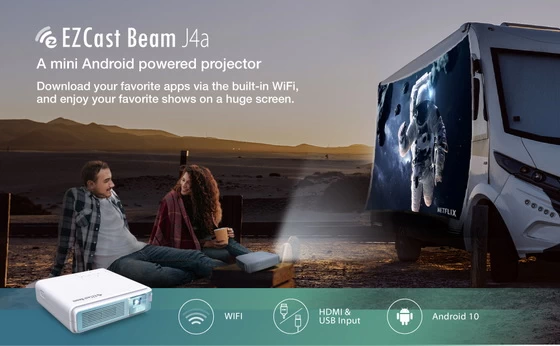
EZCast Beam J4a Highlights
– One click to Start the Immersive Entertainment. Download all the TV shows and movies you love with built-in Aptoide TV and play them on the big screen.
– Lasting 4 Hours Playtime. Allows you to enjoy long movies and several episodes in a single charge when choosing eco mode.
– Super-bright Picture. The advanced DLP technology provides 300 ANSI lumens brightness.
– Project on Irregular Surfaces. With Auto Vertical Keystone, J4a will detect and correct the distorted image, giving you the visible square image automatically.
– Play Music with Bluetooth Speaker. J4a has a built-in clear speaker and also allows you to play music with an external Bluetooth speaker.
– Maximize Entertainment with Portrait Projection. Supports full-screen vertical projection automatically, and allows you to comfortably display mobile apps like Tik Tok or play mobile games.
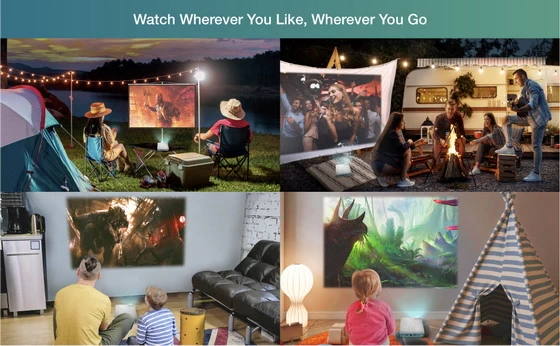
– Watch Whatever You Like, Wherever You Go. J4a supports USB, HDMI, and 3.5 mm audio ports. Let you play videos, music, photos, games, and files wherever you go.
Others features
– 30-100 inches projection size
– 20000+ hours long lamp life
– Built-in dual-band 2.4 GHz/5 GHz WiFi to support wireless screen mirroring
– Supports Miracast, Google Home, AirPlay, DLNA protocols.
Shop at Amazon / Official store / More details here.
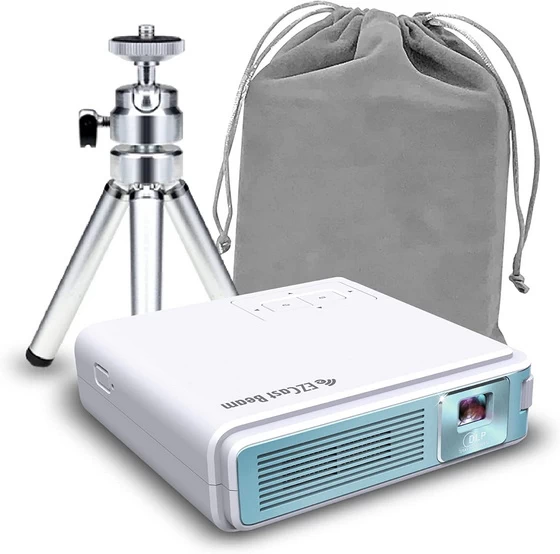 About EZCast. EZCast is the premier cross-platform (iOS, Android, Windows, and Mac) wireless display technology. EZCast devices, in the forms of dongles or boxes, are the remote-free cross-platform (iOS, Android, Windows, and Mac) wireless display products, which receive and display the contents you love from internet and your own portable devices (smartphones, tablets, notebook and Mac). EZCast APP for Android, developed by WinnerWave, displays documents and multimedia from Internet or your Android Pads/Smartphones wirelessly in cooperation with EZCast devices. In addition, EZCast APP switches wireless display standards (DLNA, Miracast) and control the setting through remoting the EZCast devices.
Did this article help you? If so, please tell me in a comment what do you think about it.
Don’t miss any of our future video tutorials, follow us on Youtube. Like us on Facebook. Add us in your circles on Google+. Watch our photo albums on Flickr. Subscribe now to our newsletter.















