Be(a)st Deal Alert! You can now buy ACEMAGIC K1 Kron Mini PC from Amazon.de with 8% discount if you’ll use our coupon code: DE75306VL. Original price: €409.99, final Price:€377.19. Hurry up, limited time offer, the coupon expires on 30 Sept 2026!
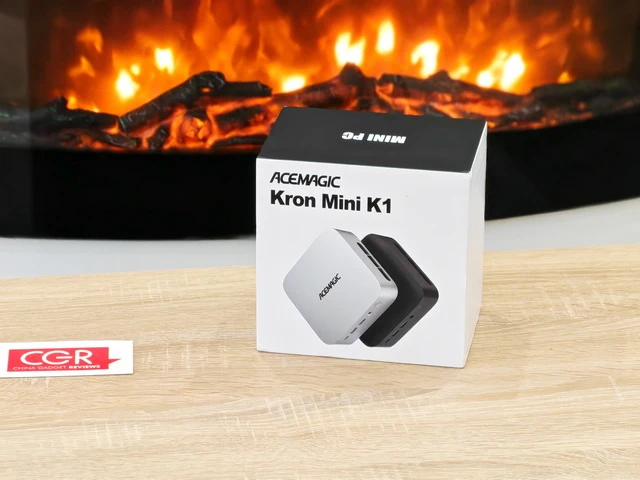
Meet ACEMAGIC K1 Kron Mini PC
The mini PC market has matured considerably over the past few years, moving well beyond the basic, low-powered machines that were once primarily intended for digital signage, lightweight office work or secondary-computer duties. Modern compact systems can now provide enough processing power, connectivity and storage flexibility to serve as genuine desktop replacements, and after spending an extended period with the ACEMAGIC K1 Kron Mini PC, I think this particular model illustrates that evolution rather well. My review unit combines an AMD Ryzen 5 7530U processor, 16GB of LPDDR4X memory and a 512GB M.2 SSD, placing it in a particularly useful middle ground. It is considerably more capable than entry-level Intel N-series mini PCs, while remaining compact, efficient and substantially easier to accommodate than a conventional desktop tower. What interested me most during testing was not simply how the K1 performed in short benchmarks, but how naturally it fitted into an everyday workflow involving web browsing, office applications, media consumption, file management, image work and prolonged multitasking. After using it over a longer period rather than treating it simply as a benchmark platform, I found the K1 to be a well-balanced little computer whose strengths are primarily practicality, consistent performance and an unusually generous selection of connectivity options.
The first impression of the ACEMAGIC K1 is defined largely by just how little physical space is required for an entire Windows desktop computer. Taking the machine out of its packaging immediately reinforces one of the principal attractions of the mini PC format: instead of unpacking a large chassis that needs its own dedicated area underneath or beside the desk, I was dealing with a compact black enclosure that can comfortably sit underneath a monitor, disappear into a corner of a workstation or travel inside a backpack when required. The packaging and presentation are straightforward rather than extravagant, which I consider appropriate for this category. ACEMAGIC concentrates attention on the computer itself and on getting the system operational without turning the unboxing process into an unnecessarily elaborate experience. Once connected to a display, keyboard, mouse and network, the K1 quickly begins to feel less like an auxiliary mini computer and more like a conventional desktop that happens to occupy a fraction of the usual space. That distinction became increasingly important during my testing. The novelty of the tiny enclosure disappears quite quickly; what remains is simply a functional Windows PC that does not demand much desk space.
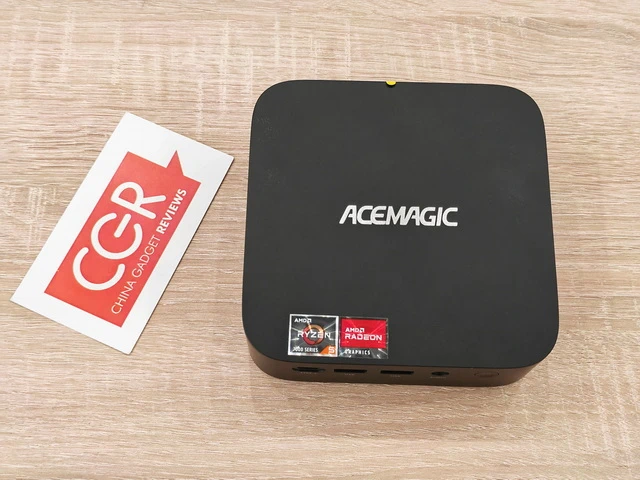
Physically, the K1 follows the understated design language that makes the most sense for a machine likely to spend its life in an office, home workstation, living room or educational environment. The predominantly black enclosure is compact, discreet and sufficiently neutral to work alongside almost any monitor and peripheral setup. ACEMAGIC has avoided excessive decorative elements, aggressive gaming styling and unnecessary RGB illumination, resulting in a machine that looks equally appropriate beside a professional monitor or television. Despite its small footprint, the chassis does not feel visually cramped. The rounded edges soften the otherwise utilitarian shape, while the ACEMAGIC branding on the upper surface provides enough visual identity without dominating the design. The small dimensions also produce a practical advantage that becomes more noticeable over time. Compared with a traditional desktop tower, the K1 effectively returns a significant portion of the workspace to the user. It can sit underneath a monitor, beside a keyboard or at the rear of a desk without becoming an obstruction. For installations where an uncluttered workstation matters, this alone is a compelling argument for the mini PC format.
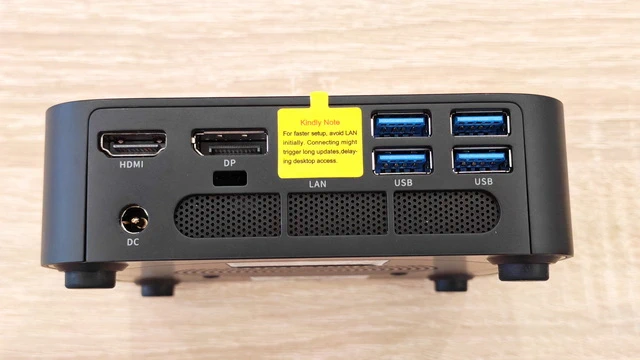
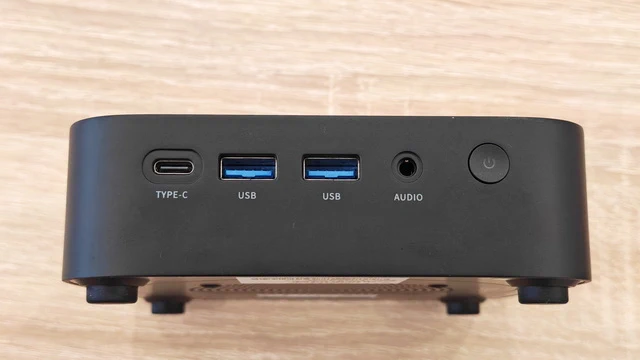
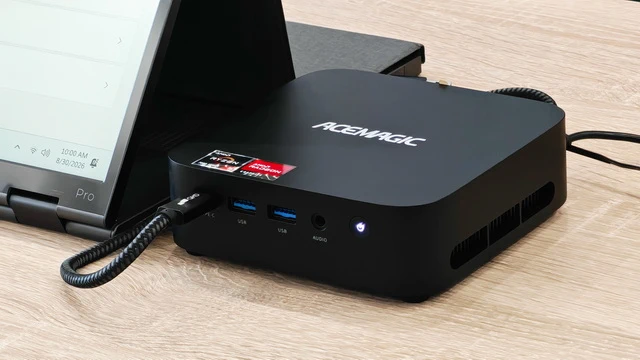
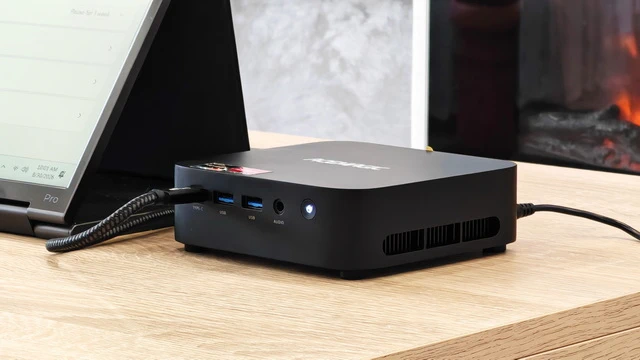
One of the design decisions I appreciated most during everyday use is ACEMAGIC’s decision to place several frequently accessed connections directly on the front. Here I have access to a USB 3.2 Gen 2 Type-C port, two USB 3.2 Gen 2 Type-A ports and a 3.5mm audio connection, alongside the power button. This configuration means that connecting a USB flash drive, portable SSD, headset, smartphone or other temporary peripheral does not require reaching behind the machine. It sounds like a relatively minor detail on a specification sheet, but it becomes considerably more valuable when the computer is used every day. The Type-C connection is particularly welcome because USB-C peripherals are becoming increasingly common, while retaining conventional Type-A ports ensures that existing keyboards, mice, external drives and accessories remain immediately usable. The rear panel is where the K1’s compact dimensions become genuinely impressive. ACEMAGIC provides HDMI 2.0, DisplayPort 1.4b, Gigabit Ethernet and four USB 3.2 Gen 1 Type-A ports, alongside the DC power input. Combined with the front connections, this provides a substantial amount of connectivity for such a small machine. There is enough USB capacity for a keyboard, mouse, external storage, printer, webcam and additional peripherals without immediately forcing the user to purchase a separate USB hub. For me, that is an important distinction between a mini PC designed simply to be inexpensive and one designed to function as a practical everyday desktop.
Another particularly useful feature is support for a triple-display configuration, using HDMI 2.0, DisplayPort 1.4b and the USB Type-C interface. ACEMAGIC specifies support for up to three 4K displays at 60Hz, giving the K1 considerably more workstation flexibility than its physical dimensions might suggest. I see this capability as especially relevant for productivity environments. A three-monitor arrangement can provide a large workspace for browser windows, spreadsheets, communication applications, monitoring software, photo-editing tools and reference material without constantly switching between windows. Even when three displays are unnecessary, having several independent video outputs provides considerably more flexibility when choosing monitors or repurposing the K1 later. The contrast is rather striking: the computer itself occupies barely any meaningful desk space, yet it can become the centre of a substantial multi-monitor workstation.
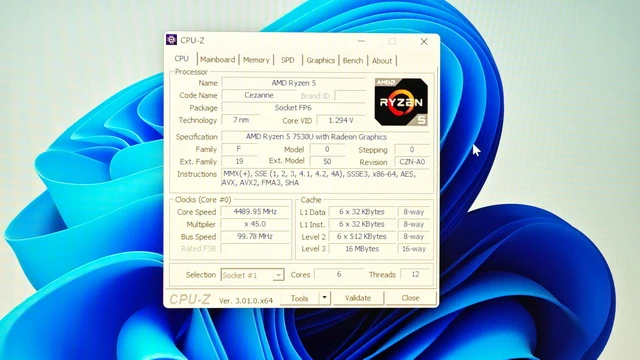
At the heart of the K1 is the AMD Ryzen 5 7530U, and this processor is arguably the main reason the machine feels considerably more capable than many inexpensive mini PCs. The Ryzen 5 7530U is based on AMD’s Zen 3 architecture and provides six CPU cores and twelve processing threads, alongside 16MB of L3 cache. Its nominal clock starts at 2.0GHz, while boost frequencies can reach up to 4.5GHz when workload and thermal conditions allow. Although this is not one of AMD’s newest architectures, Zen 3 remains highly competent for mainstream computing, and the six-core/twelve-thread configuration gives the K1 enough parallel processing capacity to handle considerably more than basic web browsing. During everyday operation, that translates into a system that feels responsive when moving between applications, opening numerous browser tabs, handling documents and spreadsheets, managing downloads or running several tasks simultaneously. There is enough CPU headroom that I rarely found myself consciously adapting my workflow to the limitations of the computer. That is perhaps one of the best compliments I can give a compact PC: after the initial setup period, I largely stopped thinking about its size and simply used it as a normal computer.
My normal workload frequently involves a large number of browser tabs alongside document editing, file transfers, image management, messaging applications and media playback, and this type of mixed workload suits the Ryzen 5 7530U particularly well. Six physical cores and twelve threads give the processor enough flexibility to distribute background and foreground tasks without the sluggish transitions I sometimes encounter on lower-end four-core or Intel N-series systems. Applications launch quickly, Windows remains responsive during file transfers, and moving between browser-heavy workflows and productivity applications generally feels immediate. This is not workstation-class hardware intended for sustained professional rendering or complex scientific workloads, but that is not what the K1 is trying to be. For mainstream productivity, home-office workloads and general-purpose computing, the balance is very good.
My K1 arrived with 16GB of LPDDR4X memory running at 3733MHz. Sixteen gigabytes remains an appropriate capacity for a modern general-purpose Windows machine, and during my testing it proved sufficient for substantial browser multitasking, productivity software and everyday creative applications. The dual-channel memory configuration also benefits the integrated Radeon graphics, which relies on system memory rather than dedicated VRAM. There is, however, one important consideration prospective buyers should understand: the LPDDR4X memory is onboard and cannot be upgraded. For the intended use of the K1, I do not consider 16GB particularly restrictive today. It is enough for the majority of mainstream workloads and should remain practical for ordinary use for a considerable period. Nevertheless, users specifically planning virtual machines, unusually memory-intensive professional applications or workloads that routinely exceed 16GB should take this fixed memory configuration into account before purchasing.
Storage on my review configuration consists of a 512GB M.2 2280 SSD. For a general-purpose Windows computer, 512GB provides a sensible starting point, leaving enough room for Windows, applications, documents and a useful collection of local media without immediately requiring external storage. More importantly, ACEMAGIC has not treated the installed SSD capacity as the practical limit of the machine. The K1 supports M.2 2280 storage and provides dual M.2 slots, with ACEMAGIC advertising total expansion of up to 4TB. This makes the storage configuration substantially more flexible than the soldered memory. That distinction matters over the longer term. While RAM capacity is fixed at 16GB, storage requirements can evolve considerably, and the ability to add or replace an SSD makes it possible to transform the K1 into a much more substantial local storage machine.
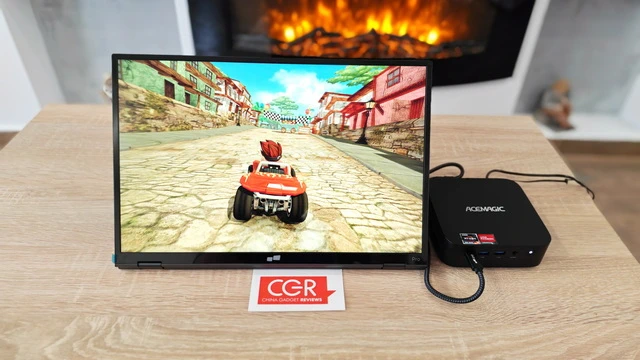
Graphics are handled by the integrated AMD Radeon Vega 7 GPU, with seven graphics cores. This is an integrated graphics solution rather than a substitute for a modern dedicated gaming GPU, and expectations should therefore remain realistic. For normal desktop operation, video playback, streaming, interface acceleration and light creative workloads, Vega 7 is entirely adequate. High-resolution desktop environments remain smooth, and the GPU complements the CPU nicely for the sort of mixed productivity and entertainment workloads for which the K1 is designed. Light gaming is also possible. Less demanding esports, MOBA, strategy and older games can be enjoyable at 1080p when graphics settings are selected sensibly. ACEMAGIC advertises 65+ FPS performance in certain 1080p medium-setting gaming scenarios, although actual frame rates will naturally vary substantially depending on the game, memory usage, drivers and graphics settings. I would therefore describe the K1 as casual-gaming capable rather than gaming focused. For somebody who occasionally wants to play a lighter title after work, it is perfectly usable. For modern AAA games at high settings, a system equipped with dedicated graphics remains the appropriate choice.
One area where the Ryzen 5 processor provides a noticeable advantage over lower-end mini PCs is light creative work. Basic photo editing, resizing batches of images, preparing graphics for web publication and working with relatively modest creative projects all feel comfortable. The combination of six Zen 3 cores, twelve threads, 16GB of memory and Radeon graphics means the K1 can handle occasional creative tasks without becoming frustrating. I would not choose it as my primary system for continuous professional 4K video production, complex After Effects compositions or GPU-intensive 3D rendering, but those workloads are substantially beyond the intended scope of this machine. For web graphics, social-media content, basic image manipulation and occasional light video work, it offers considerably more flexibility than its dimensions suggest.
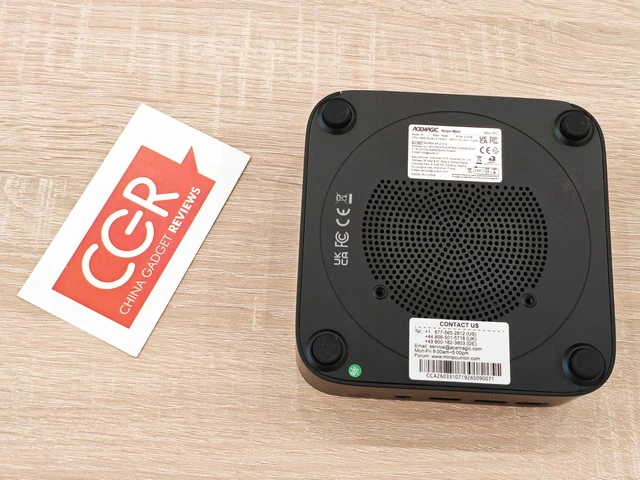
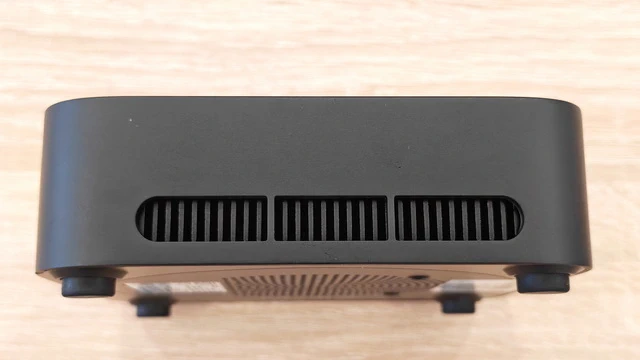
Small computers present an obvious engineering challenge: powerful components produce heat, yet there is far less internal volume available for heatsinks and airflow than inside a conventional desktop. ACEMAGIC addresses this with an active cooling system incorporating an axial fan, substantial cooling fins and airflow paths designed to move heat through both sides of the enclosure. The Ryzen 5 7530U itself is also well suited to this type of machine. Manufactured on a 7nm process and designed around a nominal 15W TDP, it can provide respectable performance without requiring the enormous cooling hardware associated with desktop-class processors. During extended everyday use, I found the K1 better suited to sustained productivity than I initially expected from such a small chassis. Under light workloads, the cooling system remains unobtrusive. As CPU activity increases, the fan naturally becomes more noticeable, but this is preferable to allowing temperatures to rise until the processor has to sacrifice substantial performance. More importantly, during longer sessions involving numerous applications and sustained multitasking, I did not experience the dramatic deterioration in responsiveness that can affect poorly cooled compact systems.
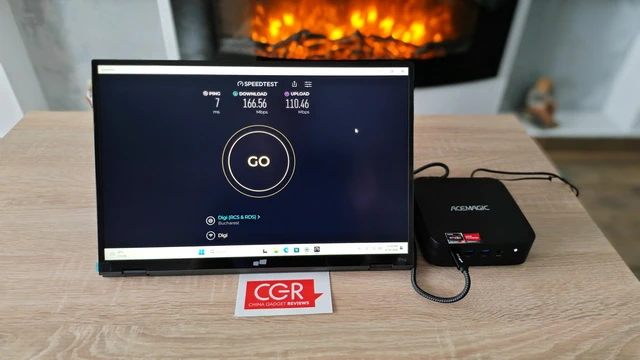
Wireless connectivity includes dual-band Wi-Fi 6 and Bluetooth 5.2. Wi-Fi 6 is a welcome inclusion, particularly when the machine is installed somewhere where running an Ethernet cable would be inconvenient. For transferring large files across a capable local network, streaming high-resolution media and general internet use, the wireless connection gives the K1 the flexibility expected from a modern desktop. Bluetooth 5.2 handles accessories such as wireless keyboards, mice, headphones, speakers and game controllers, making it possible to construct an extremely clean desktop installation with very few visible cables. For situations where maximum network consistency is more important than convenience, the integrated Gigabit Ethernet port remains available.
The K1 is designed to work with Windows 11 Pro, while ACEMAGIC also highlights compatibility with Linux and Ubuntu. That makes the machine considerably more versatile than a simple Windows appliance. For most users, Windows 11 Pro will be the obvious environment, particularly for office productivity, web applications and mainstream software compatibility. However, the compact hardware and relatively conventional AMD platform also make the K1 interesting as a small Linux workstation, development computer, home server or specialised network machine. Features including Wake-on-LAN and automatic power-on reinforce this flexibility. These functions may not matter to every home user, but they become valuable when the K1 is deployed remotely, incorporated into an office environment or used for unattended applications.
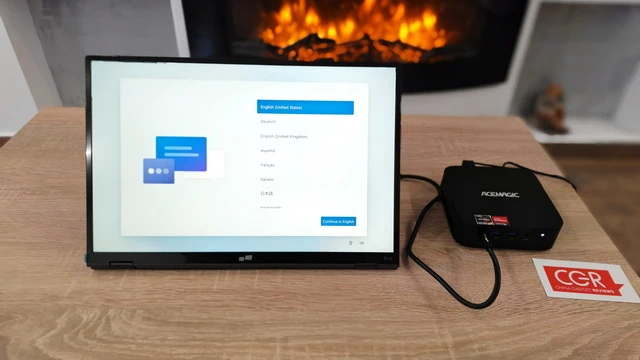
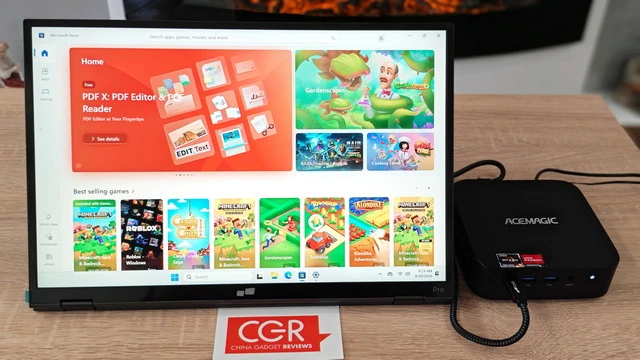
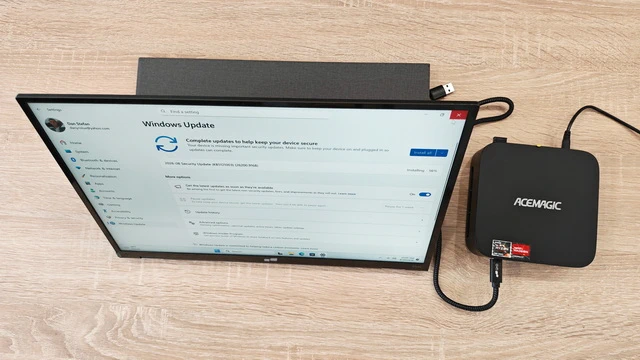
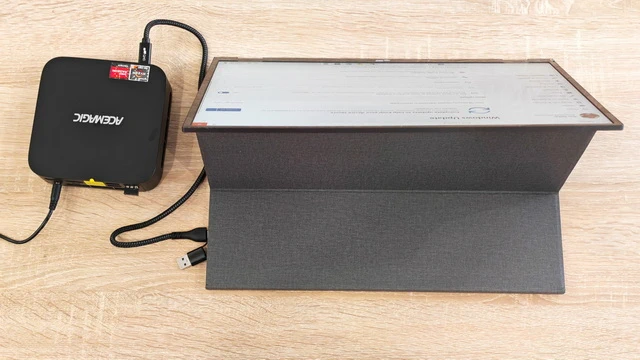
The first start-up of the ACEMAGIC K1 Kron was straightforward and immediately familiar. After connecting the Mini PC to a portable monitor via HDMI, attaching the power supply, keyboard and mouse, I pressed the front power button and was greeted by the standard Windows 11 setup interface. The initial configuration began with the language selection screen, followed by the usual Windows steps for choosing the region and keyboard layout, connecting to Wi-Fi and signing in with a Microsoft account. The entire process was smooth, with no freezes, unexpected restarts or unusually long waiting times. Once the configuration was complete, the K1 booted into a clean Windows 11 Pro desktop. The operating system installed on my review unit was Windows 11 Pro, version 25H2, with OS Build 26200.8039. Windows was already activated, so the Mini PC was ready to use without requiring the purchase or manual entry of an additional licence key. A quick visit to the System information page confirmed the main configuration of my unit: an AMD Ryzen 5 7530U processor with integrated Radeon Graphics, 16GB of DDR4 memory running at 3200 MT/s and a 512GB SSD, of which approximately 477GB is available to Windows. Around 43GB was already occupied after completing the initial setup and system configuration. My first impression was very positive. Windows 11 felt responsive from the beginning, menus opened quickly, applications launched without hesitation and general navigation was pleasantly fluid. The Ryzen 5 7530U, with its six cores and twelve threads, gives the ACEMAGIC K1 enough processing power to feel like a proper everyday desktop rather than an underpowered compact computer. The preinstalled software environment also appeared relatively clean. I did not encounter an excessive collection of unwanted applications or intrusive manufacturer utilities during the first session. Nevertheless, as with any new Windows PC, I recommend running Windows Update immediately, installing every available security and driver update, and then performing a complete Windows Security scan before transferring personal files or signing in to essential services.
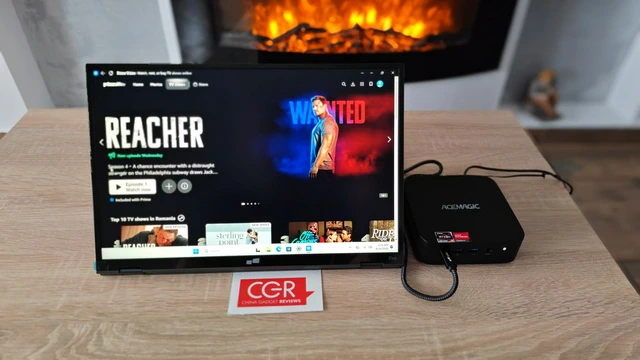
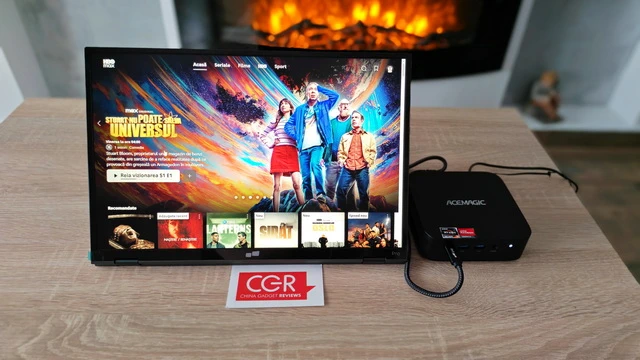
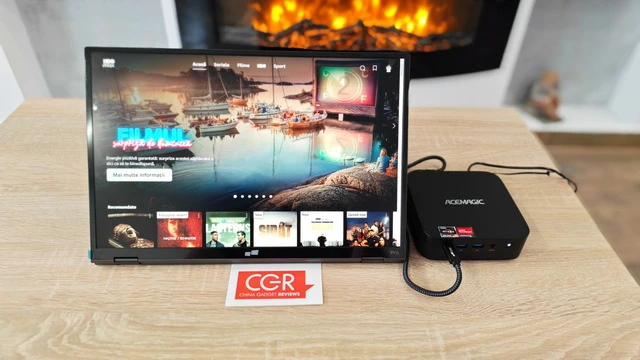
The ACEMAGIC K1 Kron proved to be an excellent compact entertainment system during my streaming tests. I played 4K content on YouTube and explored movies and series on Prime Video, SkyShowtime and HBO Max. Playback was smooth and stable across all four platforms, without noticeable buffering, dropped frames or audio synchronisation problems. YouTube 4K videos looked sharp and detailed, with fluid motion and vivid colours. The integrated AMD Radeon Graphics handled high-resolution video decoding without making the system feel strained, while navigating between full-screen playback, browser tabs and other applications remained quick and responsive. Prime Video also delivered a pleasant experience, with fast interface navigation, responsive controls and smooth playback. SkyShowtime and HBO Max performed equally well, loading their catalogues quickly and maintaining stable video playback throughout my testing. Subtitles, audio controls and full-screen switching all worked as expected. The K1 remained responsive during every test, making it easy to pause a movie, search for another title or switch between streaming services. Its quiet operation and compact dimensions also make it particularly suitable for a living-room setup, where it can be connected to a television or monitor and used as a capable Windows-based media centre. Overall, the ACEMAGIC K1 Kron offered an impressive streaming experience across YouTube 4K, Prime Video, SkyShowtime and HBO Max. Video playback was consistently fluid, image quality was excellent and the Mini PC had more than enough performance for everyday home entertainment.
For home-office applications, the K1 is particularly convincing. Its processor comfortably handles web applications, office suites, email, video conferencing and multitasking, while the multi-display support can transform it into a highly productive workstation. Business users will similarly appreciate the ability to connect multiple monitors and a large collection of peripherals without relying immediately on docks and adapters. The discreet appearance also works well in professional environments where a large RGB-equipped desktop tower would be unnecessary. Connected to a television, the K1 can also operate as a very capable home entertainment computer. Its Radeon graphics are more than sufficient for mainstream high-resolution video playback, while Wi-Fi 6 provides fast wireless networking and Bluetooth makes connecting controllers or audio devices straightforward. Unlike a conventional streaming box, a Windows mini PC also provides access to a complete desktop browser, local applications, external storage and a much broader range of software. It is therefore particularly interesting for users who want something more flexible than a dedicated media player. The K1 also makes sense as a compact family or educational PC. It has considerably more processing capability than is required for online classes, research, document creation and video calls, meaning there is enough performance reserve for the system to remain useful as requirements become more demanding. Its small dimensions make it easier to accommodate in bedrooms, study areas and shared workspaces where a traditional tower would consume unnecessary room.
The K1’s greatest strength is not one spectacular specification but the way its individual components complement one another. The Ryzen 5 7530U provides a substantial performance foundation, 16GB of dual-channel LPDDR4X memory gives Windows enough working space for serious multitasking, the 512GB SSD keeps the system responsive, and the expansion capability prevents the initial storage configuration from becoming a permanent limitation. At the same time, Wi-Fi 6, Bluetooth 5.2, Gigabit Ethernet, numerous USB connections and three independent display interfaces give the machine an unusually broad level of connectivity for its dimensions. This combination makes the K1 feel like a properly designed desktop that has been miniaturised rather than a low-end computer that happens to come in a small enclosure.
There are still limitations worth acknowledging. The most significant is the soldered 16GB LPDDR4X memory. For mainstream users this is unlikely to become an immediate problem, but buyers who specifically require 32GB or more should look elsewhere. The Radeon Vega 7 GPU is also competent rather than cutting-edge. It handles desktop acceleration, multimedia and lighter games effectively, but buyers interested primarily in modern AAA gaming, heavy GPU rendering or demanding AI workloads will require substantially more graphics performance. Finally, the Ryzen 5 7530U is based on Zen 3 rather than AMD’s latest architecture. This does not prevent the machine from delivering excellent everyday responsiveness, but it is worth recognising when comparing the K1 with newer, significantly more expensive Ryzen mini PCs. These compromises, however, are relatively logical ones considering the intended market and compact format.
After spending considerable time with the ACEMAGIC K1 Kron Mini PC, I came away impressed primarily by how complete the overall experience feels. This is not a miniature gaming workstation pretending that integrated graphics can replace a high-end GPU, nor is it positioned as an extreme-performance professional workstation. Instead, ACEMAGIC has built a compact desktop around a very sensible collection of components, and that balanced approach is precisely what makes the K1 attractive. The AMD Ryzen 5 7530U with six cores and twelve threads provides enough CPU performance for demanding everyday multitasking, the 16GB LPDDR4X memory keeps normal Windows workloads fluid, and the 512GB M.2 SSD provides responsive local storage while retaining meaningful expansion possibilities. I was equally impressed by the connectivity. Having HDMI 2.0, DisplayPort 1.4b and USB-C available for a potential three-display workstation, together with Gigabit Ethernet, Wi-Fi 6, Bluetooth 5.2 and numerous USB ports, makes the K1 substantially more versatile than its tiny enclosure initially suggests. Its greatest success, however, is that after using it for a while, the compact size stops being the main story. Instead of continually thinking, this performs well for such a small PC, I found myself simply treating the K1 as a normal desktop computer. For home-office productivity, web-based work, multimedia, education, light content creation, casual gaming and general everyday computing, the ACEMAGIC K1 Kron 16GB/512GB delivers a convincing combination of performance, connectivity, expandability and exceptionally efficient use of space. The fixed 16GB memory and modest integrated GPU define its upper limits, but within those limits the K1 is a remarkably practical machine. For anyone who no longer needs the physical expansion capabilities of a traditional desktop tower but still wants the flexibility of a full Windows PC, this is exactly the kind of mini PC that demonstrates how little hardware you actually need on the desk to obtain a genuinely capable computing experience.
ACEMAGIC K1 Kron Mini PC Main Features
– Exceeds RYZEN 7. The AMD Ryzen 5 7530U processor integrated in the K1 Mini PC is based on the Zen 3 architecture and offers superior single and multi-core performance (comparable to the Ryzen 7 5850U). With 6 cores, 12 threads and 16MB L3 cache, it handles multitasking and demanding applications effortlessly. With a base clock frequency of 2.0 GHz, the processor achieves a maximum turbo clock of 4.5 GHz, which allows for instant performance boost for spontaneous tasks and high-load scenarios.
– Excellent integrated graphics. Equipped with the AMD Radeon RX Vega 7 graphics unit, it offers a base clock frequency of 400 MHz, which can reach up to 1800 MHz in Turbo mode. It supports 1080p HD videos, light gaming, and basic graphic editing needs, meeting daily entertainment and creative requirements. The performance is not outstanding, but definitely sufficient.
– Power consumption control. Based on the 7nm FinFET manufacturing process, it enables higher energy efficiency and lower heat generation. The standard TDP is 15W, which shows excellent power consumption control. In addition, the K1 mini computer has an intelligent cooling system that provides an efficient cooling solution. This allows the K1 Ryzen Mini PC equipped with this processor to control heat generation well even during long-term operation and maintain performance stability.
– AMD Intelligent Technologies. Integrated AI acceleration features (such as AMD Pro Technology), which optimize system responsiveness and energy efficiency; Hardware-based security protection (such as Secure Processor), providing hardware-based security protection and ensuring your data privacy and security; Support for AMD SmartShift Technology, which dynamically allocates CPU & GPU power consumption to achieve a perfect balance between performance and battery life; AMD SenseMI Technology, which monitors and adjusts the operating state of the processor in real time to ensure that the mini PC is always in optimal condition during use.
– Memory Specifications. The K1 Mini Desktop PC supports a Dual-Channel memory design with up to 16 GB LPDDR4X, which effectively increases memory bandwidth and accelerates data transfer to ensure a smooth experience without stuttering. The built-in M.2 2280 SSD (supports SATA/NVMe) easily handles multitasking and supports an expansion of at least 4TB SSD, providing ample storage for large amounts of data and rich video content.
ACEMAGIC K1 Kron Mini PC best-use scenarios
– Home Office & Remote Work – Excellent for Microsoft Office, email, web apps, video conferencing and everyday multitasking.
– Everyday Desktop PC – A compact replacement for a traditional tower for browsing, documents, file management and general Windows use.
– Multi-Monitor Productivity – Supports up to three 4K@60Hz displays through HDMI, DisplayPort and USB-C, ideal for larger workspaces.
– 4K Streaming & Home Entertainment – Great for YouTube 4K, Prime Video, HBO Max, SkyShowtime and other streaming platforms.
– Windows Media Center – Connect it to a TV for streaming, local media playback, web browsing and access to full Windows applications.
– Casual Gaming – Radeon Vega 7 graphics can handle lighter esports, racing, strategy, MOBA and older games at sensible settings.
– Photo Editing & Graphic Design – Suitable for photo editing, image resizing, web graphics and social-media content creation.
– Light Video Editing – Capable of occasional basic video editing and content preparation without requiring a full-size workstation.
– Student & Educational PC – Well suited to online classes, research, assignments, presentations and video calls.
– Small Business Workstation – Compact enough for reception desks, offices, retail environments and other space-conscious professional installations.
– Linux & Development PC – Its AMD platform and Linux/Ubuntu compatibility make it useful as a compact development machine or Linux workstation.
– Home Server & Always-On Mini PC – Dual M.2 storage expansion, Gigabit Ethernet, Wake-on-LAN and automatic power-on make it suitable for lightweight server and unattended applications
ACEMAGIC K1 Kron Mini PC Ports
1 x 10M/100M/1000M adaptive RJ45 Gigabit Ethernet Port
2 x USB3.2 Gen2 Type-A Port (10Gbps)
4 x USB3.2 Gen1 Type-A Port (5Gbps)
1 x USB3.2 Gen2 Type-C (Support DP1.4, 4K@60Hz, up to 10Gbps data transfer)
1 x DC In
1 x HDMI 2.0
1 x DP1.4b
1 x 3.5mm Audio Jack
1 x Power Button
ACEMAGIC K1 Kron Mini PC Specs
Brand: ACEMAGIC
Model: K1 Kron
Product type: Mini PC
Processor: AMD Ryzen 5 7530U
CPU architecture: Zen 3
Manufacturing process: TSMC 7 nm FinFET
CPU cores: 6
CPU threads: 12
Base clock: 2.0 GHz
Maximum boost clock: 4.5 GHz
L3 cache: 16 MB
Graphics: AMD Radeon Graphics
GPU cores: 7
GPU frequency: 2000 MHz
Memory: 16GB LPDDR4X
Memory speed: 3200 MT/s
Memory type: On-board LPDDR4X
Memory upgradeable: No
Storage: 512GB M.2 2280 SSD
Storage slots: 2 × M.2 2280
M.2 Slot 1: SATA / PCIe
M.2 Slot 2: SATA
Maximum storage capacity: 4TB total
Wi-Fi: Wi-Fi 6
Bluetooth: Bluetooth 5.2
HDMI: 1 × HDMI 2.0, up to 4K@60Hz
DisplayPort: 1 × DP 1.4, up to 4K@60Hz
USB Type-C: 1 × USB 3.2 Gen 2 Type-C with 4K@60Hz video output
Display support: Up to 3 displays
Audio: 1 × 3.5mm audio jack
Operating system: Windows 11 Pro
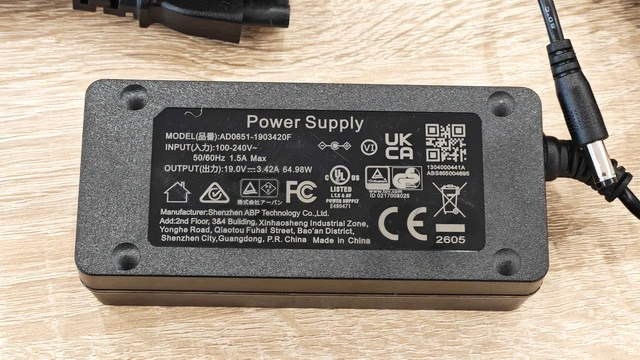
Power input: DC 19V / 3.42A
DC connector: 5.5 × 2.1 mm
Dimensions: 128.2 × 128.2 × 41 mm
Color: Black
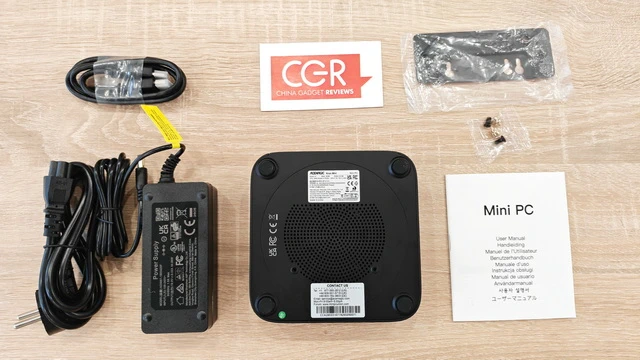
Package Content
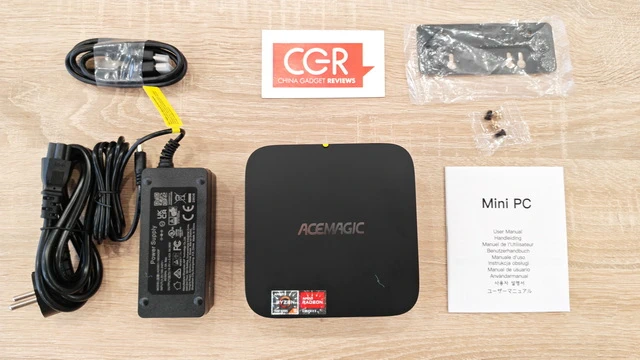
1 x ACEMAGIC K1 Kron Mini PC
1 x Power Adapter model AD0651-190342OF
1 x AC Power Cord
1 x HDMI Cable
1 x VESA Mounting Bracket
1 x Set of Mounting Screws
1 x User Manual
1 x Retail packaging box
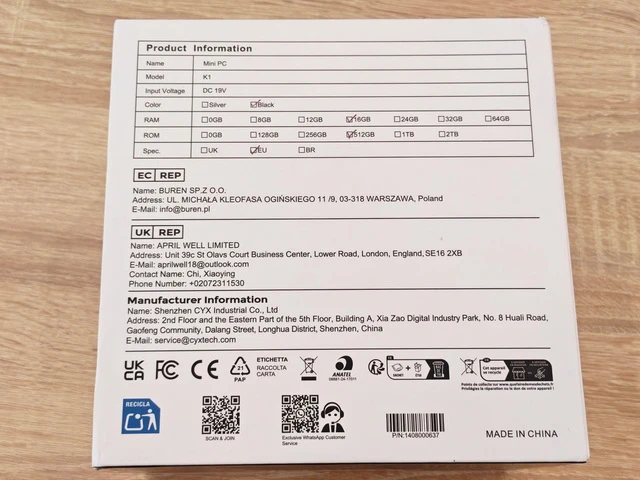

About ACEMAGIC. ACEMAGIC is a technology brand focused on compact and versatile computing solutions, particularly Mini PCs designed for home, office, entertainment and everyday productivity. The company combines modern hardware, space-saving designs and competitive specifications, offering systems for users who want capable desktop performance without the size and complexity of a traditional PC.
Did this article help you? If so, please tell me in a comment what do you think about it.
Don’t miss any of our future video tutorials, follow us on Youtube. Like us on Facebook. Join our Best Deals Telegram Channel. Join our Android TV Box Firmware Updates Telegram Channel. Subscribe now to our newsletter. If you need Tech Reviewer or Youtube Influencer read this. Donate now here to support CGR Team!