Best Deal Alert! You can now buy Mobile Pixels Duex Float 2.0 Pro 2.5K High-Resolution Display from Mobilepixels.us with 35% off, for only $254.99 (regular price: $389.99). Hurry up, limited time offer!
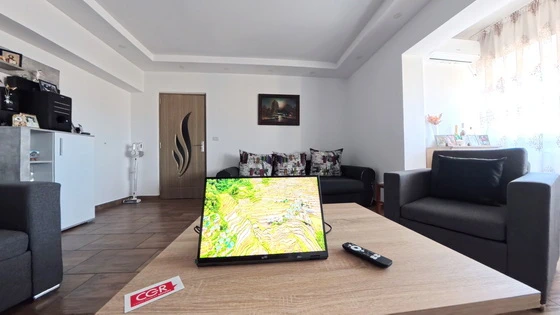
Meet Mobile Pixels Duex Float 2.0 Pro – The Ultra-Portable Dual-Screen Revolution
In an era where hybrid work, creative flexibility, and portable productivity rule, the Mobile Pixels Duex Float 2.0 Pro stands out as one of the most refined portable monitors you can add to your setup. It’s not just a screen — it’s a mobile workstation enhancer, a creative companion, and a gaming-ready display, all in one sleek, featherlight form.
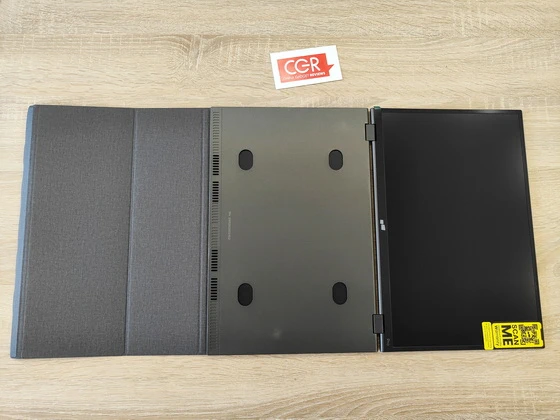
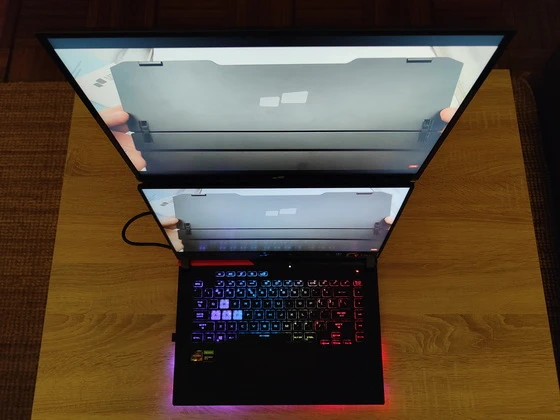
At first glance, the Duex Float 2.0 Pro looks like a design upgrade from the future. 33% lighter and 20% thinner than its predecessor, it weighs just 2.9 lbs and measures 0.7 inches thin, making it effortlessly portable. Slide it next to your laptop in a backpack, and you’ll barely feel the difference. The sandblasted aluminum finish, matte anti-glare coating, and integrated kickstand make it a beautiful yet functional piece of hardware. The stand doubles as a protective cover, adding durability when traveling. Mobile Pixels has also added optional magnetic mounts for users who prefer a stacked or side-by-side setup directly on their laptops. It’s clear: every curve and component was designed to streamline your mobile workflow.
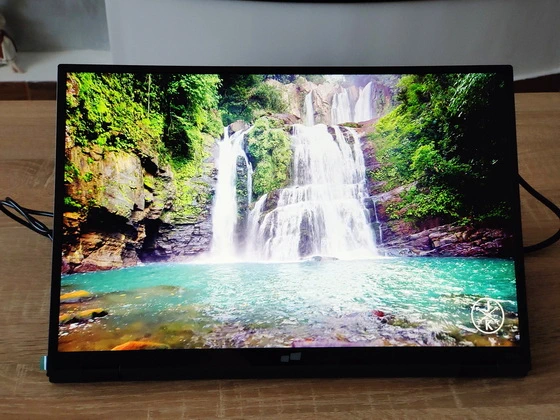
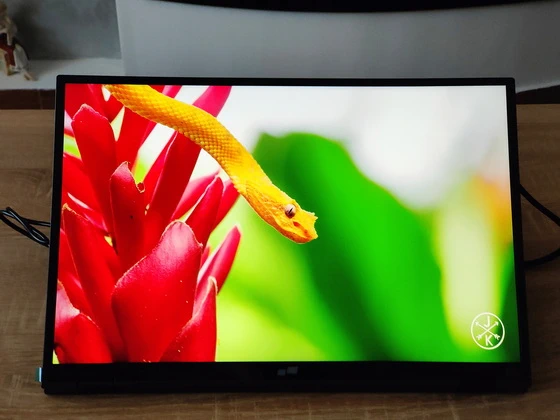
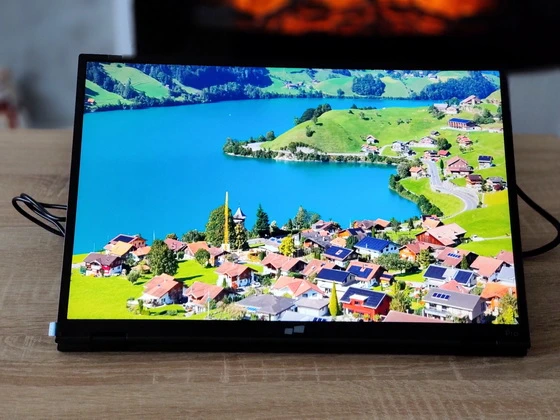
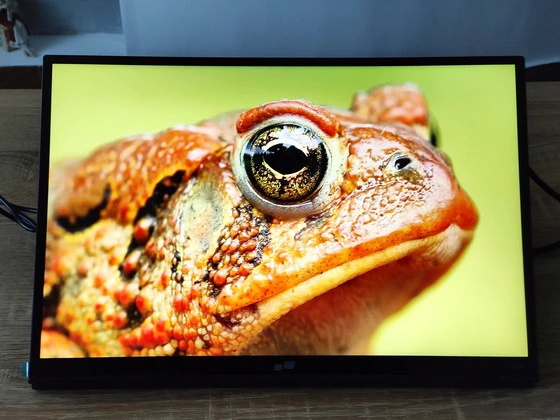
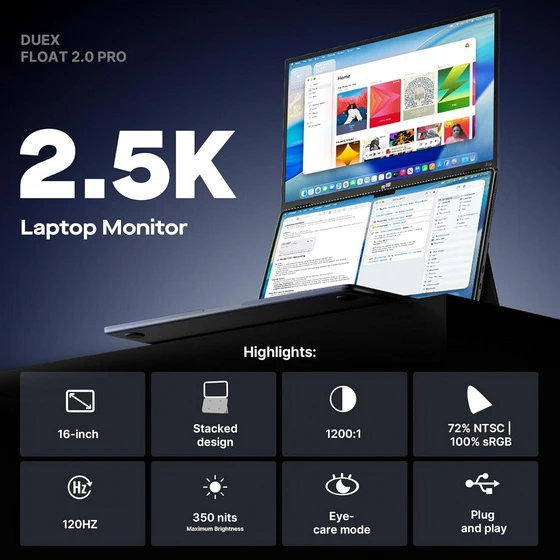
This is where the Duex Float 2.0 Pro truly shines. The 16-inch 2.5K (2560×1600) panel offers 100% sRGB color accuracy, 350 nits brightness, and an impressive 120Hz refresh rate. Whether you’re photo-editing, color grading 4K footage, or simply scrolling through spreadsheets, the visuals are crisp, fluid, and color-true right out of the box — no calibration required. In side-by-side testing with a MacBook Pro and an Asus ZenBook, color tones were consistent, blacks deep, and motion buttery-smooth — a rare feat for portable displays. This screen isn’t just built for productivity — it’s also a treat for gaming and entertainment, handling fast-paced visuals with zero ghosting thanks to its 8ms response time.
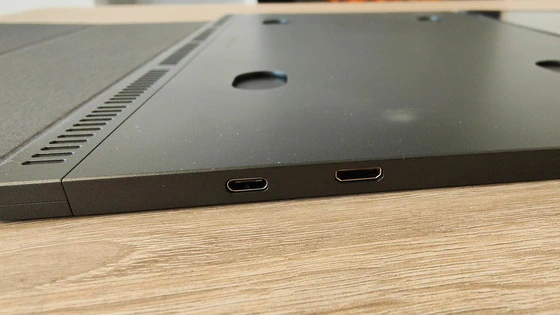
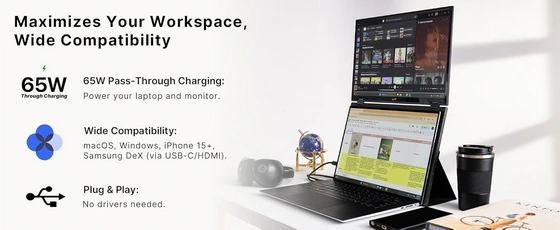
The Duex Float 2.0 Pro excels in plug-and-play simplicity. It connects instantly via USB-C or Mini HDMI, supporting both video and power delivery with a single cable. Even better, it features 65W pass-through charging, so you can power your laptop and the display simultaneously — perfect for travel or mobile workstations where outlets are limited.
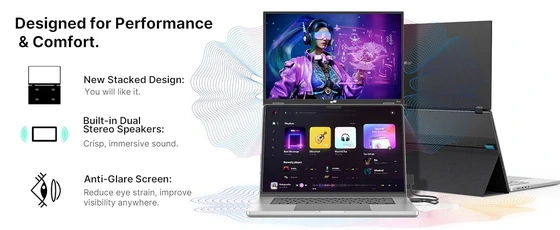
Built-in dual stereo speakers deliver surprisingly clean, balanced sound — a welcome addition for calls, content creation, or casual entertainment. They’re not studio-grade, but leagues above the typical “tinny” portable monitor audio. The newly designed kickstand system deserves special mention. From setup to performance, every detail feels thought through. The anti-glare matte display reduces reflections and eye strain — perfect for long editing sessions or multi-hour commutes. Switching between devices is instant, and the overall build feels durable yet premium. Even thermals are well-managed; the display remains cool even after hours of use. The magnet-assisted mounting system is optional but adds flexibility for creators and multitaskers who prefer a floating dual-screen setup.
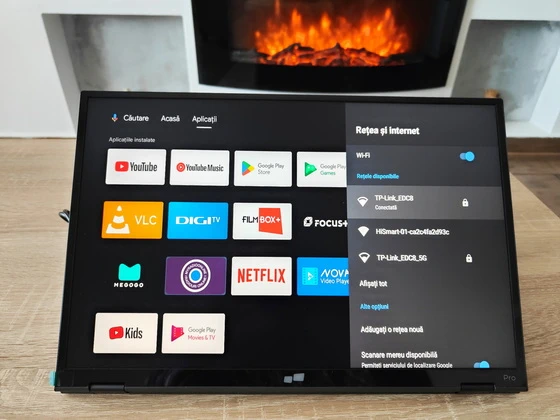
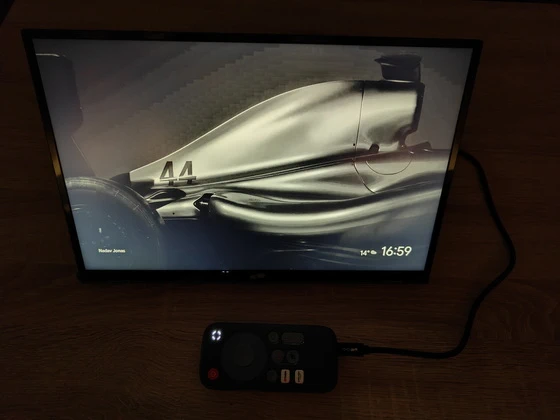
I was pleasantly surprised by how effortless it is to use the Mobile Pixels Duex Float 2.0 Pro with the Homatics Pocket TV Portable Stream Media Player. The setup couldn’t be simpler — just connect the two devices with a single USB Type-C cable, and everything works instantly. No additional adapters, no extra power cords, no configuration needed. The Duex Float 2.0 Pro automatically powers on and displays the Google TV interface from the Homatics Pocket TV within seconds. It’s truly a plug-and-play experience — both video and power delivery flow through that one cable, keeping your workspace clean and clutter-free. Performance is smooth, colors look vibrant, and the screen responds perfectly, just like a regular monitor. The 65W pass-through charging capability means you can even power other devices while streaming or working. This combo feels perfect for travel, minimalist setups, or mobile entertainment stations, proving that high-end functionality doesn’t have to come with complexity.
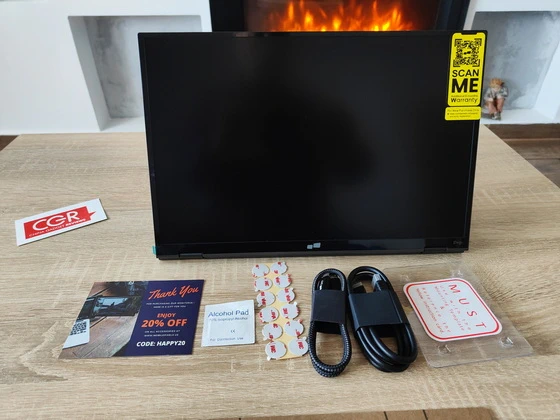
The Mobile Pixels Duex Float 2.0 Pro arrives in a sleek, minimalist box that immediately hints at the premium experience inside. The packaging feels well-designed and sturdy — a good balance of form and function that keeps everything neatly organized and protected during transport. Inside the box, you get everything needed to start right away — the impressively thin and premium Duex Float 2.0 Pro monitor, a USB-C cable with USB-A adapter for universal compatibility, a Mini HDMI to HDMI cable for versatile connections, four laptop magnets for secure mounting, and a user guide that makes setup effortless and truly plug-and-play. Everything is intuitively arranged, and setup takes just minutes — a true plug-and-play experience with zero frustration. From the moment you lift the monitor out of the box, you can tell this is not just another portable display. The 2.5K high-resolution panel looks stunning even before it’s powered on. Every port, hinge, and curve feels deliberate — lightweight yet durable, sleek yet sturdy.
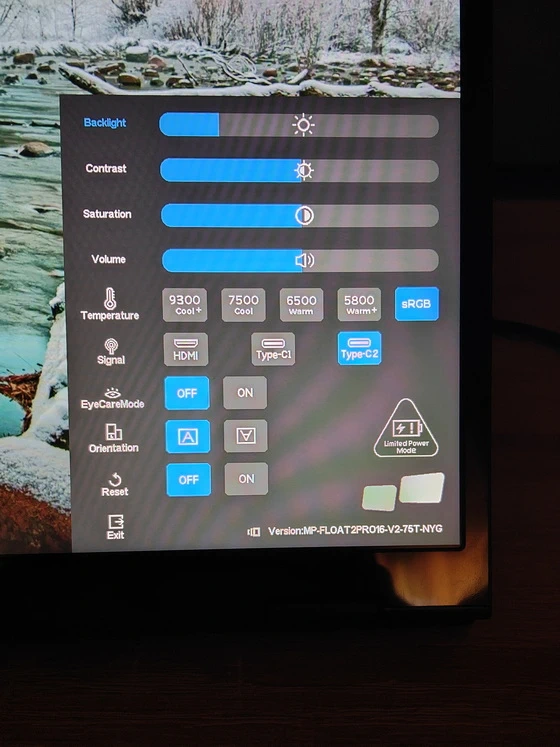
Exploring the settings of the Mobile Pixels Duex Float 2.0 Pro reveals a very clean and intuitive on-screen menu, designed for quick adjustments without unnecessary complexity. Everything is organized logically, allowing you to fine-tune brightness, contrast, and saturation in seconds. The Backlight and Contrast sliders respond instantly, making it easy to adapt the display to different environments — whether you’re working in a bright office or watching content in a dim room. The Saturation control helps you achieve richer colors, while the Volume adjustment is handy for setups that use the monitor’s built-in audio. Color temperature options (9300K, 7500K, 6500K, and 5800K) let you choose between cooler or warmer tones depending on your preference. The inclusion of sRGB mode is a great touch for color accuracy, especially when doing photo or video work.
Exploring the settings of the Mobile Pixels Duex Float 2.0 Pro reveals a remarkably clean and intuitive on-screen menu designed for quick adjustments without unnecessary complexity, where every element is logically organized to let you fine-tune brightness, contrast, and saturation in seconds; the Backlight and Contrast sliders respond instantly, making it effortless to adapt the display to any environment, from a brightly lit office to a dimly lit room, while the Saturation control enhances color richness and the Volume adjustment proves useful for setups that rely on the monitor’s built-in audio; moreover, the wide range of color temperature options—allows you to select cooler or warmer tones according to your preference, with the addition of an sRGB mode ensuring high color accuracy ideal for photo or video editing; complemented by thoughtful features such as EyeCare Mode to reduce blue light during extended sessions, Orientation Control for seamless switching between landscape and portrait modes, Signal Input Selection for HDMI, Type-C1, and Type-C2 connections, and a Reset Option to easily restore factory defaults, the interface feels snappy and responsive, enabling instant transitions between inputs and modes without lag, while even in Limited Power Mode, the monitor maintains impressive brightness and clarity, ultimately delivering a complete, professional-grade yet user-friendly control experience that embodies the perfect balance of flexibility, functionality, and plug-and-play simplicity for everyday users and professionals alike.
Overall, the Duex Float 2.0 Pro offers a surprisingly complete and user-friendly control menu for a portable display. It gives you professional-grade flexibility in a plug-and-play design that remains approachable for everyday users. The Mobile Pixels Duex Float 2.0 Pro isn’t just an upgrade — it’s a complete reinvention of the portable monitor. It delivers studio-quality visuals, gaming-grade refresh rates, dual-device charging, and true plug-and-play simplicity — all in a chassis thinner than a magazine. For professionals, content creators, gamers, or anyone who lives between workspaces, it’s the kind of tech that genuinely changes your workflow. Once you’ve experienced this dual-screen freedom, you’ll never go back to working on a single display again. The Duex Float 2.0 Pro redefines what a portable monitor can be — elegant, powerful, and perfectly tuned for the modern hybrid world. It’s not just an accessory; it’s an essential tool for anyone who works or creates beyond the desk.
Mobile Pixels Duex Float 2.0 Pro Main Features
– One-to-two screen versatility. Whether you’re looking for a dual laptop monitor for everyday personal use or for completing school work on the go, the Duex Lite attachable monitor for laptop is a lightweight, slim, portable solution for a double laptop screen. Duex Lite is equipped with One Mini-HDMI cable and One USB C cable for plug and play, compatible with Windows, macOS, Linux, Chrome, Switch, Android, and more.
– Five colors, endless creativity. Give your laptop a stylish-yet-functional upgrade with your favorite color option. The Duex Lite colorful computer monitor was crafted to look and feel good with a matte finish in six color options: choose between deep grey, sky blue, jadeite green, misty lilac, set sail blue, or a cool white monitor. Pick a shade that matches your laptops.
– Plug in, power on. No need for additional drivers or software, and the connection is established automatically as soon as the mini HDMI or USB-C is plugged in. This makes setup quick and easy, allowing you to get started with their monitor right away.
– Portable. Go Lite. Mobile Pixels attachable monitor for laptop devices offers a sleek and portable solution with our lightest portable monitor yet – a 30% lighter and 40% slimmer second display than the previous generation. The Duex Lite’s sophisticated design and adhesive double monitor laptop attachment make it effortless to work on the go without anything weighing you down.
– Ensure optimal eye comfort. Experience optimal color temperature and brightness that minimizes the emission of blue light from your second display. Work and play comfortably with less eye fatigue while reading, word processing, and more in low-light environments. Our double portable monitor ensures hours of endless fun without the headache.
– For ergonomic comfort and various scenarios. The Duex Lite double portable monitor is equipped with a versatile, multipurpose sliding lid. Use it as a protective cover when you’re not using your laptop 2nd monitor, a magnetic double monitor laptop attachment, or as a prop stand in portrait mode. From horizontal orientation to vertical usage, our double laptop screen offers four display modes.
Mobile Pixels Duex Float 2.0 Pro using scenarios
– Hybrid & Remote Workstations. Perfect for professionals who split time between office, home, and cafés. Extend your laptop screen for multitasking — spreadsheets on one side, video calls or notes on the other — no docking station required.
– Travel Productivity on the Go. At just 2.9 lbs and 0.7 inches thin, it slips into any backpack. Ideal for working in airports, trains, or hotel rooms. The built-in stand and single-cable setup make it a true mobile workstation.
– Creative Professionals & Designers. Its 16-inch 2.5K display with 100% sRGB accuracy and 120Hz refresh rate makes it ideal for photo editing, graphic design, and color grading. Work confidently knowing tones and contrast are true to life.
– Programmers & Developers. Use the Duex Float 2.0 Pro as a secondary code reference or terminal window. The vertical orientation option is perfect for reading long lines of code and debugging efficiently.
– Portable Gaming Station. Connect via USB-C or Mini HDMI to a Nintendo Switch, Steam Deck, or laptop. The 8ms response time and 120Hz refresh rate ensure smooth, ghost-free gameplay — even on the go.
– Content Creators & Streamers. Use it as a live preview or chat monitor during streaming sessions. Dual-screen setups make editing, monitoring comments, or controlling OBS smoother and more professional.
– Home Office Setup Upgrade. Pair it with your laptop for an instant dual-monitor desktop experience — no bulky monitors or messy cables. Great for productivity, Zoom calls, and document review without straining your eyes.
– Digital Nomads & Minimalist Workspaces. For those who work from anywhere, this is the ultimate compact setup. Combine it with a mini PC or media player like the Homatics Pocket TV for a complete workstation or entertainment hub anywhere.
– Students & Researchers. Perfect for taking notes on one screen while referencing textbooks, PDFs, or lectures on the other. The EyeCare mode and adjustable brightness make long study sessions much easier.
– Entertainment & Media Viewing. Plug in your smartphone, tablet, or streaming device to enjoy Netflix, YouTube, or Google TV on a bigger, sharper 2.5K screen with dual stereo speakers — ideal for travel or downtime
Mobile Pixels Duex Float 2.0 Pro Highlights
16-inch 2.5K screen
Perfect for 16-inch laptops
33% lighter and 20% thinner than previous model
Stacked design
Built-in dual speakers
Two USB-C ports with 65W pass-through charging
One mini HDMI port connectivity
Newly designed built-in kickstand
Three different viewing modes
Mobile Pixels Duex Float 2.0 Pro Set up in seconds
– Open the cover and rotate the screen out.
– Fold the cover back, stick it to the base part of the monitor.
– Attach the monitor to your laptop via optional magnets.
– Connect the cable to your laptop.
Mobile Pixels Duex Float 2.0 Pro Specifications
Brand: Mobile Pixels
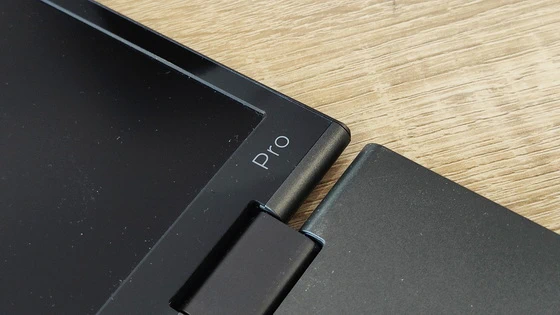
Model: Duex Float 2.0 Pro
Type: Portable Dual-Screen Monitor
Model number: 101-1011P03
Screen Size: 16 inch
Aspect Ratio: 16:10
Resolution: 2.5K 2560 × 1600 pixels
Panel Type: LCD IPS matte anti-glare display
Contrast Ratio: 1200:1
Brightness: 350 nit
Color Gamut: 72% NTSC / 100% sRGB
Refresh Rate: 120Hz
Response Time: 8ms
Viewing Angles: 178° (H/V)
Touchscreen: No
EyeCare Mode: Yes (Blue-light reduction)
Speakers: Dual built-in stereo speakers
Audio Output: Via monitor (through HDMI or USB-C)
Ports: 2 × USB-C (video + power delivery) & 1 × Mini HDMI
Material: Sandblasted aluminum alloy with matte finish
Attachment: Magnetic + Adhesive Mount
Power Delivery: Up to 65W pass-through charging
Compatibility: Windows, macOS, Linux, ChromeOS, Android, Switch, and more
On-screen display (OSD): for brightness, contrast, color temperature, and volume
Kickstand: Built-in, adjustable (doubles as protective cover)
Viewing Modes: Stacked Mode / Side-by-Side Mode / Free-Standing Mode / Portrait Mode
Color Temperature Presets: 9300K / 7500K / 6500K / 5800K / sRGB
Plug-and-Play: Yes (no drivers required)
Weight: 2.9 lbs
Thickness: 0.7 inches
Color Options: Deep Grey (default)
Firmware version: MP-FLOAT2PRO16-V2-75T-NYG
Mobile Pixels Duex Float 2.0 Pro Menu Options
Backlight
Contrast
Saturation
Volume
Temperature: 9300K / 7500K / 6500K / 5800K / sRGB
Signal: HDMI / Type-C1 / Type-C2
EyeCareMode: Off / On
Orientation:
Reset: Off / On
Exit
Package Content
1 x Mobile Pixels Duex Float 2.0 Pro
1 x USB Type-C cable with USB-A adapter
1 x Mini HDMI to HDMI cable
4 x Laptop Magnets
1 x User Guide
1 x Setup Guide
1 x Magnets Locations Template
12 x Extra Adhesive
1 x Alcohol Prep Pad
Unboxing Photo Album with Hi-Rez images here. Official webpage here. Here you can read more about Mobile Pixels brand.

About Mobile Pixels. Mobile Pixels Inc. was founded in 2018. Founder, Jack, was constantly frustrated by the lack of a secondary monitor that could help him work more efficiently. Feeling strangely nostalgic about the work monitor he used at his previous job, he decided to build a laptop monitor from a broken laptop. That is how our first product Mobile Pixels Duex was born. We combined the best technology in the market to create a lightweight portable monitor that increases your productivity and makes working efficient.
Did this article help you? If so, please tell me in a comment what do you think about it.
Don’t miss any of our future video tutorials, follow us on Youtube. Like us on Facebook. Join our Best Deals Telegram Channel. Join our Android TV Box Firmware Updates Telegram Channel. Subscribe now to our newsletter. If you need Tech Reviewer or Youtube Influencer read this. Donate now here to support CGR Team!