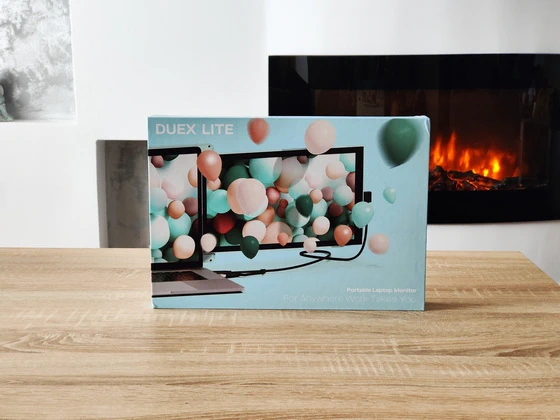
Best Deal Alert! You can now buy Mobile Pixels Duex Lite Portable Monitor from Mobilepixels.us for only $169.99, with 53% off (regular price: $359.99). Hurry up, limited time offer!

Meet Mobile Pixels Duex Lite Portable Monitor
If you’ve ever wished for a dual-screen setup on the go, the Mobile Pixels Duex Lite might just be the sleek, portable solution you’ve been looking for. With a 12.5” Full HD 1080p display packed into a compact frame weighing only 1.3 lbs, this attachable monitor delivers outstanding performance across various scenarios—whether for productivity, media, or creative tasks.
I had the pleasure of testing the Duex Lite in multiple configurations, and it exceeded expectations in every case:
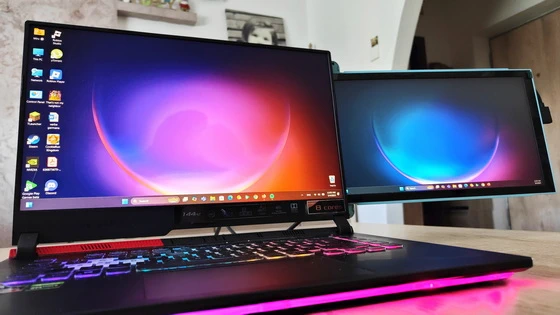
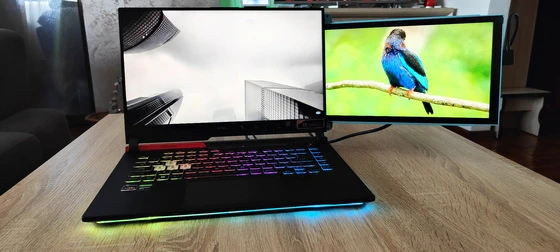
– As a second screen for my ASUS ROG Strix G15 G513 Gaming Laptop – via USB Type-C, it worked flawlessly for multitasking, especially useful while gaming, streaming, and managing background apps simultaneously.
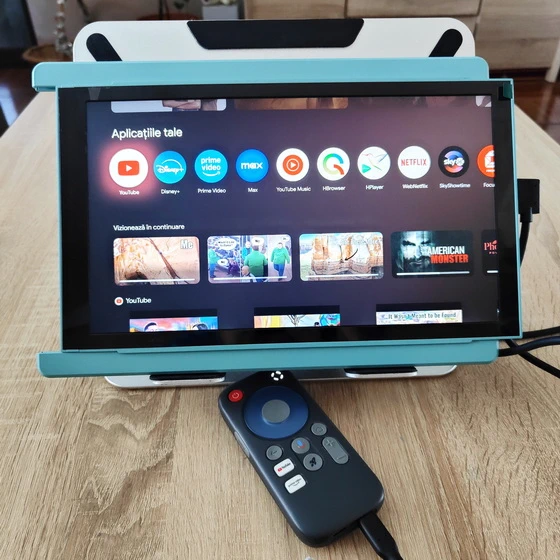
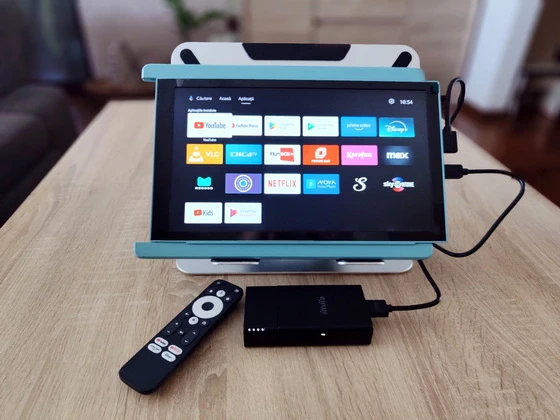
– As the main display for the Homatics Pocket TV – it turned a pocket-sized Android streamer into a fully functional smart TV hub.
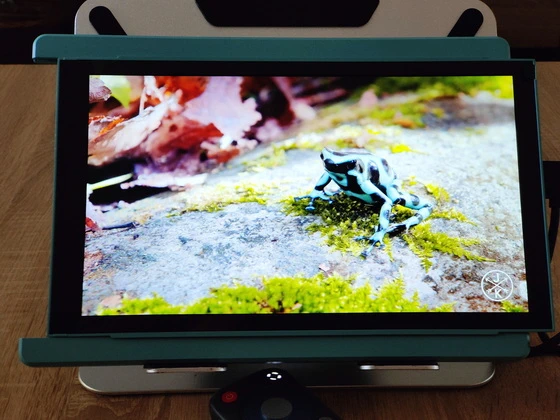
– As the primary monitor for the Goovis D4-H1 4K Portable Stream Media Player – connected via mini HDMI, it offered crisp visuals and zero latency, perfect for streaming high-resolution content on the move.
The Duex Lite is not just about performance—it’s also about personality. It comes in five vivid colors: Deep Grey, Sky Blue, Jadeite Green, Misty Lilac, and Set Sail Blue. Its matte finish adds a touch of sophistication while resisting fingerprints. The compact, minimalist frame seamlessly blends with most laptops and enhances your setup’s aesthetic without being obtrusive. What makes the Duex Lite stand out is its true plug-and-play functionality. Whether you’re using USB-C or Mini HDMI, setup takes mere seconds—no drivers, no apps, no troubleshooting. As soon as you plug it in, it just works. It’s fully compatible with Windows, macOS, Android, Linux, ChromeOS, and even gaming consoles like the Nintendo Switch.
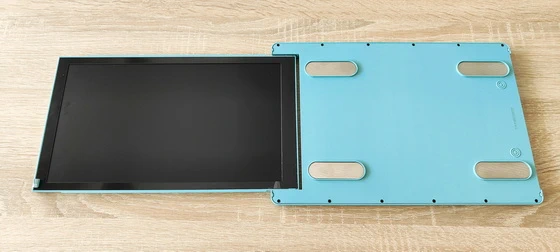
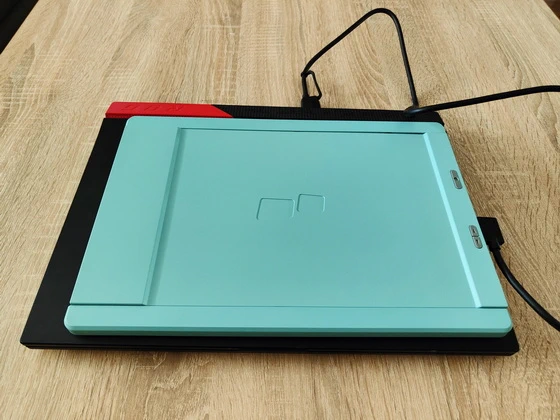
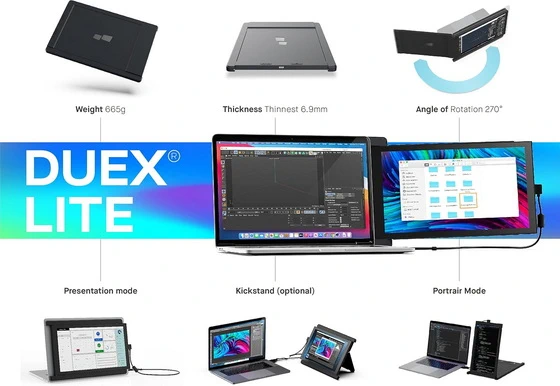
At 30% lighter and 40% slimmer than its predecessor, the Duex Lite is designed for users on the move. Whether you’re commuting, working from a café, or setting up in a co-working space, it slides easily into your bag and attaches magnetically to your laptop. The retractable, sliding mechanism makes deployment a breeze, and the adjustable stand supports both landscape and portrait orientations.
Extended screen time often leads to eye strain, but the Duex Lite has that covered. Its optimized color temperature and low-blue light display make it easier on the eyes, especially in low-light environments. Whether you’re writing, coding, or binge-watching, you’ll appreciate the reduced fatigue.
Whether you’re a remote worker, student, digital nomad, or content creator, the Mobile Pixels Duex Lite delivers an ideal balance of portability, performance, and plug-and-play convenience. Its real-world versatility—proven by my seamless experience with devices like the ASUS ROG Strix, Homatics Pocket TV, and Goovis D4-H1—makes it a reliable companion for virtually any use case. This isn’t just a second screen—it’s a powerful tool that changes how you work, create, and share content on the go.
Mobile Pixels Duex Lite Portable Monitor Main Features
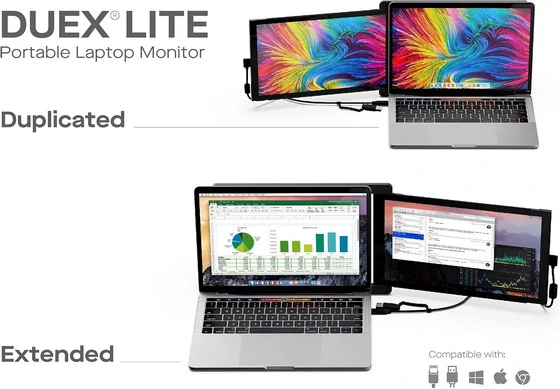
– One-to-two screen versatility. Whether you’re looking for a dual laptop monitor for everyday personal use or for completing school work on the go, the Duex Lite attachable monitor for laptop is a lightweight, slim, portable solution for a double laptop screen. Duex Lite is equipped with One Mini-HDMI cable and One USB C cable for plug and play, compatible with Windows, macOS, Linux, Chrome, Switch, Android, and more.
– Five colors, endless creativity. Give your laptop a stylish-yet-functional upgrade with your favorite color option. The Duex Lite colorful computer monitor was crafted to look and feel good with a matte finish in six color options: choose between deep grey, sky blue, jadeite green, misty lilac, set sail blue, or a cool white monitor. Pick a shade that matches your laptops.
– Plug in, power on. No need for additional drivers or software, and the connection is established automatically as soon as the mini HDMI or USB-C is plugged in. This makes setup quick and easy, allowing you to get started with their monitor right away.
– Portable. Go Lite. Mobile Pixels attachable monitor for laptop devices offers a sleek and portable solution with our lightest portable monitor yet – a 30% lighter and 40% slimmer second display than the previous generation. The Duex Lite’s sophisticated design and adhesive double monitor laptop attachment make it effortless to work on the go without anything weighing you down.
– Ensure optimal eye comfort. Experience optimal color temperature and brightness that minimizes the emission of blue light from your second display. Work and play comfortably with less eye fatigue while reading, word processing, and more in low-light environments. Our double portable monitor ensures hours of endless fun without the headache.
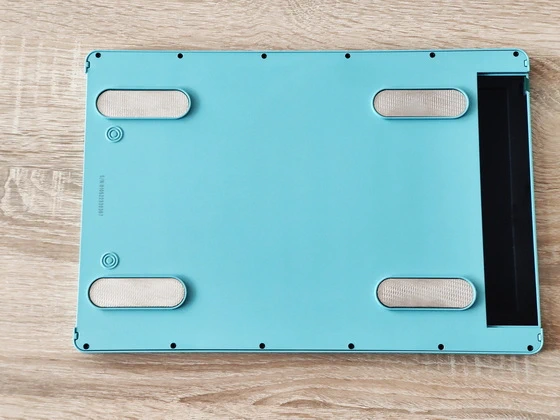
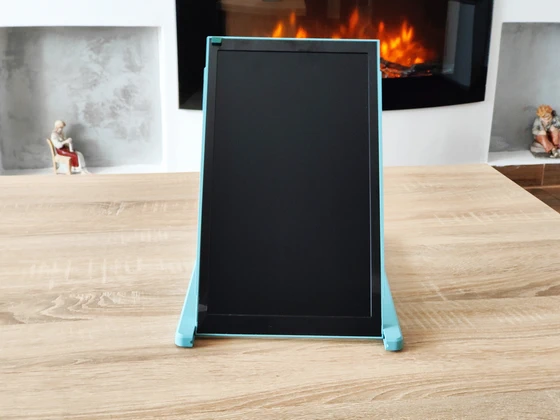
– For ergonomic comfort and various scenarios. The Duex Lite double portable monitor is equipped with a versatile, multipurpose sliding lid. Use it as a protective cover when you’re not using your laptop 2nd monitor, a magnetic double monitor laptop attachment, or as a prop stand in portrait mode. From horizontal orientation to vertical usage, our double laptop screen offers four display modes.
Three different viewing modes
– Landscape Mode: Perfect as an extended or mirrored display—boost your multitasking by eliminating window-switching.
– Presentation Mode: Flip the monitor 180° to face colleagues or clients across the table—ideal for meetings and demos.
– Portrait Mode: Detach and use vertically—excellent for coding, reading, and editing long-form content.
Mobile Pixels Duex Lite Portable Monitor Best using scenarios
– Remote Work and Travel. The Duex Lite is designed for portability, making it ideal for remote workers and travelers. Its lightweight and slim design allows it to fit easily into a laptop bag, providing an additional screen for productivity on the go. Whether working in coffee shops, airports, or hotels, the Duex Lite enables efficient multitasking and a more comfortable work setup.
– Multi-Tasking. For users who frequently multitask, the Duex Lite offers an easy way to extend screen real estate. It allows for seamless management of multiple applications side by side. This can be particularly beneficial for professionals who need to reference documents while working on spreadsheets or for developers who need to code while monitoring outputs.
– Creative Work. Graphic designers, video editors, and photographers can benefit from the additional screen space provided by the Duex Lite. The 1080p resolution and touchscreen capabilities make it suitable for tasks that require precision and detailed work. The ability to rotate the screen to portrait mode is also useful for editing vertical content.
– Presentations and Collaboration. The Duex Lite’s 180-degree rotation allows it to be used effectively in collaborative settings. In meetings or group work, it can be rotated to share the screen with colleagues. This feature is particularly useful for presentations, brainstorming sessions, and collaborative projects where sharing visual information is crucial.
– Coding and Development. Developers can take advantage of the portrait mode to view longer lines of code without needing to scroll as much. The additional screen can also be used to run and test applications, monitor logs, or keep documentation and reference materials handy while coding.
– Studying and Research. Students and researchers can use the Duex Lite to keep research materials, notes, or reference documents open on one screen while writing papers or completing assignments on the other. This setup can significantly improve efficiency and reduce the need to switch back and forth between tabs and windows.
– Gaming. While the Duex Lite is not primarily designed for gaming, it can be used to enhance the gaming experience by displaying game guides, chat windows, or streaming controls on the secondary screen. This allows gamers to keep their main game screen uncluttered and focused on gameplay.
– Eye Comfort and Ergonomics. The Duex Lite’s touchscreen and adjustable display settings, including the ability to adjust screen color to protect eyes during long hours of work, contribute to a more ergonomic and comfortable work environment. The stacked design can help maintain better posture and reduce neck strain by allowing users to align their screens at eye level.
– Designed for everyday work and play. Offer a sleek way to carry a laptop second monitor around with this Duex Lite, which is 4 lbs and 0.87-inch thickness. Sleek and slim, make it easy to toss it into any bag together with your device without weighing you down.
– Compatibility with ease. Easily pair your Duex Lite with any laptop (macOS, Windows, Linux) or device, including a Nintendo Switch and select Android phones, via USB-C or Mini-HDMI connection.
Mobile Pixels Duex Lite Portable Monitor Highlights
– 12.5″ 1080P FHD Display
– Comes in five colors
– Our lightest portable monitor at only 1.3lbs
– Plug and play via USB-C or mini HDMI port
– Compatible with macOS/ Windows
Mobile Pixels Duex Lite Portable Monitor Specifications
Brand: Mobile Pixels
Model: Duex Lite
Model number: 101-1011P01
Screen Size: 12.5-inch
Aspect Ratio: 16:9
Resolution: 1920 x 1080 (Full HD)
Panel Type: LCD IPS
Viewing Angle: 178°
Contrast Ratio: 1000:1
Refresh Rate: 60 Hertz
Brightness: 300 nit (adjustable)
Compatibility: Windows, MacOS, Linux, ChromeOS, Switch, Android
Connections: USB-C Port & mini HDMI Port
Energy Consumption: 4.5W
Material: ABS & PC Plastic with Matte Finish
Attachment: Magnetic + Adhesive Mount
Weight: 1.3 lbs
Dimension: 12.4″ x 8.45″ x 0.39″
Color: Jadeite Green, Sky Blue, Misty Lilac, Geep Grey, Set Sail Blue, Cool White
Jadeite Green SKU: 101-1005P06
Sky Blue SKU: 101-1005P07
Misty Lilac SKU: 101-1005P08
Firmware version: DuexLite20220705-N85
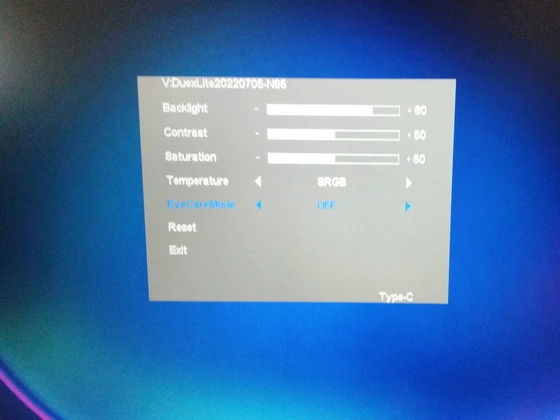
Mobile Pixels Duex Lite Portable Monitor Menu Options
Backlight
Contrast
Saturation
Temperature
EyeCareMode: Off / On
Reset: Off / On
Exit
Package Content
1 x Mobile Pixels Duex Lite Portable Monitor
1 x USB Type-C cable with USB-A adapter
1 x Mini HDMI to HDMI cable
4 x Laptop Magnets
1 x User Guide
1 x Setup Guide
1 x Magnets Locations Template
12 x Extra Adhesive
1 x Alcohol Prep Pad
Unboxing Photo Album with Hi-Rez images here. Official webpage here. Here you can read more about Mobile Pixels brand.
About Mobile Pixels. Mobile Pixels Inc. was founded in 2018. Founder, Jack, was constantly frustrated by the lack of a secondary monitor that could help him work more efficiently. Feeling strangely nostalgic about the work monitor he used at his previous job, he decided to build a laptop monitor from a broken laptop. That is how our first product Mobile Pixels Duex was born. We combined the best technology in the market to create a lightweight portable monitor that increases your productivity and makes working efficient.
Did this article help you? If so, please tell me in a comment what do you think about it.
Don’t miss any of our future video tutorials, follow us on Youtube. Like us on Facebook. Join our Best Deals Telegram Channel. Join our Android TV Box Firmware Updates Telegram Channel. Subscribe now to our newsletter. If you need Tech Reviewer or Youtube Influencer read this. Donate now here to support CGR Team!