Best Deal Alert! You can now buy WELOCK WIFIBOX3 Gateway Wifi Bridge with Two Door Sensor from Welock.com for only €129,99, with 2-Year warranty & shipping from European Warehouse. Hurry up, limited time offer!

Meet WELOCK WiFiBox3 Gateway – Smart Connectivity, Seamless Control
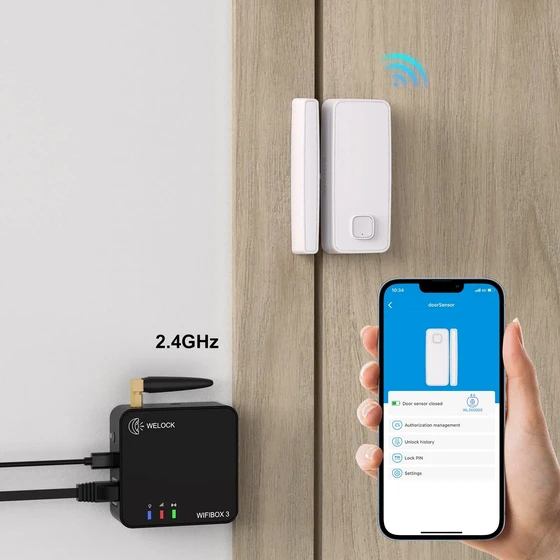
The WELOCK WiFiBox3 Gateway brings a new level of smart convenience to your home security setup, acting as the bridge between your WELOCK smart locks and the cloud. When paired with the Bluetooth Door Detector Sensors, it gives you full awareness of your door’s status — open, closed, locked, or unlocked — from anywhere in the world through the intuitive WELOCK app.
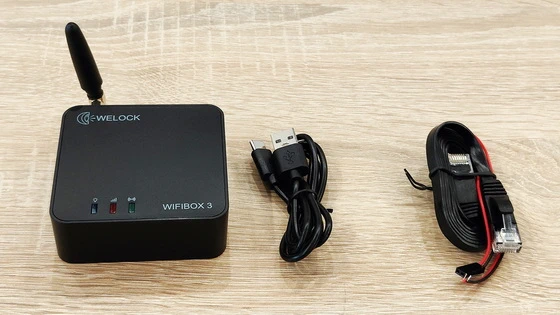
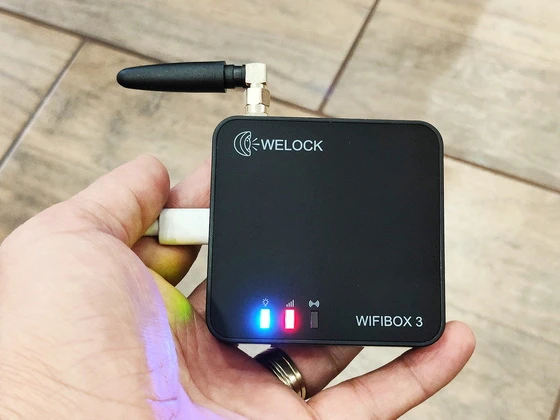
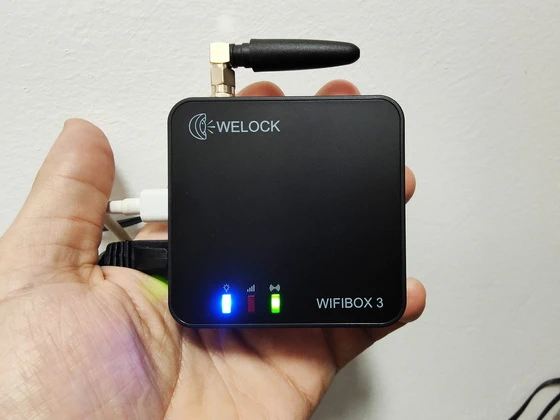
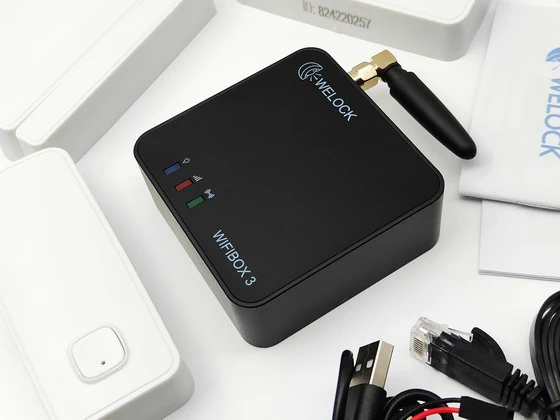
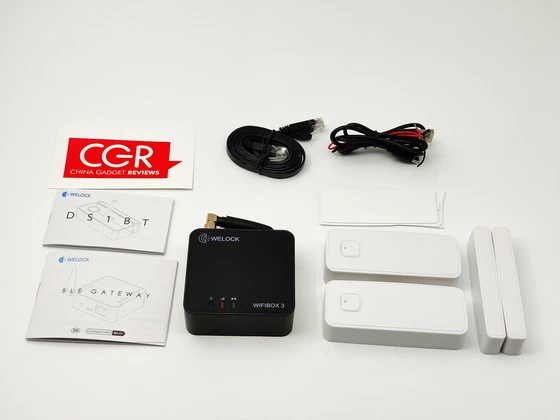
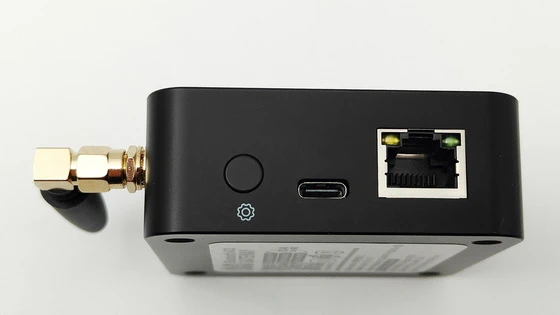
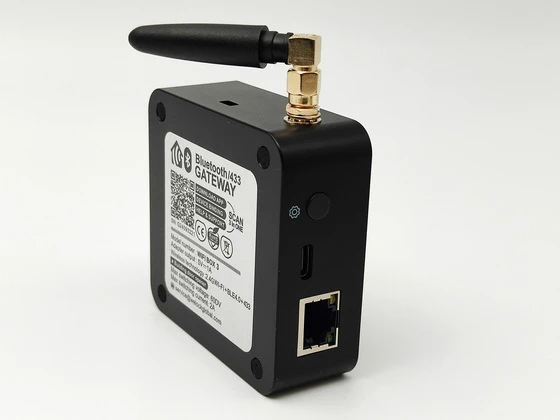
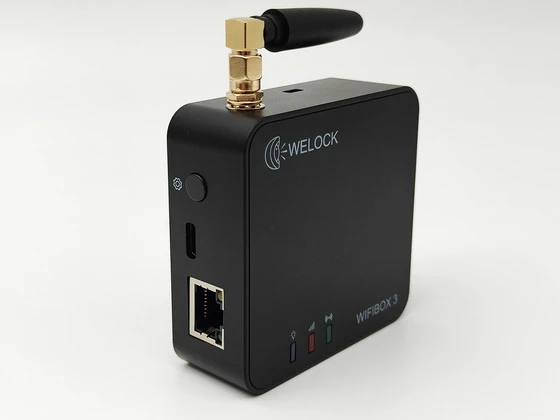
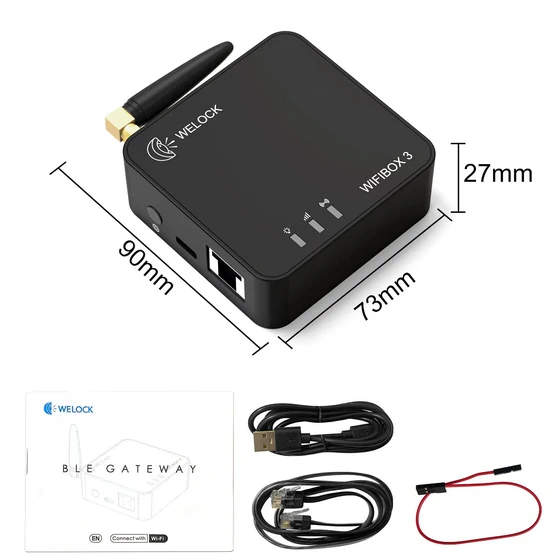
Inside the cleanly designed box, you’ll find the WiFiBox3 BLE gateway, two door sensor, a Type-C data cable, an RJ45 network cable, a 2-pin connector cable, and a user manual. The packaging feels premium yet practical — every component is neatly arranged and clearly labeled for an effortless setup experience. The gateway itself is compact, with a minimalist black finish and a discreet indicator light system that shows connection and mode status. The sensors are lightweight, sturdy, and designed to blend subtly into your doorframe.
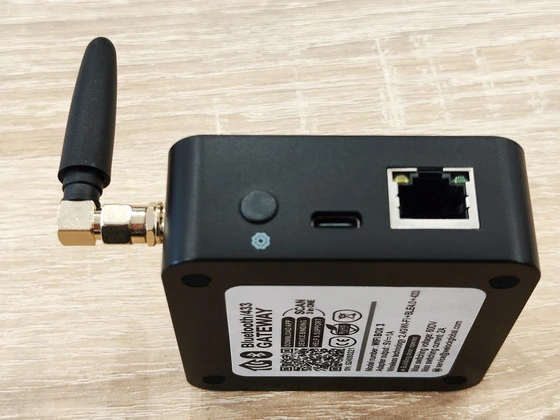
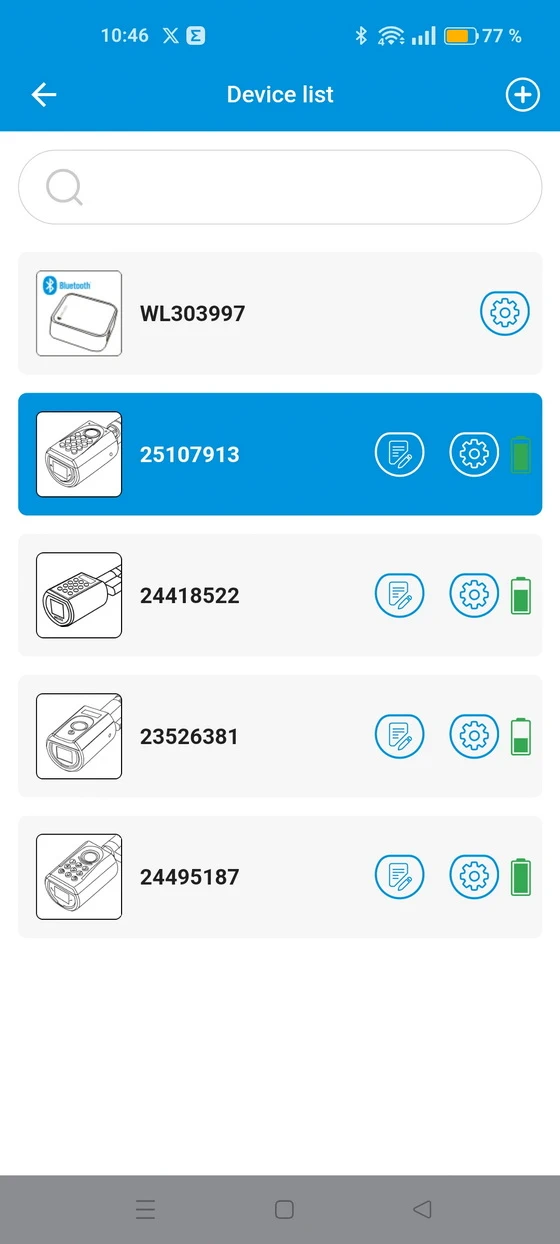
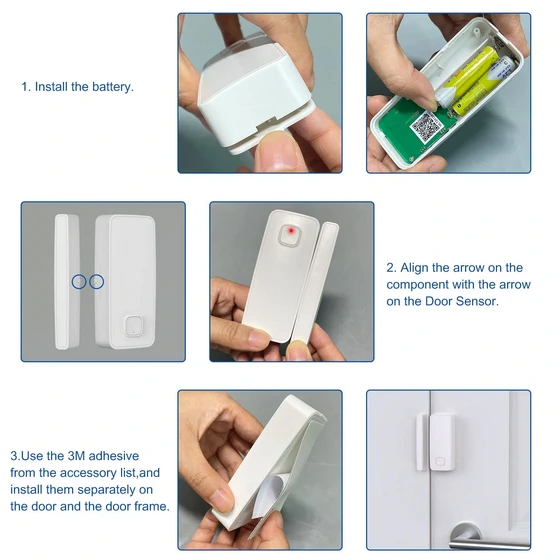
Setting up the WELOCK WiFiBox3 is refreshingly simple. Connect it via the included Type-C power cable or the RJ45 Ethernet port for a stable wired connection. Press and hold the setting button for six seconds to enter pairing mode (the LED turns red), then open the WELOCK app, tap Add Device → Add Gateway, and follow the guided steps. Once connected (green indicator light), you can link up to eight WELOCK smart locks under one gateway. Adding the door sensors is just as easy — use the 3M adhesive backing to mount the sensor and magnet on the door and frame. No tools, no drilling. Within minutes, your smart home ecosystem is online. Ensure your phone’s GPS and Bluetooth are enabled, and your router runs a 2.4 GHz Wi-Fi network for flawless pairing. If something goes wrong, holding the button for 12 seconds resets the device to factory settings.
The WELOCK app stands out for its clarity and control. Once paired, it lets you monitor your doors in real time — a green light means open, and red means closed. You’ll receive instant notifications whenever the door’s status changes, perfect for keeping tabs on deliveries, children arriving home, or doors accidentally left slightly open. With the WiFiBox3 in place, the app unlocks remote management features normally unavailable via Bluetooth alone. You can remotely unlock doors, view activity logs, and add or remove fingerprints, cards, or passcodes from anywhere. Alexa integration further enhances the experience, allowing voice-controlled access and status checks.
In real-world testing, the Bluetooth 5.0 connection between sensors and gateway proved stable within a 10-meter range (unobstructed). The gateway antenna offers noticeably improved signal reach over older models, ensuring fast updates and reliable remote unlocking. The door sensors, powered by two AAA batteries, easily last around a year and perform well even in extreme temperatures (–40 °C to 65 °C). Latency between door activity and app notification is impressively low — usually just one to two seconds. The system’s responsiveness, combined with its minimalist design, makes it ideal for both home and small business use.
After working with a lot of smart-home gateways, the WELOCK WiFiBox3 ended up being surprisingly straightforward to set up. I especially appreciate the dual connectivity options: Ethernet for maximum stability and Wi-Fi when wiring isn’t convenient. The build quality is solid—compact enclosure, rubber feet, and a detachable 2.4GHz antenna that noticeably improves BLE and Wi-Fi stability. One thing many users overlook is the dry-contact output, and honestly, this is where the WiFiBox3 becomes more than just a smart lock bridge. I connected it to a building intercom door release, and it worked flawlessly. The relay action is instantaneous, and because it’s isolated, it’s safe to integrate with low-voltage systems. Another plus is that adding locks is extremely easy. Once the gateway is online, everything is basically automated—just bind the lock and wait a few minutes.
If you want the most stable and reliable experience with the WELOCK WiFiBox3, it’s always best to rely on a wired Ethernet connection whenever possible, because the gateway behaves noticeably more consistently and maintains a far stronger communication link when it operates over a physical network cable rather than depending on wireless traffic. During installation, I also found that positioning the antenna upright makes a significant difference, as this orientation enhances the overall Bluetooth and 433 MHz coverage—particularly in environments with multiple walls or larger distances—ensuring that both the gateway and compatible devices maintain clear and uninterrupted communication.
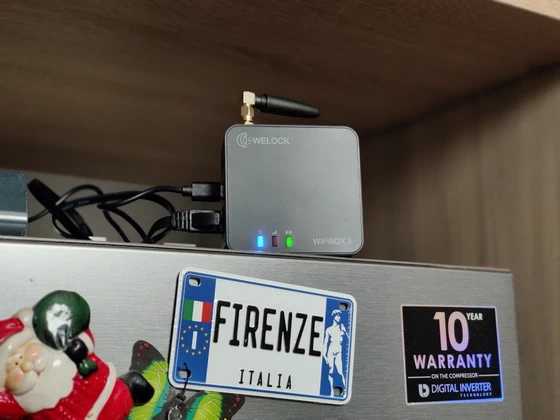
Another important detail to keep in mind is that the WiFiBox3 works exclusively with 2.4GHz Wi-Fi networks. This means that if the gateway fails to connect or is not detected during setup, the first thing you should verify is whether your router is broadcasting a separate 2.4GHz band, because a 5GHz network will not be recognized by the device under any circumstances. It is also good practice to avoid placing the gateway near metal structures, electrical panels, or thick reinforced walls, as these materials can dramatically reduce wireless signal performance, sometimes causing delays, dropouts, or difficulties during pairing.
If the app still doesn’t detect the gateway despite following these steps, enabling the GPS service on your phone usually solves the issue on Android devices because the operating system requires location services for Wi-Fi scanning functions. Should the gateway continue to remain invisible, performing a factory reset—achieved by holding the setting button for twelve seconds—and then rebooting the router can help clear any network conflicts or cached data that might interfere with the detection process.
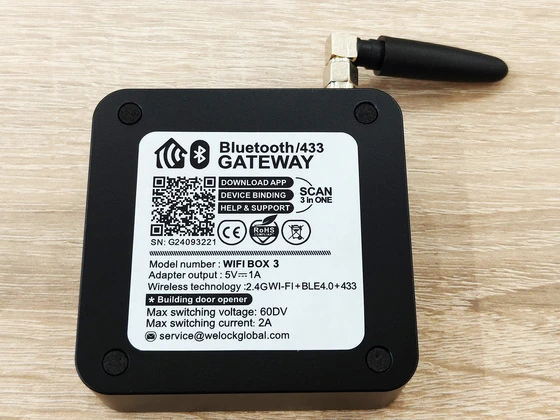
When integrating the WiFiBox3 with a building door opener or an intercom system, it’s essential to verify that the connected hardware operates within the gateway’s safe output limits, specifically not exceeding 60V DC and 2A. If your particular door strike or intercom mechanism uses a higher voltage or current, inserting an intermediate relay module ensures full compatibility and prevents potential damage to both systems while maintaining smooth, remote-controlled access through the app.
The WELOCK WiFiBox3 Gateway with Door Sensors is a thoughtfully engineered upgrade for anyone invested in smart security. Its plug-and-play setup, stable connectivity, and deep app integration make it a must-have companion to WELOCK smart locks like the ToucA51 Pro. Whether you’re managing a rental property, monitoring family access, or just seeking peace of mind, this gateway delivers reliable 24/7 control — wherever you are.
Verdict: ⭐⭐⭐⭐⭐ (5/5)
Security – Convenience – Design – Smart Control – All in One
WELOCK WiFiBox3 Gateway Main Features
– Stay Notified. Stay in Control. Get real-time door status updates via the WELOCK app. Whether the door is open, closed, locked, or unlocked—you’re always informed. Receive instant alerts when the status changes, like when your child arrives home or a door is left ajar.
– Effortless DIY Installation. Just like other WELOCK products, the Door Detector Sensor is simple to install without professional help. Its minimalist white design blends discreetly into any doorframe. Setup is guided step-by-step within the WELOCK app—no tools required.
– Take control of your smart lock wherever you are, connect with Alexa remote unlocking, capability: Welock.One Bluetooth gateway can control up to 8 electronic locks from WELOCK
– Gateway connection: USB-C data cable port, RJ45 network cable connection. Communication mode, low power Bluetooth connection, no wall blocks about 10 metres
– New upgrade and remote release: new gateway antenna, antenna/Bluetooth signal will be better to use in the direction of the lock. Open for a craftsmen, dog sitter or delivery, even if you are not at home
– Smart unlocking solution: please make sure your devices are within reach of the gateway when you connect them
– 24/7 control: keep perfect control of who has entered or left your house while you are at work, on the go or on holiday
– Smart home release solution integration: connect your Welock electronic lock to Alexa services to make your life more convenient
– Assembly in less than 3 minutes and easy to use. Connection power supply, distribution area: Welock WiFi box 3 BT gateway, USB cable, network cable, manual, tool, simultaneously allows electronic manual down
WELOCK WiFiBox3 Gateway Highlights
– Open or Closed Alerts: Green light = open; Red light = closed
– App Notifications: Get notified instantly when the door status changes
– Works with WiFiBox: Requires WELOCK WiFiBox for cloud connectivity
– Battery Powered: Powered by 2 × AAA batteries with ~1 year lifespan
– Simple DIY Installation: Use included 3M adhesive strips—no tools required
– Bluetooth 5.0: Stable wireless connection (range <10m, unobstructed)
– Weather Resistant: Works in extreme conditions (-40°C to 65°C, 10–90% RH)
WELOCK WiFiBox3 Gateway real life best using scenarios
⦁ Remote Access for Delivery Drivers. When you’re away from home and a delivery arrives, you can momentarily unlock the door remotely to place the package safely inside — no missed deliveries, no porch theft worries.
⦁ Managing Airbnb & Short-Stay Rentals. Host multiple guests without ever meeting them physically. Add or remove passcodes, track entry logs, and check if the door is securely closed between stays — all from your phone.
⦁ Monitoring Kids Returning from School. Receive instant notifications when your child unlocks the door and again when the door closes behind them, giving you peace of mind during busy work hours.
⦁ Keeping an Eye on Elderly Parents. If aging parents forget to fully close the door, the app’s alerts notify you instantly. Remote unlocking also helps caregivers or nurses enter conveniently.
⦁ Granting Access to Cleaners, Dog Walkers, or Maintenance Staff. Provide temporary access codes or unlock the door remotely when workers arrive, and verify exactly when they entered or left.
⦁ Small Office or Studio Management. For small businesses, the gateway provides remote control and activity logs. Owners can see who opened the office, whether the door is securely closed, and manage staff credentials easily.
⦁ Preventing Doors from Being Left Ajar. Real-time push alerts immediately warn you when a door is not fully closed, helping to preserve security, HVAC energy efficiency, and indoor temperature stability.
⦁ Security Checks While Traveling. Whether you’re on vacation or a business trip, you can verify if all doors are locked and closed, monitor access, and unlock for trusted people without returning home.
⦁ Smart Home Voice Control. With Alexa connected, you can ask for door status or unlock the door hands-free — ideal when your arms are full with groceries or kids.
⦁ Managing Multiple Locks in Larger Homes. One WiFiBox3 supports up to eight locks, making it perfect for houses with multiple entry points, garages, back doors, or storage rooms.
⦁ Monitoring Vacation Homes or Cabins. Keep track of your second property remotely. Check when the door was last used, ensure it’s fully closed, and let in contractors or guests when needed.
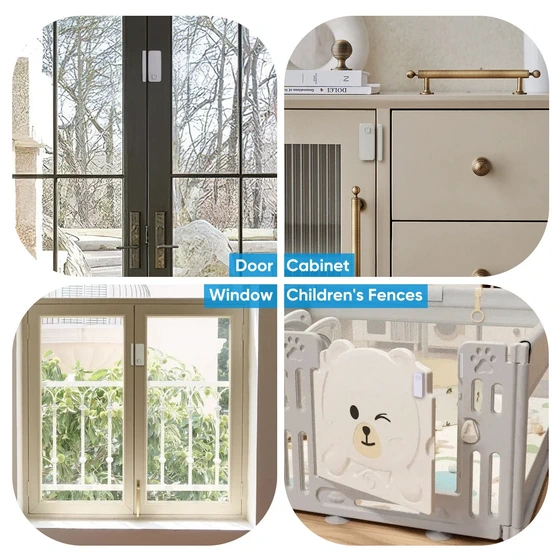
⦁ Enhancing Security in Workshops, Sheds, or Remote Storage Units. The temperature-resistant door sensors and Bluetooth stability make it reliable for outbuildings. You’ll know instantly if someone opens a door — even in harsh weather.
WeLock Mobile application
– You can connect your lock by bluetooth after you download the App.
– Including a variety of unlock ways, through the Bluetooth connection lock, multi-level authorization; button to unlock, shake -shake unlock, graphics unlock, one button unlock.
– Authorization management, equipment management, equipment transfer.
Download WeLock Mobile application for free from Google Play Store or from App Store.
WELOCK WiFiBox3 Gateway Specs
Brand: WELOCK
Model: WiFiBox3
Type: BLE Gateway
Adapter output required: 5V ⎓ 1A (USB-C)
Wi-Fi: Supports 2.4GHz Wi-Fi only
Wireless technologies: 2.4G Wi-Fi / Bluetooth Low Energy (BLE 4.0) / 433 MHz
Ethernet: RJ45 port (wired alternative)
CE / RoHS compliant
Door Sensor model name: DS1BT
Battery Model: 2 × AAA
Standby Current: < 50 µA
Operating Current: 6 mA
Door Sensor Battery Life: About 1 year (based on 10 activations/day)
Door Sensor Wireless Standard: BLE 5.0
Door Sensor Use Distance: < 10 m, unobstructed
Material: ABS
Physical Dimensions: 95 × 54 × 22 mm
Operating Temperature: –40°C to +65°C
Operating Humidity: 10% – 90% RH
Colour: Black / White
Package List
1 x WELOCK WiFiBox3 BLE Gateway
1 x Network cable (RJ45)
1 x Data cable (USB-C)
1 x 2-pin dry-contact connection line
2 x Door sensor
4 x 3M Glus sticker
1 x WiFiBox3 English User manual
1 x Door sensor English User manual
1 x Packaging Box
Unboxing Photo Album with Hi-Rez images here. Read more about Welock products here.
About WELOCK. WELOCK is a leading smart home access solution provider that focuses on smart door lock development, manufacturing, and marketing for over 10 years. In 2013,we have established our brand WELOCK, dedicated to popularizing high-quality smart home products and providing people with a safe and convenient life experience. WELOCK takes smart lock cylinders and fingerprint lock cylinders as its leading products, and has become the first company in the world to implement biometric fingerprint technology in lock cylinders. We’ve established partnerships in Europe, North America, Middle East, and Australia to provide users with the most localized service and support.
Did this article help you? If so, please tell me in a comment what do you think about it.
Don’t miss any of our future video tutorials, follow us on Youtube. Like us on Facebook. Join our Best Deals Telegram Channel. Join our Android TV Box Firmware Updates Telegram Channel. Subscribe now to our newsletter. If you need Tech Reviewer or Youtube Influencer read this. Donate now here to support CGR Team!