
Download latest Android Lollipop 5.1.1 stock firmware for Acemax M8S+ TV Box
This firmware is for Acemax M8s+ TV Box with Amlogic S812 CPU
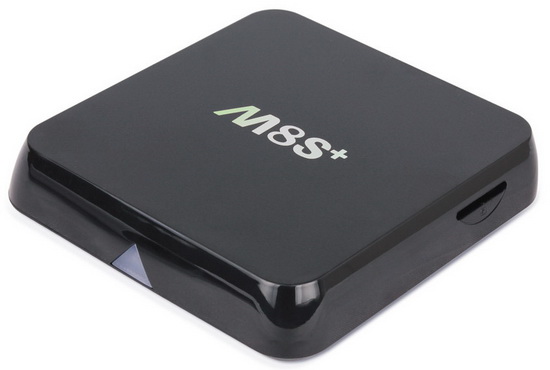
Download latest Android Lollipop 5.1.1 stock firmware for Acemax M8S+ TV Box from here, here or here. Download previous firmware version from here.
Firmware details
Archive: m8s + -ota-20160409
Model: M8S Plus TV Box
Image file size: 399 MB
Platform: Amlogic S812
Update file name: m8s+-ota-20160409.zip
Build number: MBX/KII/KII:5.1.1/LMY47V/20160409:userdebug/test-keys
Inside archive: firmware + u-boot.bin + recovery.img + factory_update_param.aml
Caution: Please do not update firmware unless you know what you are doing, you really want it or it is absolutely necessary. Firmware updates may occasionally have bad results, like bricking your device, temporarily or permanently. The firmware update process is done entirely at your own risk. Before attempting to update the firmware, back up your data.
















Hi,
any changelog for this new april update ?
Fixes relative to the last firmware.
Google Play is working again.
Using TeamViewer no longer reboots (crashes) the box
Proto
In this update what are changed from the last?Anyone know cooked rom for m8s+ without third part apk? Thanks to all
still no audio codecs for some app. 🙁
why not img files anymore?
Hi, my M8S+ keeps saying:
E:failed to mount /udisk (no such file or directory)
E:failed to map file
Installation aborted.
I am trying to update from SD-card
I installed this firmware and it is working.
I followed these instructions.
Instructions
@daedelus
1. Download the firmware.
2. Extract all the files in the zip to a freshly formatted SD Card.
3. Make sure the power IS NOT connected and Insert the SD Card in the TV Box
4. In the back of the device, Locate the headphone connector and insert a tooth pick or something none conductive into the hole. You should feel a button being pressed.
5. Press and hold the Button in the headphone hole while plugging in the power. Keep holding the button for 10 seconds
6. If you did the steps correctly you should see an green Android robot with a progress bar below. Your box is now updating. DO NOT TURN OFF THE POWER OR TOUCH THE BOX!
7. When the update is completed your box will automatically reboot on it’s own. The first boot will take some time so be patience
After the reboot I had to select the name of the zip file on the SDCARD. Instructions
@daedelus
1. Download the firmware.
2. Extract all the files in the zip to a freshly formatted SD Card.
3. Make sure the power IS NOT connected and Insert the SD Card in the TV Box
4. In the back of the device, Locate the headphone connector and insert a tooth pick or something none conductive into the hole. You should feel a button being pressed.
5. Press and hold the Button in the headphone hole while plugging in the power. Keep holding the button for 10 seconds
6. If you did the steps correctly you should see an green Android robot with a progress bar below. Your box is now updating. DO NOT TURN OFF THE POWER OR TOUCH THE BOX!
7. When the update is completed your box will automatically reboot on it’s own. The first boot will take some time so be patience
OOps. I though I was pasting the file name then the message went on it’s own when I tried to connect it.
File name is m8s+-ota-20151216.zip
Remember: Be patient. It may not seem like it is not doing anything but it is even after final reboot it comes up to a screen with “android” and take a long to for anything to appear. DO NOT give up and switch off.
Now that I have this firmware installed how do I modify the tiles on the home screen?
I want to swap Local for Kodi.
By the way I’ve installed Kodi 16.1 and it works file. Just go to settings > apps > kodi and uninstall V15 then get V16.1 from the Play Store.
same problem as above:
Hi, my M8S+ keeps saying:
E:failed to mount /udisk (no such file or directory)
E:failed to map file
Installation aborted.
I am trying to update from SD-card
Hi,how can change boot logo animation?have tryed without results bh boot apk, anyone can tell me how change It? Thanks
I bought an M8S+ in March 2016 and it works well except some broadcast application like TV GO.
I suppose the reason is tat the device is rooted, which is recognized by the TV program supplier and they do not allow the streaming. I tried to hide the rooting by using the Hide My Root application. (Frankly speaking I did not have experience just I read the different forums) The SU Binary could be hided by the Hide My Root application and I Uninstalled the SU application as it was suggested. The device looked unrooted but the TV Go still did not work. Most probably the Hide My Root application was not the proper one.
I found other applications for hiding the rooting like Rootcloak but they requested the device to be rooted! With the application Hide My Root I cannot recover the rooted status.
Most probably I uninstalled the necessary SU application and it is not clear which application has to be installed again and from where.
I tried the factory recovery option of the device but the rooted status did not came back.
Then I tried to reload the firmware from USB and from SD card according to the instruction but the device did not accept it. I followed exactly what was written. The version of the firmware is 2016.01.15.
Could you help me how to bet back to the original rooted status and it it is possible which application is O.K. for hiding the rooting really?
Tanks in advance
Hi
E:failed to mount /udisk (no such file or directory)
E:failed to map file
Installation aborted.
I am trying to update from SD-card + USB-flash
Latest usb update from acemax site.
20160623
https://mega.nz/#!VtFFiQTC!eOTalbNLmLi7t2BLy7Y0H8fdTB21Rgjbp86KVADJMsc (by USB Burning tool connected with pc)
Tommy have you got this latest firmware that you can flash via usbstick or sdcard? cheers
No, it works only with the USB tool
Martin, Anoir
I had the same issue as well
Try to do these steps:
https://www.youtube.com/watch?v=Da1bFUA4wlM
Following steps were enought in my case:
1. start your current android
2. go to the update@backup app
3. Put SD card into the slot in your device
4. Click SELECT and choose the proper firmware ZIP file
5. Click update
Update will start automatically after reboot – if not see next steps on the movie (link above).
I hope it helps.
Hi,
A friend of mine asked me to look into why the remote might not be working on his new M8S+ and I know very little about this units.
His currently has the firmware version of m8s+-userdebug 5.1.1 LMY47V 20160319 test-keys.
I was wondering if this firmware is an upgrade for the one we already have on our unit ?
Thanks, George
I need rom Android 5.1.1 for m8s+ build LMY47V.20160524 test-keys
google play not working from today
Hello,
I have to say that current version of kernel is great. Notification bar is working and also standard android buttons are avaiable.
m8s+-ota-20160409.zip I installed using SD card and android update tool.
Steps are already descibed by Mark:
Following steps were enought in my case:
1. start your current android
2. go to the update@backup app
3. Put SD card into the slot in your device
4. Click SELECT and choose the proper firmware ZIP file
5. Click update
Update will start automatically after reboot – if not see next steps on the movie (link above).
Finally i installed new firmware. Its good actually, but after a minutes try new firmware i have a problem like others above.
My storage always removed and now i dont know how about installed file .img
Is it impossible to get newest firmware? Is it? Is it newest firmware?
Update works quite well, but playstore still does not accept an existing account.
Soultion?
THX – Martin
Hello,
I have new QBOX 2GB/16GB and my wifi is not working.
It’s BCM4335 wifi chip inside.
Can you send me correct firmware upgrade?
Thanks
For those having issue with Google Play Store, I have update manually to the latest version and also had to install “Google Play services” (search for “google play store apk” and “google play services apk”)
Hi Guys,
I loaded this ROM to my T9 device from a unknown manufacturer. Now my tv box is taking restart again and again. Onlt showing M8S+ logo and then restarting.
Any expert advice will be greatly regarded.