Best Deal Alert! You can now buy Firefly Station P2 Entertainment Geek Mini PC from Firefly.store starting from only $189, depending on specs.
Meet Firefly Station P2 Geek Mini PC
Redefine Mini PC! One-click flashing to various operating systems, small size but with endless fun & full of possibilities- It’s born for you. Meets your needs of immersing in PC’s systems, no need for tedious professional flashing knowledge, no need to worry about the PC becoming bricked. One click to install the operating system you want. Your PC is on you, the only limit is your imagination.
RK3568 quad-core 64-bit processor
RK3568 quad-core 64-bit Cortex-A55 processor, with brand new ARM v8.2-A architecture, has frequency up to 2.0GHz – the efficiency is greatly improved. With 22nm lithography process, it features low power consumption and high performance.
8GB large RAM, all-data-link ECC
Supporting up to 8GB RAM, with up to 32Bit width and frequency up to 1600MHz, it supports all-data-link ECC, making data safer and more reliable. The large RAM fits the needs of smoothly running apps with large amount of data and high speed requirements.
Integrated co-processors – GPU, VPU, NPU
It is integrated with dual-core GPU, high-performance VPU and high-efficiency NPU. The GPU supports OpenGL ES3.2/2.0/1.1, Vulkan1.1. The VPU can achieve 4K 60fps H.265/H.264/VP9 video decoding and 1080P 100fps H.265/ H.264 video encoding. The NPU supports one-click switching of mainstream frameworks like Caffe/TensorFlow.
4K HDR vision
The new video engine VPU can easily decode H.265/HEVC/VP9 4K HDR videos, supports 3840×2160@60Hz ultra-HD output and HDR10 — optimizes the dynamic range and details of the image frame by frame, enhances the image quality and color performance, delivering clear and vibrant vision experience.
Dual Gigabit Ethernet ports
The dual adaptive RJ45 Gigabit Ethernet ports, through which internal and external network data can be accessed and transmitted, improves the network transmission efficiency. Dual Gigabit Ethernet ports deliver better network scalability, and can be used in scenarios such as setting up family gigabit network, DIY gigabit router, soft router, OpenWrt.
Powerful wireless network communication
WiFi 6 (802.11ax) wireless network communication is supported, with the maximum bandwidth reaches 160MHz and the highest speed reaches 9.6Gbps — the speed is greatly improved than WiFi 5. And, WiFi 6 delivers lower packet loss rate and retransmission rate, making the transmission more stable and secure.
Onboard M.2 and SATA3.0 interfaces
The onboard M.2 PCIe3.0 and SATA3.0 interfaces can be connected with an M.2 NVMe SSD and a 2.5-inch SATA SSD/HDD respectively, owning the advantages of high-speed reading and writing and large capacity.
RS485 and RS232 interface extension
The configured Control Port (RJ45) provides one RS485 and two RS232, through which you can connect to external devices with RS485/RS232 serial port to control more external devices flexibly and create more fun ways to play.
Excellent heat dissipation
Toothed aluminium alloy case in matte black under high-precision CNC machining and with good air flow design makes excellent heat dissipation, even without fans.
Configured with Geek System
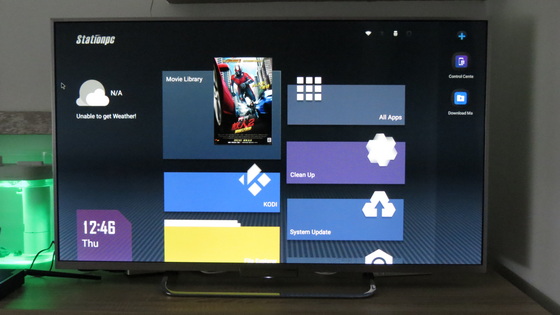
Station OS (Firefly Geek System) brings you living room playing experience. Just connect the TV or display at home to build a home entertainment center to enjoy movies and games with high-definition and big-screen viewing.
Various systems and boot ways supported
It supports to upgrade to Android, Ubuntu, Linux+QT, Station OS and other systems, and supports to boot the system via TF card, U disk, EMMC, etc. Diverse supporting systems make entertainment, work, programming learning, creative development all easy.
Firefly Station P2 Geek Mini PC Features
– New-Gen Processor Rockchip RK3568. RK3568 quad-core 64-bit Cortex-A55 processor has frequency up to 2.0GHz – the efficiency is greatly improved. With 22nm lithography process, it features low power consumption and high performance. Audio and video entertainment, large games and file collaboration can be handled effortlessly – revealing the new-gen processor power.
– 8GB RAM, Blazing fast LPDDR4 + EMMC. Fast and Furious. Variant with up to 8GB LDPPR4 and 128GB high-speed EMMC is provided. The stunning configuration realizes remarkable acceleration of every operation, like large game loading and complex application operating.
– Real 4K Output, Incredible Quality. The new VPU can easily decode 4K HDR H.265 videos, and supports 3840×2160@60Hz ultra-HD output, delivering extraordinary HD displaying
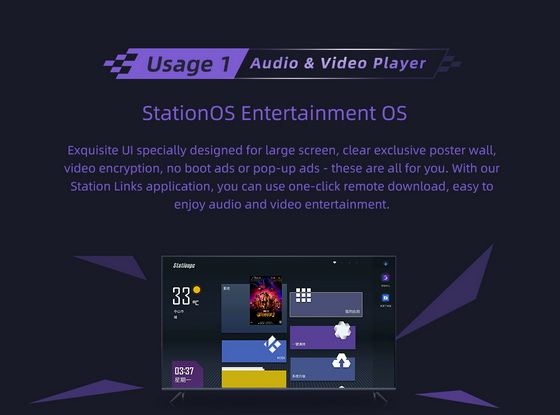
– StationOS Entertainment OS. Exquisite UI specially designed for large screen, clear exclusive poster wall, video encryption, no boot ads or pop-up ads – these are all for you. With our Station Links application, you can use one-click remote download, easy to enjoy audio and video entertainment.
– EmuELEC Retro Emulation OS. Born for emulator game players, it integrates various classic home console and arcade emulators. You can play classic games on the network, to evoke the pure joy of old times as soon as you turn it on.
– Android 11 Mobile OS. Supporting Android 11 operating system, P2 can be turned into a large-screen mobile phone with remote control, compatible with abundant applications on Android – you can play while lying on the sofa, and no longer keep your head bowed!
– OpenWRT Smart Router. This small PC can be a smart router, and be smarter through OpenWRT. It supports various plug-ins to achieve ad blocking, online game acceleration, NAS, etc. A brand new world is waiting for you to discover!
– Armbian Linux OS. An ARM-based lightweight Linux system, is simple but strong, 100% compatible with Debian and Ubuntu. Whether you want development or programming learning, it is a handy ARM development tool.
– Supports Desktop PC Systems. Easy to improve productivity – whether it is office, Internet or development and design, all are in one.
– SSD/HDD For Massive Contents. Storage breakthrough happens in this mini PC. It not only supports 2.5” SSD/HDD but also supports high-speed NVMe SSD, instantly expanding to TB-level storage — massive contents can be stored.
– Entrance to Endless Fun. Continuously updated official firmware and third-party firmware make the fun from limited to unlimited. What you buy is not just a PC, but a ticket to explore the geek and entertainment world.
– Bluetooth 5.0, for more possibilities. Featuring low power consumption and fast transmission, it can be connected to more devices.
– Speedy live match streaming. With in-depth optimization of live TV streaming, thousands of live channels in real time, let you feel the excitement of intense matches without delay.
– Abundant hit movies and TV series. Netflix, Youtube, Plex, Amazon Prime and other mainstream video apps satisfy your watching needs. Entertainment never ends, everyday is not the same.
– Wonderful poster wall. Clear to view every movie.
– No boot ads or pop-up ads. No more waiting, a few seconds to boot.
– Free to install software. Compatible with massive Android apps.
– Brilliant movies. To create your own private theater.
– App Recommendations. One click to download kinds of apps.
– Resources sharing on a LAN. Easy connection with PC and NAS.
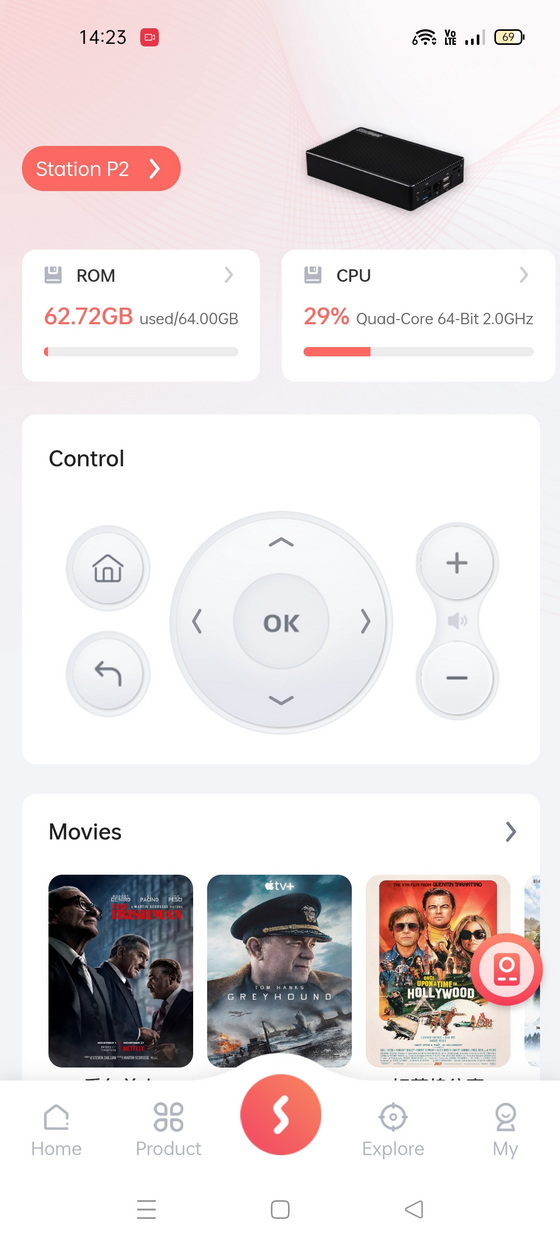
– Remote Control without RC. Download Station Links on mobile phone to control your device.
– Advanced geek world. Besides the officially maintained Station OS, Android, and Linux, it also supports a lot of third-party operating systems. The code of the product is also open, allowing players to have more freedom to create and play.
– All-round evolution. Compared with the previous-generation product, it has all-round evolution.
Station Links dedicated application
Link to everything you need. An application based on Station’s open products, through Station interaction, realizes the link between users and products – a platform linking users, devices and forums.
Station Links Remote Download. Download whatever you want anywhere anytime.
Download Station Links application for Android / iOs from here.
Bootup
– Monitor Connection: Utilize HDMI cable to connect monitor to Station P2
– Power Connection:Connect 5V power adapter to DCIN port of Station P2, plug in and power on
– Initial Settings:Utilize remote control, mouse & keyboard or other input devices to finish settings
– After finishing initial settings, you can use Station OS.
How to Install Google Play
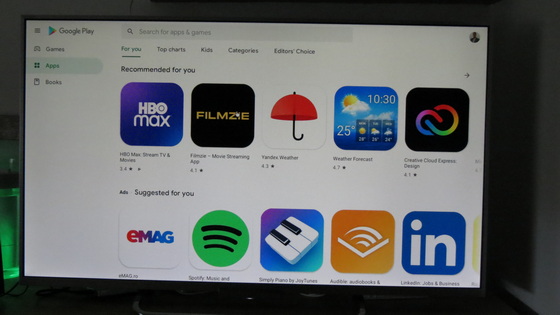
There are a large number of Android applications on Google Play, so users can download various apps from Play Store according to their own preferences. In this chapter we will introduce how to install Google Play on Station PC.
Step 1: Download Station P2 Play Upgrade Patch
Step 2: Copy update.zip to root directory of U stick or TF card.
Step 3: Insert U stick or TF card to Station PC, power on.
Step 4: After powering on (it takes some time), click “Install” on the pop-up. After installation, you can find Google Play in All Apps.
Firefly Station P2 Geek Mini PC ports & buttons
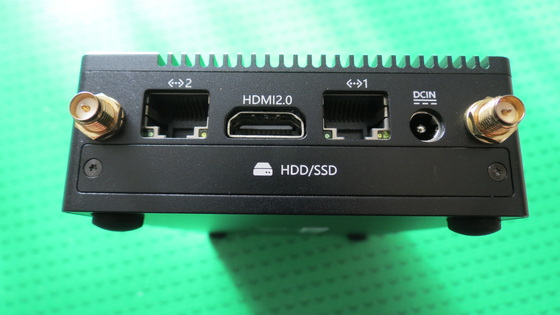
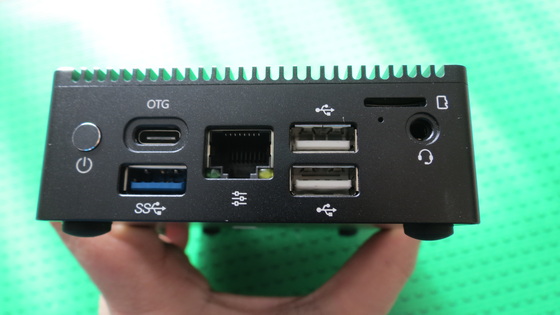
1 x HDMI2.0
1 x USB 3.0
2 x USB 2.0
1 x Type-C (OTG)
2 x GbE RJ45 LAN Ethernet port
1 x Audio output / Headphone output port
1 x 1-channel Infrared Receiver
1 x Micro SD card / TF card slot
1 x Power key
1 x Recover key (at the bottom of the headphone jack)
1 x Power Blue LED Light
Firefly Station P2 Geek Mini PC Interfaces
OTG: For TypeC data communication
Control Port: For RS232 and RS485 device
USB3.0: For USB high-speed data transfer
USB2.0: For USB data transfer
USB2.0: For USB data transfer
TF Card: For TF Card
Audio: For audio output
LAN 1: For network connection
LAN 2: For network connection
HDMI2.0: For monitor
HDD/SSD: For 2.5” (7mm) HDD/SSD
DCIN: For power input
Firefly Station P2 Geek Mini PC Specs
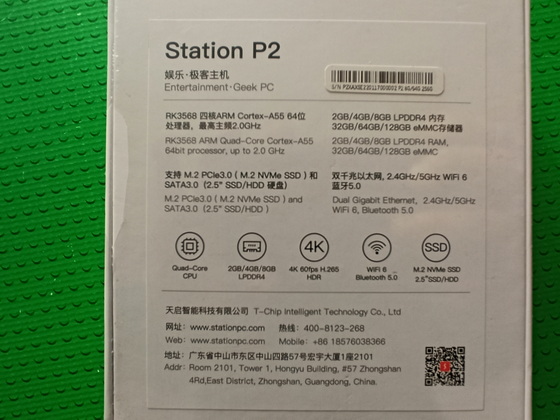
CPU: RK3568 Quad-core 64-bit Cortex-A55, frequency up to 2.0 GHz
GPU: ARM G52 2EE, penGL ES 1.1/2.0/3.2,OpenCL 2.0,Vulkan 1.1
NPU: Integrated 0.8Tops@INT8 NPU
VPU: Video decoding: 4K@60fps, H.265/H.264/VP9/HEVC
Video Format: MOV/VOB/AVI/MKV/TS/MP4
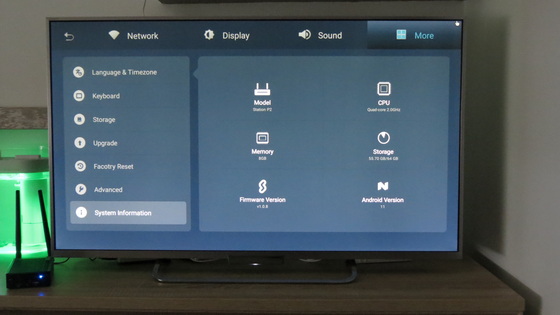
RAM: 2GB / 4GB / 8GB LPDDR4
Storage: 16GB / 32GB / 64GB / 128GB eMMC
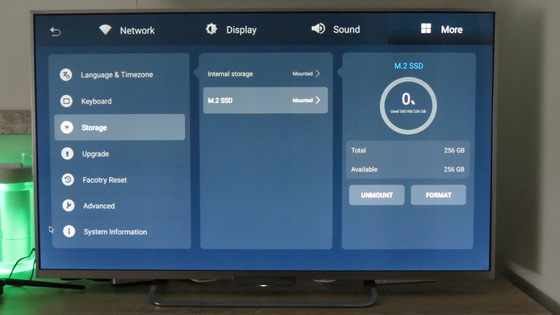
Storage Expansion: M.2 PCIe3.0 NVMe SSD (2242/2280 ), SATA3.0 SSD/HDD (2.5″ , 7 mm thickness), TF Card Slot x 1
Ethernet: 2 x RJ45(1000 Mbps)
Wireless: 2.4GHz/5GHz dual-band WiFi, supports WiFi6, 802.11a/b/g/n/ac/ax / Bluetooth 5.0
Display: HDMI2.0a 4K@60Hz
OS: Station OS (default) / Supports Android 11, Ubuntu 20.04, Buildroot+QT, etc.
Boot Way: Boot Way eMMC, TF card, U disk
Power: DC 12V
Size: 142 mm * 89 mm * 31.5 mm
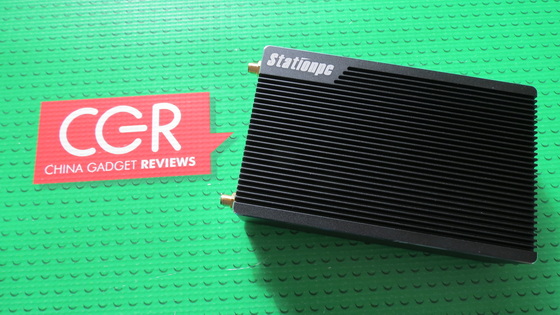
Appearance: Toothed aluminium alloy case in matte black with good air flow design, good heat dissipation without fans.
Color: Black
Operating Temperature: -10℃~60℃
Storage Temperature: -20℃~70℃
Storage Humidity: 10%~80 %
Station OS version: updated to version 1.0.8 from version 1.0.6
Package content
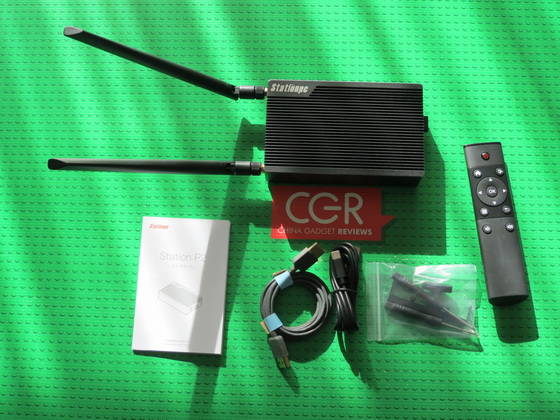
1 x Firefly Station P2 Geek Mini PC
2 x 5db Antenna
1 x HDMI Cable
1 x Remote Controller
1 x USB Type-C Cable
1 x Power adapter model SK03T1-1200200Z 12V / 2A
1 x English / Chinese User Manual
1 x Tool kit
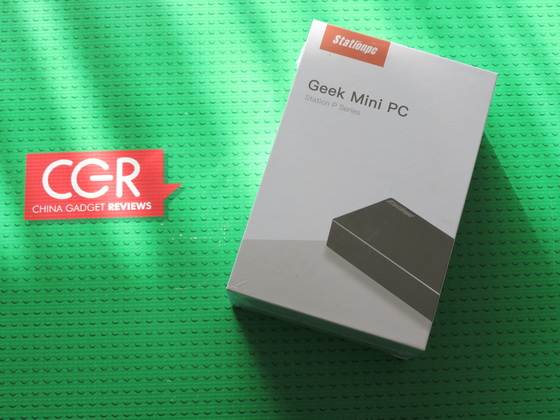
Photo gallery full album here. Official page here. Unboxing Firefly Station P1 Geek Mini PC here.

About Station. Firefly Open Source Team is built by T-Chip Intelligent Technology Co., Ltd. in 2014. We committed to the research and development of artificial intelligence, intelligent hardware, and focus on embedded development, system development, application development, etc. Firefly provides open source products, open source forums and online stores. Our open source products include core boards, mainboards, embedded computers, cluster servers, development kits, Station and other products. We have one-stop innovation and research capacity for hardware design, embedded development,application design and mass production. Firefly open-source products can be widely used in AI, Internet of Things, smart city, edge computing, smart home, face recognition, AI server, smart monitoring, voice recognition, cloud machine learning and other fields.
Did this article help you? If so, please tell me in a comment what do you think about it.
Don’t miss any of our future video tutorials, follow us on Youtube. Like us on Facebook. Watch our photo albums on Flickr. Subscribe now to our newsletter.