Best Deal Alert! You can now buy Huion Kamvas Pro 13 (2.5K) Graphic Drawing Pen Display from Store.huion.com with 13% off. Hurry up, limited time offer!
Meet Huion Kamvas Pro 13 (2.5K) – 2.5K to embrace more possibilities
A graphics tablet monitor serves as a versatile tool for anyone involved in visual arts, design, and creative work. It offers a more natural and precise way to create digital artwork compared to using a mouse or trackpad, making it a popular choice among professionals and enthusiasts alike.
Huion is a Chinese high-tech company well-known for its self-governing research and development of underlying technology, which includes motion graphics and manually written input capacitive touch screen products. They have a wide range of products, and today we’ll concentrate on the Huion Kamvas Pro 13 (2.5K) because of its impressive list of features at a lower price. The Huion Kamvas Pro 13 (2.5K) is a high-quality pen display that offers a range of features designed to enhance your digital art and design work. With a sleek design and intuitive controls, this device is a powerful tool for creatives of all skill levels.
With IPS screen, quantum dot technology, PenTech 3.0 technology and other great innovations, Kamvas Pro 13 (2.5K) is designed and produced to provide supports for the creators in the fields of illustration, animation, graphic design, image editing, etc. It is thin (only 10mm) and easy to carry, with sleek aluminum alloy back case. Therefore,it is a very good choice for outdoor creation. The pixels of Kamvas Pro 13 (2.5K) are even twice as many as that of a Full HD display. Together with an aspect ratio of 16:10, this displays allows users to view more contents at a time, thus boosting work efficiency. With the latest quantum dot technology, Kamvas Pro 13 (2.5K) could achieve 145% sRGB color gamut and display 16.7 million colors, which ensure the display to present pictures with high saturation, accurate hue and natural brightness. It comes with the upgraded digital pen PW517. With PenTech 3.0 technology, PW517 can achieve more natural strokes with high productivity and low latency. 8192-level pressure sensitivity and >300PPS report rate enable the instant reproduction of lines with different shapes and saturation of colors. ±60° tilt recognition supports the realization of various drawing techniques such as shading, sketching, and edging. Besides five standard pen nibs, this PW517 also comes with five felt pen nibs to achieve more natural and accurate pen strokes. To improve user experience, Kamvas Pro 13 (2.5K) is equipped with two USB-C ports to facilitate the connection between the display and other devices. Users can connect the display to computers or Android devices efficiently via a full-featured USB-C to USB-C cable or 3-in-2 cable. Besides, this display can also serve as pen tablet. Users can switch to the pen tablet mode and experience a different way of drawing.
If you are an advanced or beginner graphic designer, or an artist who wants to start working with a pen display but you are looking for an affordable pen display, Huion Kamvas Pro 13 (2.5K) is a great choice offering you an excellent drawing experience by seeing what you are drawing directly from the screen at an incredible price. So if you’re looking to purchase your first pen display and want something that is pretty affordable, the Huion Kamvas Pro 13 (2.5K) pen display is a budget-friendly option that offers many of the same features as more expensive Wacom tablets. By using this pen display, you can enhance your ability to create digital art and improve your efficiency and precision in graphic design work. It’s a user-friendly device that is easy to set up and use – an ideal choice for those looking to upgrade their creative capabilities.
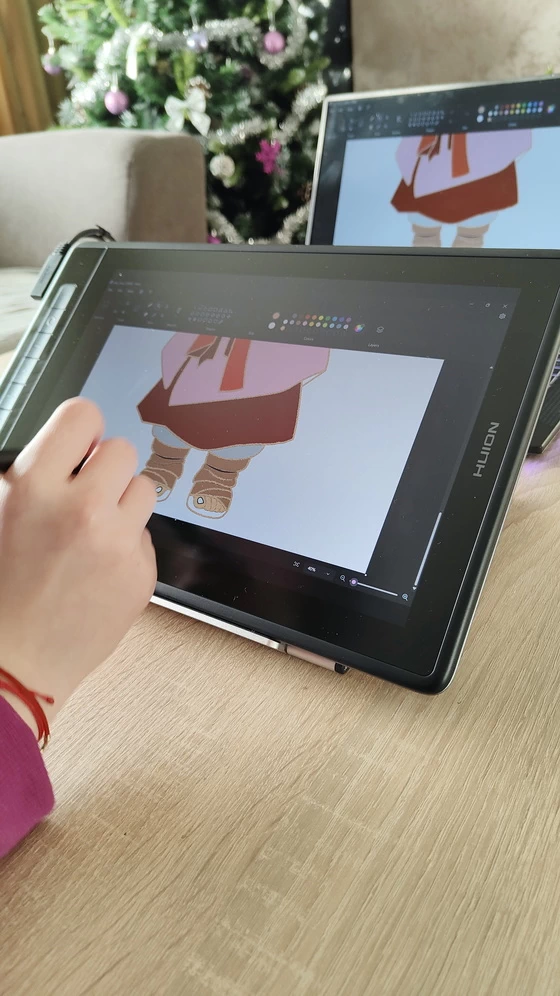
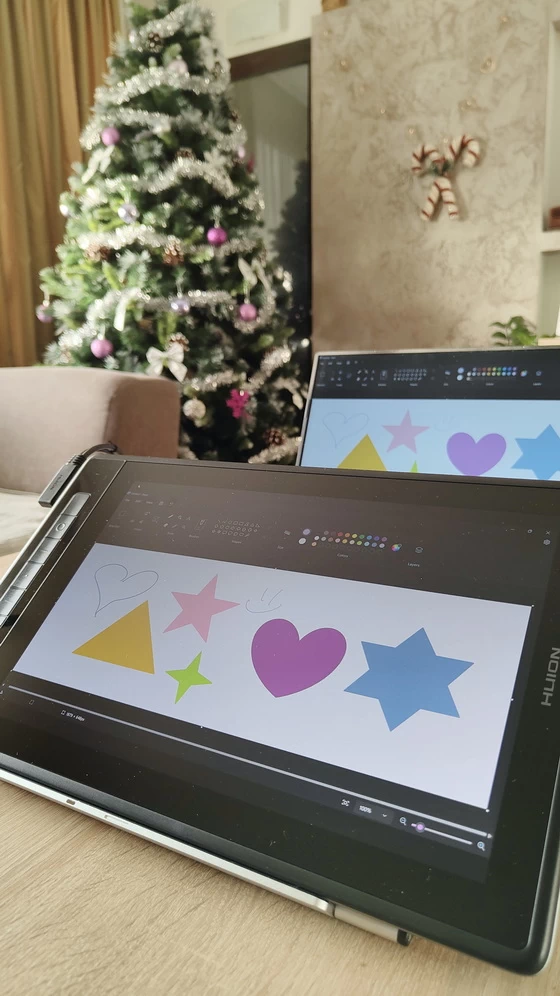
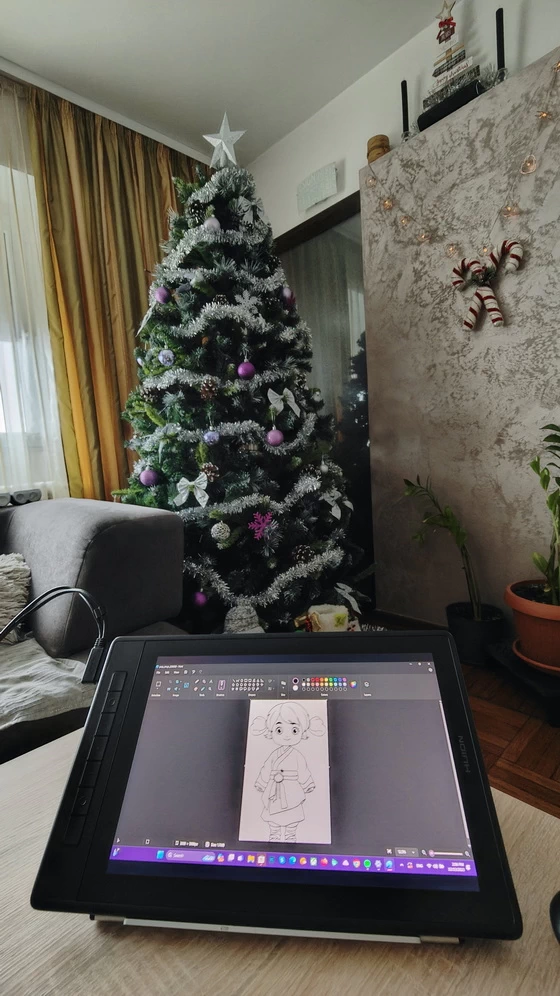
My 13-year-old daughter fell in love with this tablet, which is also the reason why she now wants to try to become a graphic designer.
Huion Kamvas Pro 13 (2.5K) Highlights
2.5K (QHD+) resolution and 226 pixels per inch help achieve delicate pictures with rich details.
145% sRGB (QLED) wide color gamut for purer and richer color display.
The rear case made of aluminum alloy has a fine texture and great wear-resistance.
Digital pen PW517 adopting PenTech 3.0 technology for smooth writing without jitter.
8192 levels of pressure sensitivity to render lines input with different shapes and saturation of colors as the applied pressure changes.
>300PPS report rate to present your ideas without lagging.
Seven programmable press keys for efficient and convenient creation.
The anti-glare glass and the IPS screen are seamlessly laminated together to decrease parallax.
Huion Kamvas Pro 13 (2.5K) Main Features
– New Appearance with Higher Quality. The new Kamvas Pro 13 (2.5K) owns the same textured aluminum back, Anti-Glare etched glass, and full lamination as its predecessor – Kamvas Pro 13. Moreover, the higher 2.5K resolution and QLED technology give it a new definition. Kamvas Pro 13 (2.5K) enables you to deeply immerse yourself in different art areas, such as design, photoshop, 3D modeling, etc.
– 2.5K resolution & 16:10 display for sharp and vivid pictures. The 13.3-inch Kamvas Pro 13(2.5K) with a IPS screen has a 2.5K (QHD+) resolution, the number of pixels per inch of which reaches 266, and it is able to present pictures crisply with delicate details. Compared with the traditional 16:9 display, the width of this display is 1.6 times its height, close to the golden ratio. Users can view more content at a time with an improved aspect ratio, thus comprehensively improving users’ work efficiency.
– Clearer Vision, Create More Ideas. The upgraded 2.5K QHD+ (2560×1600) resolution lets you view more details on its stunning screen. Combined with the 13.3″ screen, the Kamvas Pro 13 (2.5K) can reach 226 PPI (Pixels Per Inch), which doubles the clarity and detail to enhance your vision and work experience.
– Superior Color Display, Make Your Drawing Alive. To surpass the limitations imposed by ordinary LED lights, we added a Quantum Dots film on the Kamvas Pro 13 (2.5K), achieving deeper black and brilliant color performance for professional artists. It also comes with a 178° viewing angle from IPS technology and 16.7M (8Bit) color depth to help you create more masterpieces.
– Millions of vibrant colors on the screen. Kamvas Pro 13(2.5K) has reached 145% sRGB wide color gamut thanks to quantum dot technology. Together with optimized contrast ratio that has reached 1200:1, Kamvas Pro 13(2.5K) can present pictures with high saturation, accurate hue, and natural brightness.
– Full-lamination, a step further towards inspiration. Full lamination technology brings higher transparency and minimizes the light loss resulting from the reflection that occurs between different layers of the screen, which will decrease parallax and ensure users a better visual experience.
– Anti-glare glass and ultra-wide viewing angle. Application of IPS technology enables a 178° ultra-wide viewing angle. Combined with anti-glare glass which can reduce the reflection effectively and bring a comfortable visual experience, Kamvas Pro 13(2.5K) ensures high-quality images visible from different directions.
– Minimise Parallax and Glare, Enhance Your Visibility. Like its predecessor, Kamvas Pro 13 (2.5K) is equipped with Anti-Glare etched glass to efficiently prevent glare from the outside environment. It also can enhance the screen surface friction to make it more like a paper texture. At the same time, the full-laminated technology can improve brightness for a more transparent screen and allow the pen tip to fit perfectly with the cursor.
– Breakthrough made in pen technology. PenTech 3.0 technology developed on the basis of PenTech 1.0 and PenTech 2.0 optimizes the precision of cursor position and the stability of pen tip to perfect your details.
– PW517, just like drawing with a real pen. With high productivity and low latency, the digital pen PW517 can render lines with different sizes and saturation of colors as the applied pressure and tilting angle change, suitable for drawing, sketching, coloring and marking. Besides standard pen nibs, this PW517 also comes with felt pen nibs which can provide users with more organic and accurate pen strokes as well as natural drawing experience.
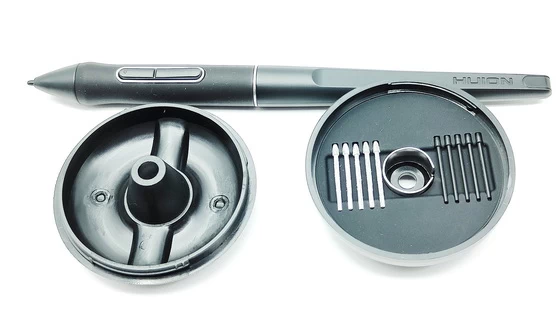
– PenTech 3.0, Drawing with More Stability. The battery-free pen PW517, featuring PenTech 3.0 (Huion’s latest pen technology), provides better stability with a lower-position pen nib to bring you a lifelike drawing experience. It also supports ±60° Tilt Function and 8192 levels of pressure sensitivity. We also provide felt nibs in the pen holder for you, enhancing the friction between the screen surface and the pen nib.
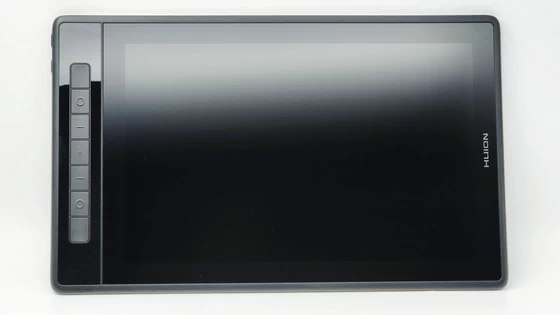
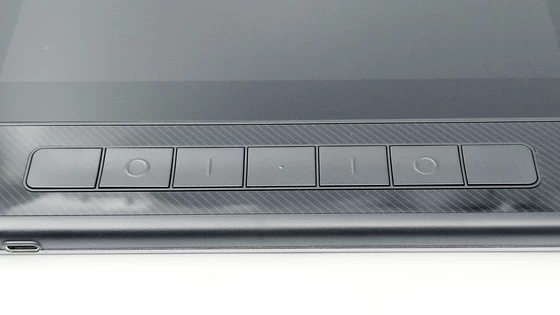
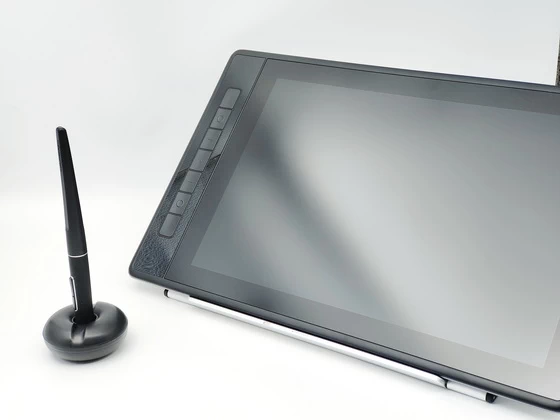
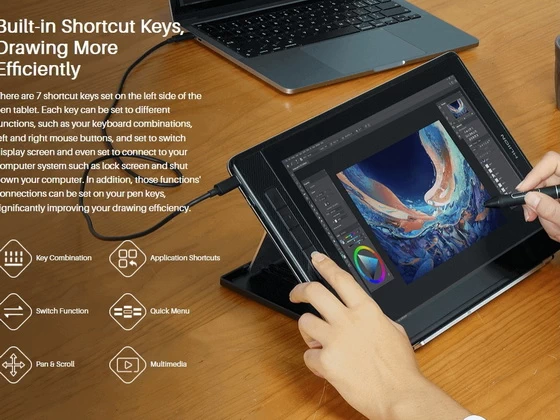
– Built-in Shortcut Keys, Drawing More Efficiently. There are 7 shortcut keys set on the left side of the pen tablet. Each key can be set to different functions, such as your keyboard combinations, left and right mouse buttons, and set to switch display screen and even set to connect to your computer system such as lock screen and shut down your computer. In addition, those functions’ connections can be set on your pen keys, significantly improving your drawing efficiency.
– One Cable with More Compatibility. Whether indoors or outdoors, on the coffee table or office desk, you can freely connect Kamvas Pro 13 (2.5K) to your MacBook, Laptop, or Android device via a fully functional USB-C to USB-C cable that significantly enhances the convenience of the pen display. Combined with its excellent QHD resolution, QLED tech, AG glass, and full lamination features, you can use it anywhere for professional-level painting, modeling, retouching, and editing.
– Feel, Love, and Immerse in Your Tidy Workspace. For added cable stability, Kamvas Pro 13 (2.5K) is newly equipped with a 3-in-2 cable to avoid cable wobble for a more stable connection from the pen display to your computer host. Not only that, its one cable design can make your studio look neater to bring you a good mood while creating.
– Stylish, durable, and portable. Kamvas Pro 13(2.5K) is thin, light, and portable. The back case, made of aluminum alloy through sandblasting and anodizing process, has a fine texture and a smooth and comfortable touch.
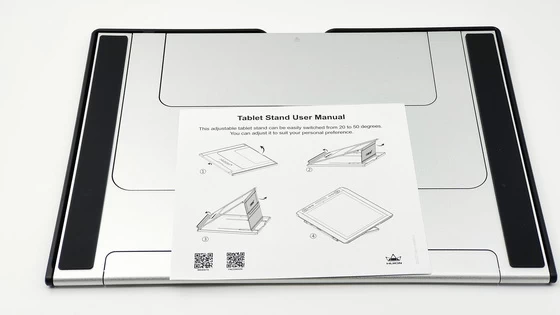
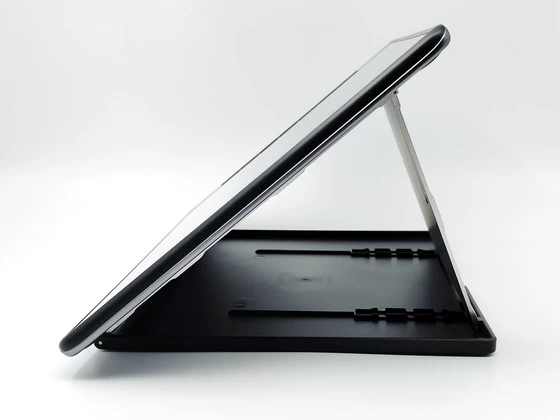
– Portable Anywhere! Kamvas Pro 13 (2.5K) combined with a 1cm thin body and 1kg lightweight to present its portability. The foldable stand ST200 in the package supports 6 angles, and you can adjust it to a comfortable angle to protect your neck. It can also be folded into a tablet without taking up any space in your backpack!
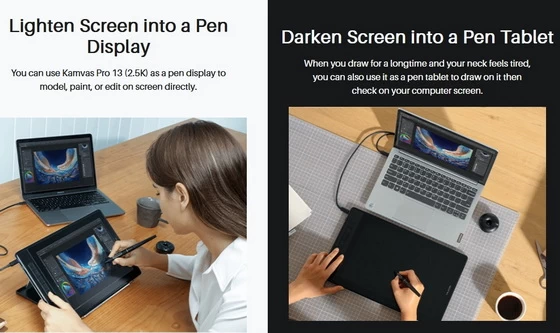
– Lighten Screen into a Pen Display. You can use Kamvas Pro 13 (2.5K) as a pen display to model, paint, or edit on screen directly.
– Darken Screen into a Pen Tablet. When you draw for a longtime and your neck feels tired, you can also use it as a pen tablet to draw on it then check on your computer screen.
– Make OSD Control Easier. Call up the pen-enabled OSD menu by long-pressing the on/off button, and then use the PW517 digital pen to adjust the screen parameters. The simple modernized UI makes it easier to adjust the brightness, color temperature, and others.
– Easy connection for convenient creation. The full-featured USB-C port and USB-C power supply port on the left side of the pen display can guarantee faster transmission, and better power supply. Users can connect Kamvas Pro 13(2.5K) to a computer/Android device with a full-featured USB-C cable or a 3-in-2 cable to facilitate your work. While users can also switch to the pen tablet mode to experience a different way of drawing as well as alleviate fatigue.
– Flexible Connectivity & Compatibility. Support Version: Windows 7 or above, Mac OS 10.12 or above, and Android.
– To explore more with Android devices. After it’s connected to an Android device, Kamvas Pro 13(2.5K) serves as a more prominent display and a larger canvas with infinite possibilities. Hence, you can own bigger working space for digital creation, whether at home or outside.
– Programmable press keys to improve your efficiency. The seven upgraded press keys with a slightly curved surface are laid out on the side of the screen in an appropriate way to facilitate your operation. Besides, these press keys can also bring great convenience as they can be customized to your most-used functions.
Common use cases
– Digital Illustration: Artists use graphics tablet monitors to create digital illustrations, whether for personal projects, commercial art, or as part of their profession. The high-resolution display and pressure-sensitive stylus allow for precise and detailed drawing.
– Graphic Design: Graphic designers use these tablets to create graphics, logos, icons, and other design elements for various purposes, such as branding, advertising, web design, and more.
– Photo Editing: Photographers and photo editors use graphics tablets to retouch and manipulate images with precision. The stylus allows for accurate selection, masking, and brushwork in software like Adobe Photoshop.
– 2D Animation: Animators and hobbyists often use graphics tablet monitors to create 2D animations. The pressure sensitivity of the stylus enables artists to vary line thickness and create fluid motion.
– Digital Painting: Digital painters use these tablets to create artwork that mimics traditional painting techniques, using various brushes and textures to achieve different artistic effects.
– Handwriting and Calligraphy: Some people use graphics tablets to digitize their handwriting or practice calligraphy. The tablet can be used to write or create decorative lettering in a digital format.
– 3D Modeling and Sculpting: In the context of 3D modeling and sculpting, a graphics tablet can be used for precision control over the creation of 3D models and digital sculptures.
– Industrial Design: Industrial designers often use graphics tablets to sketch and design product concepts and prototypes.
– Education and Training: Graphics tablet monitors are valuable tools for teaching and learning digital art and design. Many educational institutions use them to instruct students in various creative disciplines.
– Interactive Presentations: Some professionals use graphics tablets for interactive presentations or digital whiteboarding during meetings and conferences.
Software Installation
The software download, setup, and calibration worked well with no issues observed allowing the tablet to be placed flat on a surface or at an angle. Once connected to the Laptop the option to duplicate / Extend the display is available. You can download HuionTanlet Driver_15.7.6.753 for Windows from here / Driver_15.6.6.7 for macOS from here and Driver_15.0.0.143.deb(Ubuntu) for Linux from here. Once you have installed the driver you can now download different softwares that you desire. There are free softwares that you can use such as Windows Paint, Krita, Gimp, and Fireplace. You can also download paid softwares like Photoshop and Adobe Illustrator. You can also download the Firmware Update Tool to get the latest firmware of your device: Windows version from here / macOS version from here.
Huion Kamvas Pro 13 (2.5K) Specs
Brand: Huion
Model: Kamvas Pro 13 (2.5K)
Model number: GT1302
Type: Graphic Drawing Pen Display
Panel Size: 13.3 inch (diagonal)
Resolution: 2560 x 1600 (16:10) QHD+
PPI (Pixels Per Inch): 226
LCD Type: IPS
Refresh rate: 60Hz
Working Area: 286.5 x 179mm
AG Glass: Anti-glare etched glass
Full Lamination: Yes
Contrast Ratio: 1200:1
Brightness: 220cd/m2 (Max.)
Response Time: 25ms
Viewing Angle: 89°/89°(H) / 89° / 89°(V) (Typ.) (CR>10)
Gamut Volume: 145% sRGB
Display Color: 16.7M (8bit)
Stand: Foldable Stand ST200 20°/45°
Video Interface: Full featured USB-C, Power USB-C
Digital Pen: PW517
Pen Technology: Battery-Free Electromagnetic Resonance
Pen Resolution: 5080 LPI
Pressure Sensitivity: 8192 Levels
Tilt Support: ±60°
Sensing Height: 10mm
Report Rate: >300PPS
Accuracy: ±0.3mm (Center) ±1mm (Corner)
Press Keys: 7 Programmable Press Keys
Input Voltage: AC 100-240V, 50/60Hz
Output Voltage: 5V 2A
Power Consumption: ≤10W
Standby Consumption: ≤0.25W
Working Temp. and Humidity: 0-40°C , 20-80%
Storage Temp. and Humidity: -20°C~60°C, 10-90%
OS Compatibility: Windows 7 or later, macOS 10.12 or later, Android (USB3.1 DP1.2 or later), Linux
Dimension: 373.5 x 229.1 x 10mm
Net Weight: 1 Kg
Color: Silvery Frost
Firmware version: M213_230326
EAN: 6930444802530
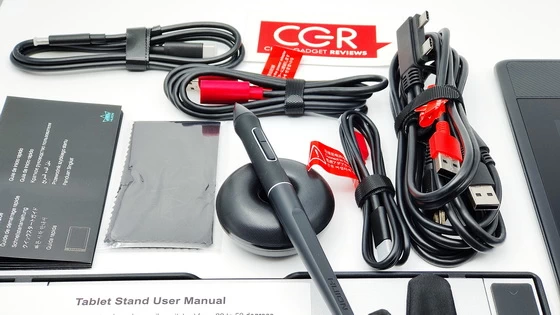
Package Content
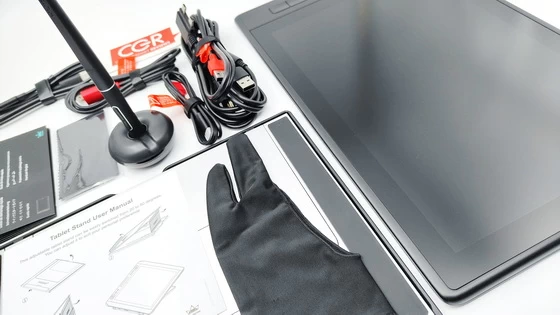
1 x Huion Kamvas Pro 13 (2.5K) Graphic Drawing Pen Display
1 x Battery-Free Pen PW517
1 x Foldable Stand ST200
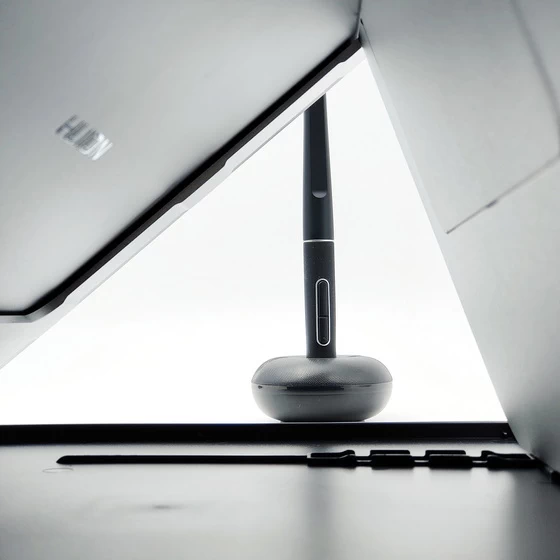
1 x Pen Holder
1 x Pen Nib Clip (inside pen holder)
5 x Felt Nibs (inside pen holder)
5 x Standard Nibs (inside pen holder)
1 x 3-in-2 Cable
1 x USB Extension Cable
1 x USB Power Cable
1 x USB-C to USB-C Cable (1m)
1 x Two Finger Artist Glove
1 x Tablet Stand User Manual (EN)
1 x Multi-language Quick Start Guide (EN / DE / ES / FR / IT / JP / RU / PT / PL)
Did this article help you? If so, please tell me in a comment what do you think about it.
Don’t miss any of our future video tutorials, follow us on Youtube. Like us on Facebook. Join our Best Deals Telegram Channel. Join our Android TV Box Firmware Updates Telegram Channel. Subscribe now to our newsletter. If you need Tech Reviewer or Youtube Influencer read this. Donate now here to support CGR Team!