Coupon Code Alert! You can now buy mBot Neo Beginner-friendly Coding Robot Kit from for only $129.99 (regular price: $149.99). BTW, you can use the coupon code NEWORDER10 (once use per customer) to get an extra $10 off. Hurry up, limited time offer!
Meet Makeblock mBot Neo
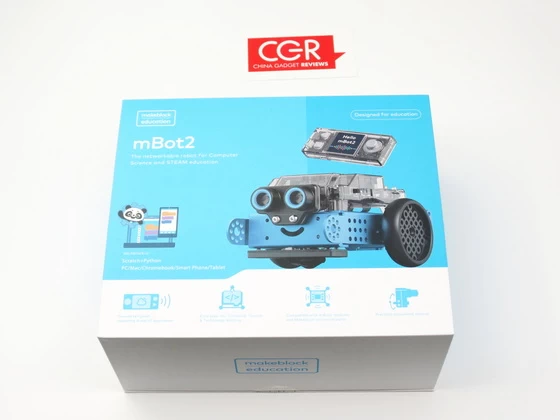
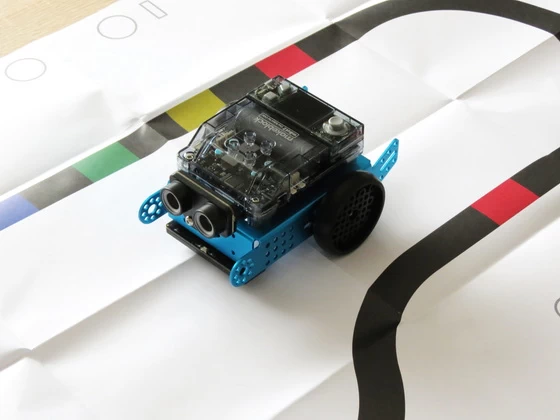
mBot Neo is a next-generation STEAM education robot for kids. It is designed to carry out interactive and innovative learning that are engaging, fun and reflect real-world application with cutting-edge technologies. Powered by Cyberpi, this innovative and easy-to-build mBot Neo will inspire kids to learn, grow, and play in limitless ways. Complete with Wi-Fi connectivity and community, everyone can step into the world of CS and technology learning utilizing precision movement control with encoder motors, expandable mBuild modules, and structural parts that come together in a unique programmable design.
The Makeblock mBot Neo is a programmable educational robot designed for children and beginners in robotics. It comes with an easy-to-use graphical programming interface that allows users to code the robot’s actions and behaviors using a block-based coding language.
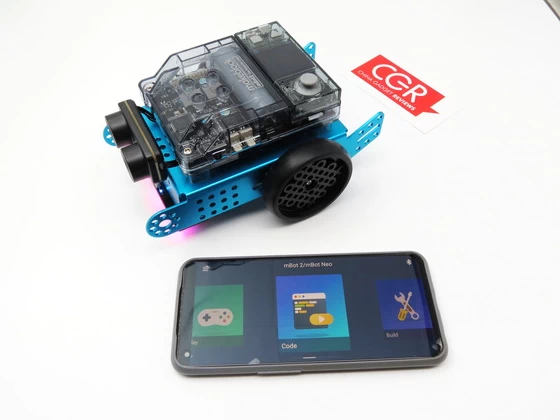
The mBot Neo features a range of sensors and modules, including an ultrasonic sensor, line follower sensor, LED matrix display, buzzer, and a 6-axis gyroscope. It also has Bluetooth connectivity, which allows it to be controlled and programmed using a mobile app.
One of the unique features of the mBot Neo is its compatibility with LEGO building blocks, which allows users to customize and expand the robot’s capabilities by building and attaching additional structures and modules.
Overall, the Makeblock mBot Neo is an excellent tool for introducing children and beginners to robotics and programming. Its easy-to-use interface, compatibility with LEGO building blocks, and range of sensors and modules make it a versatile and engaging educational tool. The CyberPi 3-axis gyroscope, accelerometer, and high-precision encoder motors are all integrated into mBot Neo. The robot’s wheels’ rotation, speed, and location can all be accurately controlled. In contrast to robots that have less control over their motors, lessons can be more realistic and instructional. The integration of mathematical, physics and engineering concepts is made possible by the motors’ further use as servos and even as knobs to provide data feedback to the system.
Makeblock mBot Neo Highlights
– The most powerful robot kit in its class.
– Coding robotics kit for both family and STEM classes.
– Easy to learn: 30 min to build up, 1 hr to start coding.
– Multi-functions to explore: remote control, voice control, line following, IoT, etc.
– Free programming platform, way more learning materials!
Makeblock mBot Neo Main Features
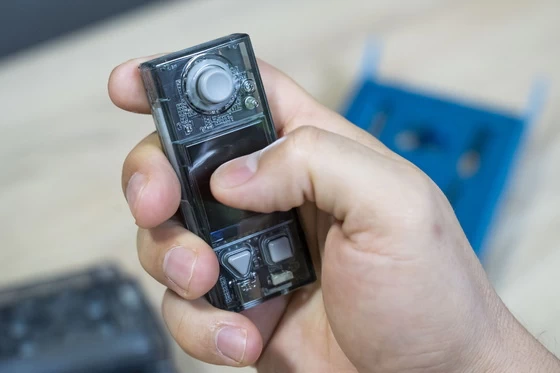
– Versatile microcontroller: CyberPi mainboard. Certified in 2020 by the Open Source Hardware Association, CyberPi is a powerful and versatile microcontroller for education. Its integrated 8 different sensors, full-color display and Wi-Fi/Bluetooth communication capabilities allow a wide range of applications on curriculum topics for Computer Science, Robotics, Data Science and Artificial Intelligence, in connection with other areas of the curriculum such as Math, Physics, etc.
– Easy to build, play and learn. It takes only 30 mins to build the robot. Afterwards, students can easily start App control driving, voice control, piano playing etc. through Makeblock App. mBot2 is an interactive robot for classroom time. Furthermore, it can be extended to learn coding. The mBlock coding platform supports block-based coding and Python coding. Whether students have coding experience or not, they can learn coding step-by-step with mBlock.
– Precision In Movement Control. mBot2 integrates the CyberPi 3-axis gyroscope and accelerometer and high-accuracy encoder motors. Students can precisely control the rotation, speed and position of the wheels and the robot. Lessons can be more realistic and didactic in comparison with robots that have less control of their motors. The motors can also be used as servos, and even knobs to feedback data to the system, making possible the integration of principles in Math, Physics and Engineering.
– Easy Step Into Computer Science & Technology Learning. Students can begin with block-based coding, and as they develop their skills, they can move into Python coding, all within the mBlock5 platform. Both sprites and devices can be programmed in mBlock. Create a Machine Learning model and use it, for instance, to recognize traffic signs hand-painted by students. When connected to a network, you can collect, visualize and process data from different devices, and even upload them to the cloud.
– Step-by-step tutorial and curriculum. We want to be sure kids are excited about learning and building their own robot. That’s why we’ve also included a complimentary tutorial and sample coding projects to help them get started. Perfect for beginners completely new to programming and coding.
Specifications
CyberPi: Control board.
ESP32-WROVER-B: Processor
Flash memory: 8MB SPI
Battery: 2500 mAh capacity.
Simultaneously store 8 different programs.
Multi-threading support.
Wireless communication-Bluetooth, Wi-Fi, and Wi-Fi LAN.
Input and onboard sensors: 5-way joystick, 2 x Buttons, Reset button, Light sensor, Microphone, Gyroscope-accelerometer.
Output interfaces: 1.44″ full-color display, Speakers, RGB LED x5.
Expandable electronic modules- mBuild port x 1, connects 10+ components in sequence.
Additional interface: 2-pin interface x2, 3-pin interface x4.
Voice output: Speaker
Extension port: 4 servo ports, 2 DC motor ports, 2 encoder motor ports, and 1 mBuild Extension port.
Line following sensors: 4
Misc: Programmable LEDs, Obstacle-avoidance.
Size: About 6.69 x 5.11 x 3.54 inches (17 x 13 x 9 cm)
Weight: 14.1 oz or 400 g
Supported Coding Languages: Block coding and Arduino C
Features: a light sensor, IR receiver, Ultrasonic sensors and a line following sensor, more available but sold separately
Compatible with Windows, Mac, Linux, Chromebook, iOS, Android
Makeblock application
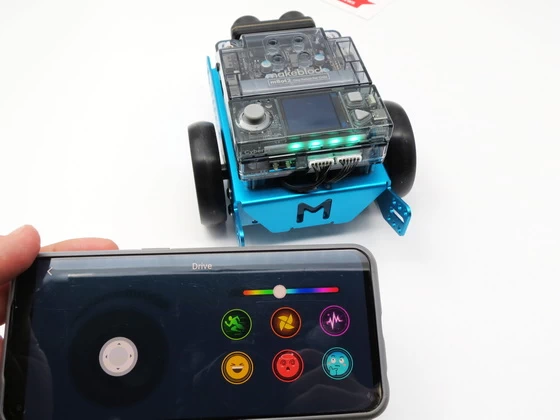
Makeblock APP is a robot control software in smart devices. Everyone can directly control Makeblock robots using official controller in the software, or creates and programs a specific controller to achieve richer robotic functionality.
Makeblock APP gives the user a way to grow. You can use the controller function to control directly, you can also drag the control to create a different multi-function console; advanced users can even programmatically through the control to achieve more complex functions.
Features:
-Brand New UI Design, User-Friendly Interface.
-Stronger Controllability, Simpler Way to Learn STEM:STEM education becomes easy & fun as you can also master robot freely to sing, dance or light.
-Create Customized Robot Controller with Graphical Programming: Realize your imagination and control your robot by simply dragging, dropping and programming the command blocks.
-Supporting Makeblock Robots: Codey Rocky, MotionBlock, mBot、mBot Ranger、Airblock、Starter、Ultimate2.0 .
-Multi-Language User Interface :Chinese, Traditional Chinese, English, Japanese, French, German, Spanish, Russian, Croatian,Polish,Romanian.
Download Makeblock application for free from Google Play Store on App Store.
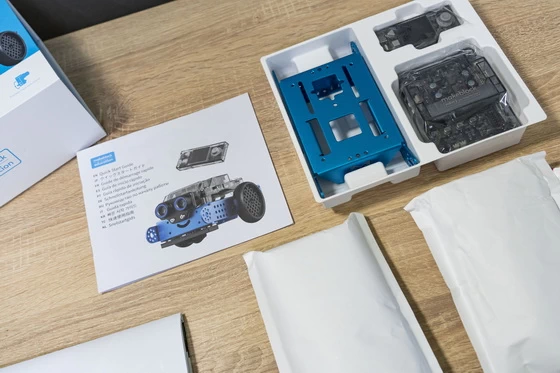
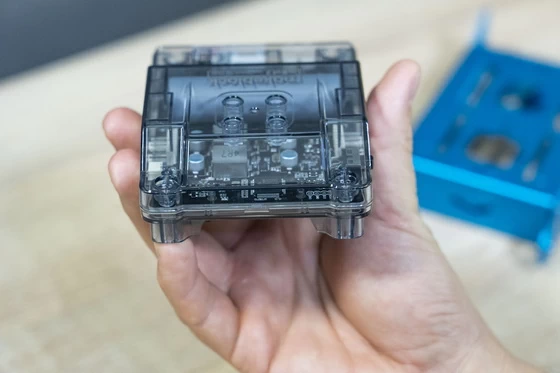
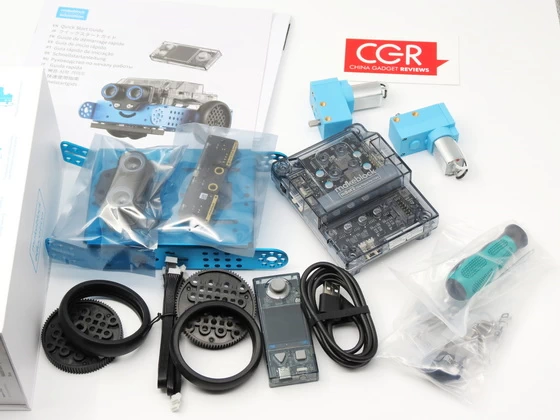
Unboxing Photo Album with Hi-Rez images here.
About Makeblock. Makeblock is a leading brand of DIY robotics and education platforms for makers, STEM learners, and educators. Our building block platform of over 500 mechanical parts and easy-to-use electronic modules and graphical programming software makes it fun and easy for everyone to construct their dreams.
Did this article help you? If so, please tell me in a comment what do you think about it.
Don’t miss any of our future video tutorials, follow us on Youtube. Like us on Facebook. Join our Best Deals Telegram Channel. Join our Android TV Box Firmware Updates Telegram Channel. Subscribe now to our newsletter. If you need Tech Reviewer or Youtube Influencer read this. Donate now here to support CGR Team!