Coupon Code Alert Alert! You can now buy Mobile Pixels Duex Max 14.1 Inch Portable Laptop Second Monitor from Mobilepixels.us with 10% off if you’ll use our coupon code: NEWMP (as your first purchase), or you can buy it from Amazon.com. Also enjoy 20% off on all accessories if you’ll use this coupon code: HAPPY20. Hurry up, limited time offer!
Meet Mobile Pixels Duex Max
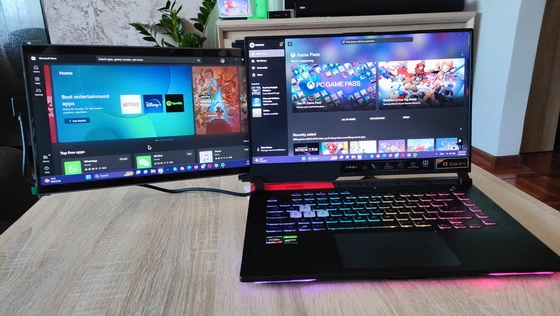
DUEX Max is the most upgraded, portable dual-screen laptop accessory that makes multitasking effortless. Dual screen setup boosts productivity. It’s especially useful when you have to open multiple windows and deal with different missions at the same time.
The iconic portable, external monitors complement mobile work, entertainment on the go, and everything in between. DUEX Max features a larger 14.1” full-HD display that easily slides out to either side of your laptop. You’ll enjoy the same 1080p resolution but with an 85% screen-to-body ratio so everything you see is crisp and clear. DUEX Max still features auto rotation and can be used in its intended landscape mode, portrait mode, presentation mode, eye care mode or kickstand mode – just perfect for any scenario. You can carry it on business travel and on camping. It helps to save space and energy.
Duex Max 14.1” 1080P laptop monitor is lighter 1.7lbs, slimmer 0.35” than predecessors, best fit for any 14” to 17” laptops. The upgraded sliding system of this laptop screen extender features a second-stage sliding that enhances compatibility and makes your multitasking effortless. Plug in, Slide out and Ready to Go! You’ll enjoy the same 1080p resolution but with an 85% screen-to-body ratio so everything you see is crisp and clear. Easily pair your DUEX Max with any laptop or device, including a Nintendo Switch and select Android phones, via USB-C or USB-A connection.
Overall, the Mobile Pixels Duex Max is a well-designed product that offers excellent functionality and convenience for users who need an additional screen on-the-go. The display quality is impressive, and the size is ideal for mobile use. The Duex Max is also very easy to attach to the back of your laptop, and the 270-degree rotation allows you to set it up in any orientation that suits your needs.
One of the most significant advantages of the Duex Max is its compatibility with various operating systems, which means it can work seamlessly with any device you own. However, it’s important to note that the Duex Max requires a USB-C port for connectivity, so you may need to use an adapter if your laptop doesn’t have one. Another advantage of the Duex Max is its portability. It’s lightweight, making it easy to carry with you wherever you go, and it comes with a protective carrying case.
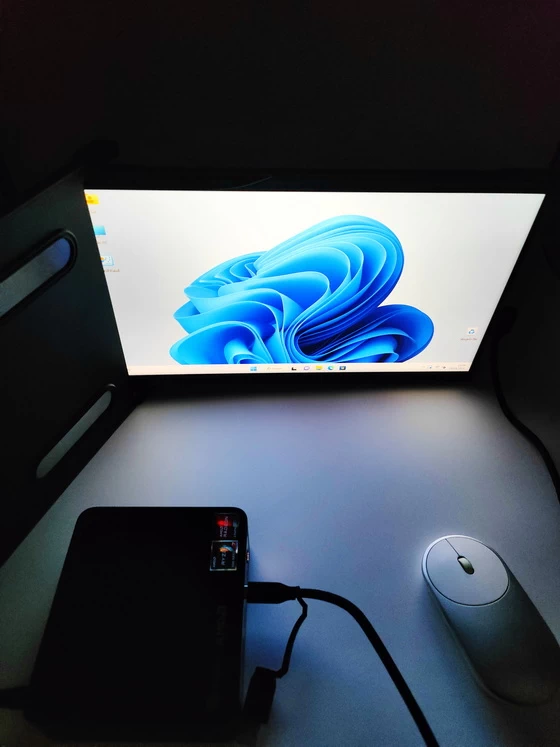
The Mobile Pixels Duex Max is an excellent product for anyone who needs a portable, dual-screen solution for their laptop. I tested it in different scenarios, together with my Asus ROG Strix G15 G513 gaming laptop – as a second monitor, and with Beelink Ser5 Pro Mini PC & Firefly Station M1 Geek Mini PC as main monitor. Its compatibility, ease of use, and portability make it a worthwhile investment, provided the price is within your budget.
Mobile Pixels Duex Max Main Features
– Easily Compatibility with Multi Devices. Built in USB-C and USB-A connection with one interchangeable 2-in-1 USB cable for plug and play , which easily connect DUEX Max portable monitor with your devices,including any laptop, Nintendo Switch and some Android phones.No matter which one you use the connection, the other can be used for pass through power to your devices.The dual screen is also energy-efficient and specially designed to reduce battery drain from your laptop.
– Hybrid signals. Plug in, power on. With a DisplayPort enabled USB-C port, the DUEX Max dual laptop monitor allows for high-speed video transmission and a plug-and-play experience packed into a single cable.
– Full-HD display. DUEX Max features full-HD display that easily slides out to either side of your laptop. You’ll enjoy the same 1080p resolution but with an 85% screen-to-body ratio so everything you see is crisp and clear.
– Auto Rotation and Multiple Monitor Modes. Whether you flip this portable monitor from left to right or right to left, it will automatically rotate for ease of use.This monitor extender can be used in more display modes, intended landscape mode to save workspace, portrait mode for freestyle, presentation mode to share screen with others, eye care mode or kickstand mode – perfect for various occasions.
– Fourth Generation Duex Series Monitor. Upgraded from Edison’s award-winning Duex Pro, Duex Max laptop dual monitor is the latest Duex series screen extender. We decreased the length by 11% and the width by 8%, lighter, slimmer, much faster speed, excellent picture quality and rich colors.Duex Max is designed as Gunmetal Gray ,Rio Rouge,Mallard Green,Set sail blue four expressive color options for your fashion choose.
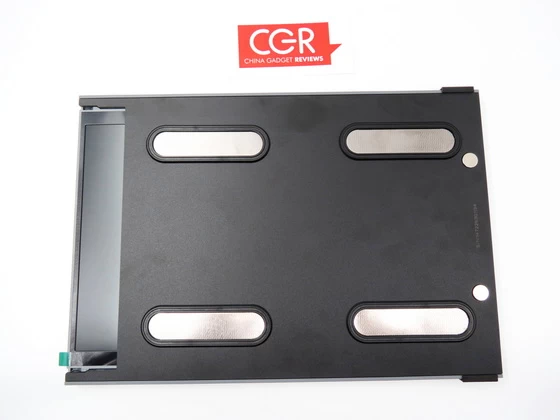
– More Perfect Texture. DUEX Max gives you true mobility with the most durable ABS and Aluminum materials.The portable laptop monitor is designed to withstand the wear and tear that comes with transporting your laptop around.
– Ensure optimal eye comfort. Experience optimal color temperature and brightness that minimizes the emission of blue light from your second display. Work and play comfortably with less eye fatigue while reading, word processing, and more in low-light environments. Colorful gaming monitor ensures hours of endless fun without the headache.
– Lightweight and durable. At just 1.8 pounds, DUEX Max is 23% lighter and gives you true mobility with the most durable materials. It’s also energy-efficient and specially designed to reduce battery drain from your laptop.
– Four expressive color options. Now, you can also choose from four expressive hues to convey the true you.
Mobile Pixels Duex Max Main Highlights
Larger 14.1” full HD display
85% screen-to-body ratio
Smaller magnet system
Lighter and slimmer
4 new colors
Multiple display modes
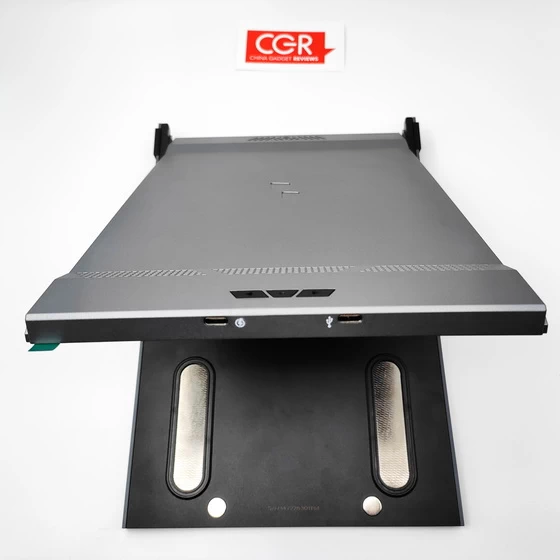
Two USB ports
300 nits max brightness
Eye Care Mode
Compatible with macOS / Windows / Android
Mobile Pixels Duex Max Menu Options
Backlight (from 0 to 100%)
Contrast (from 0 to 100%)
Saturation (from 0 to 100%)
Temperature: 9300 Coo+ / 7500 Cool / 6500 Warm / 5800 Warm+ / sRGB
Signal: TypeA / TypeC 1 / TypeC 2
EyeCare Mode: Off / On
G-sensor: Off / On
Reset: Off / On
Exit
Mobile Pixels Duex Max Specs
Brand: Mobile Pixels
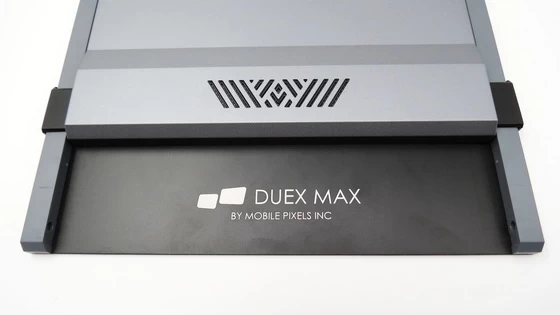
Model: Duex Max
Model number: 101-1007P04
Type: Laptop Second LCD Monitor
Material: PC-ABS Plastic & Robust Aluminum Alloy
Display Size: 14.1”
Compatible Laptop Size: 14″-17″
Aspect Ratio: 16:9
Native Resolution: Full HD (1080p) 1920 x 1080
Refresh rate: 60 Hz
Bit depth: 10-bit
Color format: RGB
Color space: Standard dynamic range (SDR)
Brightness: 300 nits
Energy consumption: 4.5W
Ports: 2 x USB Type-C
Features: Auto-rotation, Eye care mode, Back charging
Compatibility: Apple MacOS | Android | Google Chrome OS | Microsoft Windows
Product Dimensions: 12.6 x 8.9 x 0.25 (thinnnest point and 0,58 thickest point) inches
Thickness: 8.9 mm to 15.3 mm
Weight: 1.7 lbs
Color: Gunmetal Grey, Set Sail Blue, Rio Rouge, Mallard Green
Firmware version: Mp-DuexMax-20221022-N4N
Patent No.: 10.871.801
Package Content
1 x Mobile Pixels Duex Max 14.1 Inch Portable Monitor
1 x USB Cable
4 x Strong magnet
1 x User Manual
1 x Brand Ambassador card
12 x 3M Round Sticker
1 x Cleaning pad
1 x Magnets Mounting Template
1 x Mounting instruction card (yellow)
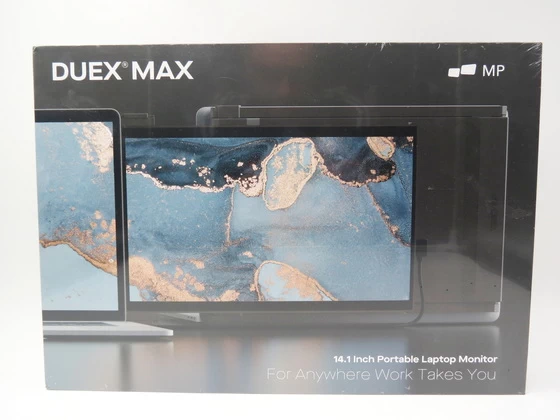
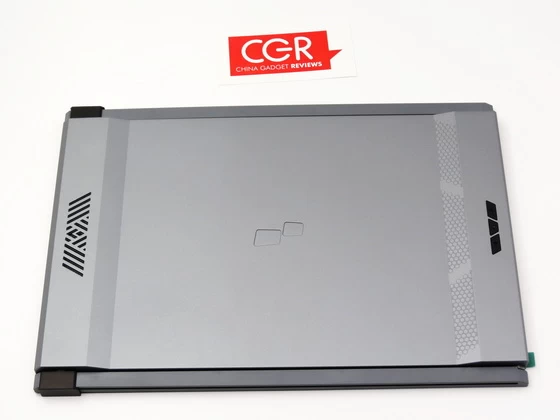
About Mobile Pixels. Mobile Pixels, Inc.’s co-founder, Jack, was constantly frustrated by the lack of a secondary monitor that could help him work more efficiently. Feeling strangely nostalgic about the work monitor he used at his previous job, he decided to build a laptop monitor from a broken laptop. That is how our first product Mobile Pixels DUEX was born. We combined the best technology in the market to create a lightweight portable monitor that increases your productivity and makes working efficient.
Did this article help you? If so, please tell me in a comment what do you think about it.
Don’t miss any of our future video tutorials, follow us on Youtube. Like us on Facebook. Join our Best Deals Telegram Channel. Join our Android TV Box Firmware Updates Telegram Channel. Subscribe now to our newsletter. If you need Tech Reviewer or Youtube Influencer read this. Donate now here to support CGR Team!