Major announcement – World Premiere Alert! AI-powered PTZ streaming camera crowdfunding campaign launched @ Kickstarter. Hurry up, limited time offer! Read more here about the unboxing OBSBOT Tail Air camera.
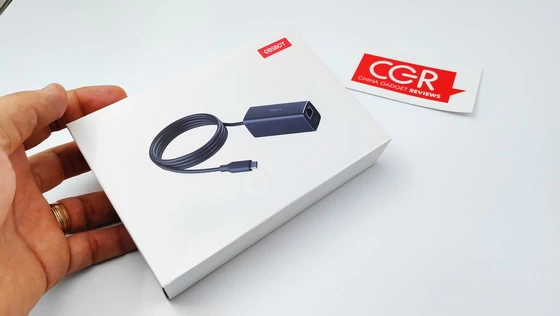
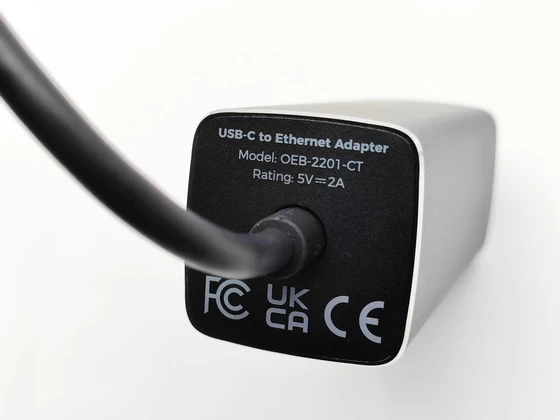
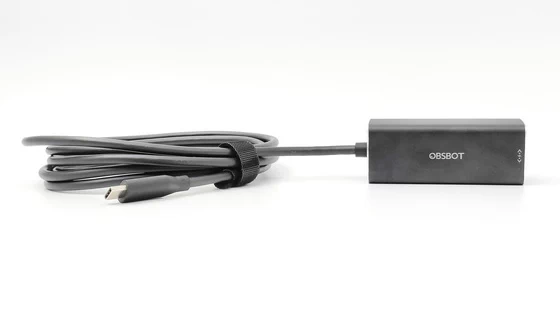
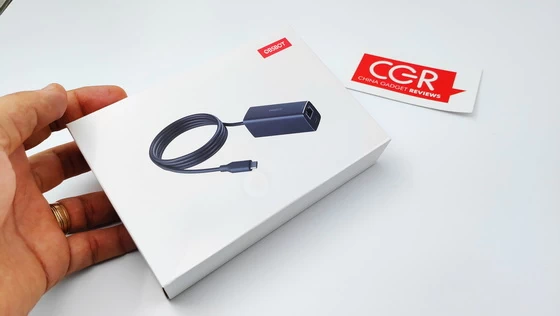
Meet OBSBOT OEB-2201-CT USB-C to Ethernet Adapter
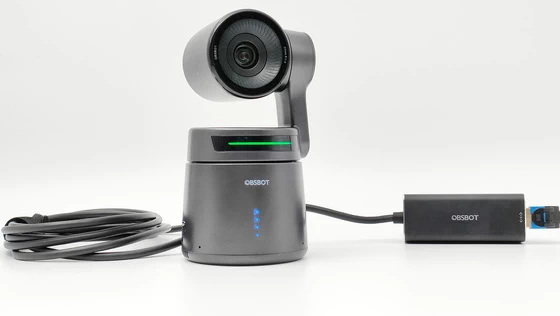
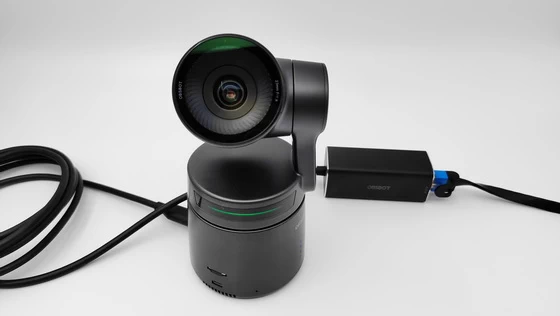
Designed specifically for OBSBOT Tail Air’s Ethernet connectivity, the adapter provides stable and smooth signal transmission for your wired NDI solution. With support for NDI | HX3, the OBSBOT Tail Air can provide higher quality and low-latency live streaming video via Wi-Fi and Ethernet, It should be noted that the NDI connected by Ethernet needs to purchase a separate accessory. provides great convenience for remote end-to-end transmission.
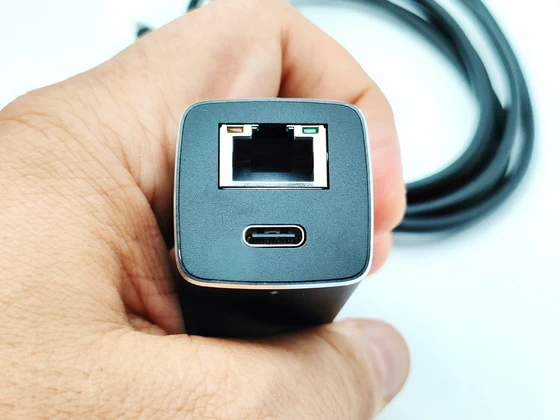
The ports on OBSBOT Tail Air are convenient, making the connection process faster and easier. You can run your livestream by connecting the devices with the USB-C, micro HDMI, or even the PoE-supported Ethernet cable, thus, the Tail Air can join your existed livestream solution effortlessly. Seamlessly switch perspectives, spotlight highlights, and create an immersive journey for your viewers – all at your fingertips with the AI Director Grids on OBSBOT Tail Air. With the ND Filters you get great coverage for various lighting conditions to reduce the amount of light that enter the OBSBOT Tail Air’s camera lens.
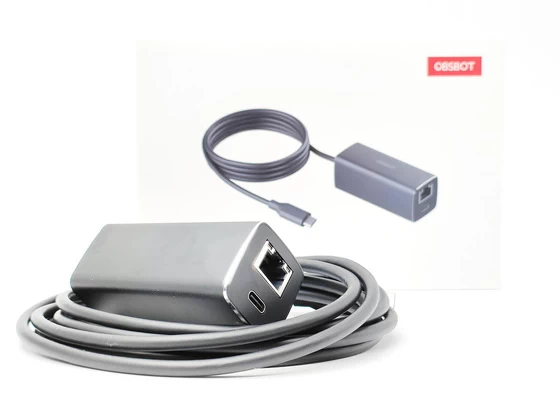
OBSBOT OEB-2201-CT USB-C to Ethernet Adapter Main Features
– This USB-C to Ethernet Adapter is space saving and easy to carry with its compact and lightweight design. The USB-C to Ethernet Adapter has a sturdy case and a cable that has been bent and tested many times, making this USB-C to Ethernet Adapter very durable. This is perfect for business travel, work, education, entertainment and more.
– Reliable ethernet connection. Connect with confidence where wireless connectivity is inconsistent or even non-existent. This adapter provides access to a reliable Internet connection up to gigabit speeds for confidently hosting a web conference transmission without interruption.
– Instant workstation. Connect directly to the internet while charging OBSBOT Tail Air camera with this USB-C to Ethernet adapter. This adapter includes a USB-C to Ethernet adapter, with Power Delivery and the ability to use with network big speeds.
OBSBOT OEB-2201-CT USB-C to Ethernet Adapter Specifications
Brand: OBSBOT
Model number: OEB-2201-CT
Type: USB-C to Ethernet Adapter
Compatibility: OBSBOT Tail Air
Rating: 5V 2A
Color: Black
Product code: 6971889230342
How to Use NDI with OBSBOT Tail Air
NDI (Network Device Interface) is a technology developed by NewTek that allows video sources to be shared over an Ethernet local area network. It enables different video production software and hardware to communicate with each other and transfer high-quality, low-latency video between systems. The OBSBOT Tail Air supports the wired and wireless NDI solution. For wired NDI connection, you might need to purchase an extra accessories from us called: USB-C to Ethernet Adapter.
Steps to Use NDI with OBSBOT Tail Air
Step 1: Activate NDI on OBSBOT Tail Air. Make sure you’ve got an exclusive NDI code from OBSBOT official store. Connect your Tail Air device with your mobile via OBSBOT Start App. Find the NDI setting in “More settings” of OBSBOT Start App. Click “Activate” and enter your NDI key, the NDI status will transform into “Activated”. Turn on the “NDI mode” button, now you can continue the process on your NDI Tool App.
Note: The HDMI signal wouldn’t be outputted when you’re using the NDI connection on Tail Air.
Step 2: Downloading and Installing NDI Tools. To start using NDI, you’ll need to download the NDI Tools pack from NewTek’s website. Go to https://ndi.video/tools/ndi-core-suite/. Click on “Download NDI Tools”. Install the NDI Tools on your computer. This will include NDI Scan Converter, NDI Studio Monitor, and other utilities.
Step 3: Connecting NDI Sources. Once you have NDI Tools installed, connecting NDI sources is straightforward. Ensure the Tail Air device you want to connect is on the same local network. Use the NDI Scan Converter utility to turn Tail Air’s signal into an NDI stream. Launch NDI Studio Monitor app and select your video input. You should now see the NDI source video feed in your receiving app or device! Select the matched device and you can now see the real-time video signal from Tail Air.
What’s In The Box
1 x OBSBOT OEB-2201-CT USB-C to Ethernet Adapter
1 x User Guide
1 x Warranty Card
1 x Packaging Box
Photo gallery full album here. Official page . Read more about OBSBOT products here.
About OBSBOT. Founded in April 2016, OBSBOT, an artificial intelligence camera brand, is dedicated to connecting people and the imaging industry to the future. With the artificial intelligence as the core, OBSBOT focuses on the application research of new technologies in the field of videography. It hopes to use revolutionary technology and innovative products to innovate the way of public records and image creation, and to change people’s social way.
Did this article help you? If so, please tell me in a comment what do you think about it.
Don’t miss any of our future video tutorials, follow us on Youtube. Like us on Facebook. Join our Best Deals Telegram Channel. Join our Android TV Box Firmware Updates Telegram Channel. Subscribe now to our newsletter.